
- Home
- Expense Management Software
- Sage Expense Management

Sage Expense Management Review



What is Sage Expense Management?
Sage Expense Management (previously known as Fyle) is an expense management platform that leverages artificial intelligence and is compatible with your existing credit cards. It assists businesses of all sizes in optimizing their financial workflows and provides employees with a straightforward, intuitive method of submitting expenses. Finance teams acquire real-time visibility into card transactions through direct integrations with credit card networks, including American Express, Visa, and Mastercard.
Email, text message, or mobile application are the methods by which employees effortlessly capture receipts. The AI of the platform automatically extracts details, categorizes expenses, and matches them to the appropriate projects, departments, or cost centers. Finance teams capitalize on intelligent capabilities, including automated policy checks, bidirectional integrations with accounting platforms such as Sage Intacct, Sage 300 CRE, NetSuite, QuickBooks Online, QuickBooks Desktop, and Xero, as well as flexible approval workflows.
Sage Expense Management is designed to be user-friendly and efficient, seamlessly integrating with common tools. Additionally, it requires no learning curve. It provides a seamless, frictionless experience for employees and frees finance teams from manual work by automating routine tasks and connecting to existing credit cards.
Sage Expense Management enables businesses to track every dollar, expedite reconciliation, and focus on growth rather than chasing receipts.
Show MoreOverview of Sage Expense Management Benefits
Easy Set Up
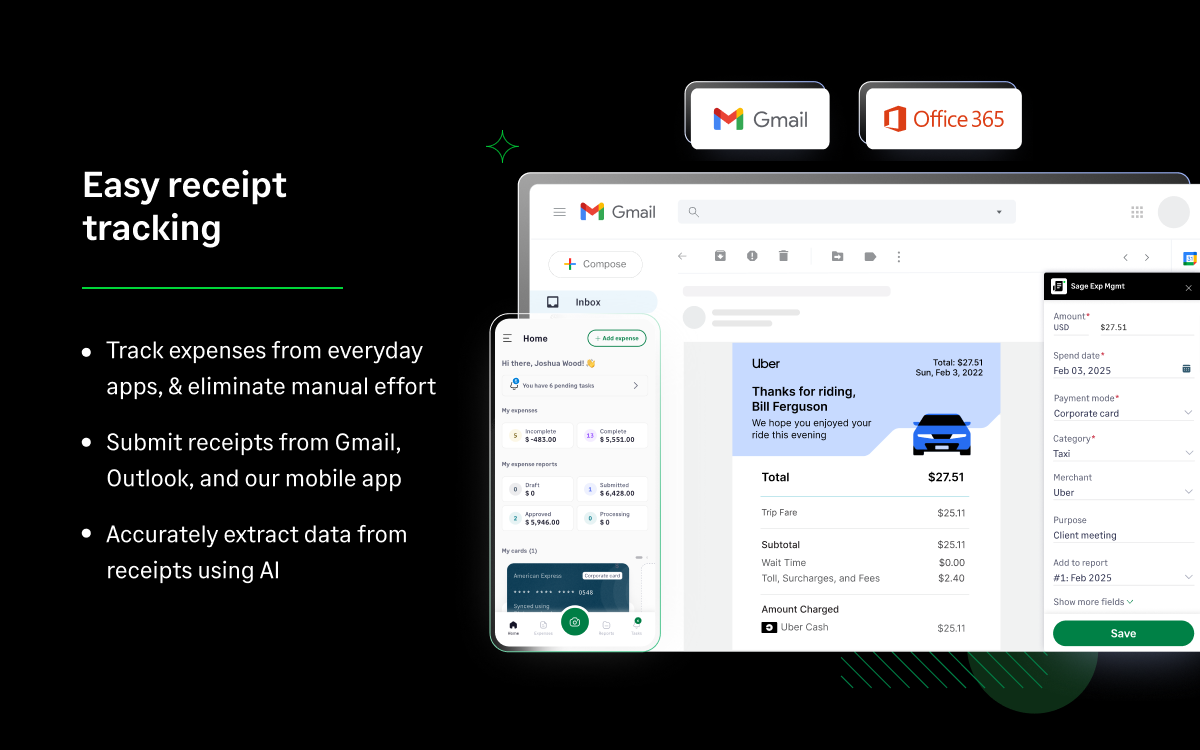
Sage Expense Management is super easy to set up and use. It sits in everyday apps like Gmail, Outlook, Slack, and Teams, enabling employees to submit their expenses on time and Finance teams to close books on time.
Real-time Credit Card Reconciliation
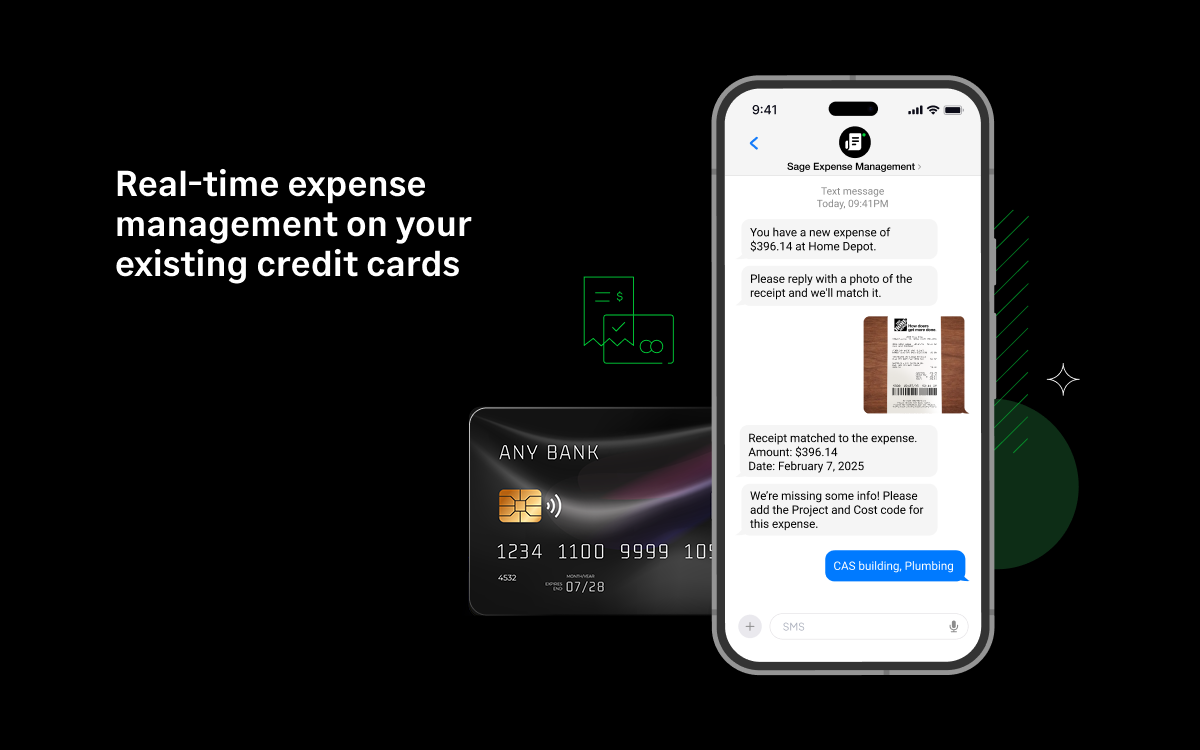
Credit card reconciliation is real-time. When employees make a corporate card transaction, they are instantly notified via SMS to submit the receipt. They can reply to the message with a picture of the receipt, and Sage Expense Management will automatically match it with the transaction in real-time.
Direct Integrations
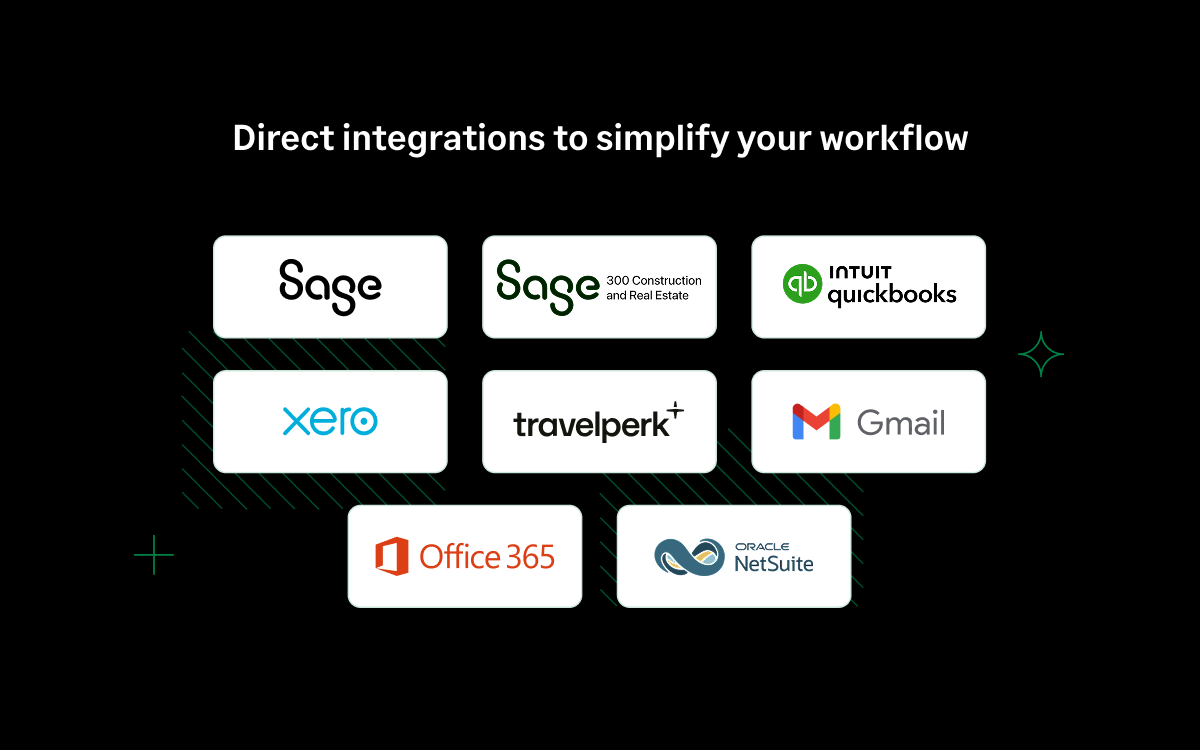
Sage Expense Management also has direct, self-serve integrations with NetSuite, Sage Intacct, QuickBooks Online, and Xero to easily sync accounting data and close your books on time.
Audit-ready and Compliant
Users also get unlimited receipt storage and detailed audit trails, so they’re constantly compliant and audit-ready. Their data is also secure with the team. Sage Expense Management has enterprise-grade security, and users have 100% ownership of their data.
Straightforward Pricing
Sage Expense Management’s pricing is straightforward, and their customer support is reliable. They charge as per “Active User,” someone who creates at least one expense report a month. It is completely usage-led with no lock-in contracts. Their support team is available 24/7 over chat, email, or call, with an average first response time of under 30 minutes.
Show MoreOverview of Sage Expense Management Features
- Automatic Data Extraction
- Automatic Policy Enforcement
- Real-time Expense Visibility
- Dynamic Approval System
- Custom Approval Hierarchy
- 3rd Party APIs
- Trip Authorization and Requests
- Multi-Country & Multi-Org Setup
- Automatic Account Syncing
- Corporate Cards
- Advance Management
- Duplicate Detection
- Mileage Claims
- Analytics
- Expense Audit Trail
What Problems Will Sage Expense Management Solve?
1. Problem: Employees don’t submit bills on time and finance teams have minimal visibility on payout amounts and some employees have not submitted in over 3 months.
Solutions:
- After implementing Sage Expense Management, employees can now submit their expense reports through GSuite integration even when they incur them.
- Sage Expense Management mobile app enables employees to capture a picture of receipts, invoices, and other documents on the go.
- Since there is no manual work for employees to enter data, there is no little delay. Admins no longer have to pursue and personally request employees to submit bills on time.
2. Problem
Expense data, receipts, communication information is scattered and a becomes a nightmare for reconciliation.
Solutions
- After implementing Sage Expense Management, the company did not have to worry about this, as Sage Expense Management captures expense data and the receipt automatically.
- The expense data, receipts, audit trail, and communication around expenses are stored together.
- Furthermore, employees can download reports in PDF format, with all receipts stitched together in a single file.
3. Problem
Checking for duplicates and policy violations took so much time and was never done accurately.
Solutions
- After implementing Sage Expense Management, the company can see everything via a dashboard of expenses, category-wise, and accurate information about policy violations and stats around different policies that were violated and employees who frequently violate them.
- Sage Expense Management’s engine automatically detects duplicates across the system and warns employees about the possible duplicate at the time of expense creation.
Awards & Quality Certificates



Sage Expense Management Position In Our Categories
Since businesses have particular business needs, it is rational they steer clear of paying for a one-size-fits-all, “perfect” business application. Still, it is hard to find such a software system even among widely used software systems. The efficient thing to undertake can be to note down the varied essential factors that need research like essential features, price terms, skill ability of staff members, business size, etc. Next, you must conduct the research systematically. Go over these Sage Expense Management analyses and check out each of the applications in your list more closely. Such all-encompassing product investigation can make sure you take out unsuitable apps and buy the system that has all the tools your business requires.
Position of Sage Expense Management in our main categories:
TOP
500
Sage Expense Management is one of the top 500 Accounting Software products
It is important to note that hardly any service in the Expense Management Software category will be an ideal solution able to meet all the goals of all company types, sizes and industries. It may be a good idea to read a few Sage Expense Management Expense Management Software reviews first as specific software might dominate exclusively in a very narrow group of applications or be prepared with a really specific industry in mind. Others might work with an idea of being simple and intuitive and therefore lack advanced features needed by more experienced users. You can also find solutions that support a wide group of customers and give you a powerful feature base, however this in most cases comes at a more significant cost of such a solution. Be certain that you're aware of your needs so that you pick a service that has specifically the functionalities you look for.
How Much Does Sage Expense Management Cost?
Sage Expense Management Pricing Plans:
Free Trial
Growth
$11.99/user/month
Business
$14.99/user/month
Enterprise
Contact vendor
What are Sage Expense Management pricing details?
Sage Expense Management Pricing Plans:
Free Trial
Growth
$11.99/user/month
Business
$14.99/user/month
Enterprise
Contact vendor
Sage Expense Management offers usage-led pricing, billing users only when they create at least one expense or have a corporate card connected to Sage Expense Management with at least one transaction on it in a month. These are called active users. This means users can onboard all employees but get charged only for active users. They can then book a demo to get a quick tour of how the software works.
Below are the three plans Sage Expense Management offers based on the users’ needs:
Growth – $11.99/month
- Unlimited receipt scanning with automated data extraction
- Receipt collection & expense completion via Text Messages
- Unlimited expense tracking from, Gmail, Outlook, Slack, and more.
- Mileage & Per Diem tracking
- Direct Visa integration via real-time feeds
- Direct Mastercard integration via real-time feeds
- American Express virtual Cards
- Instant text notifications for card spend, receipt collection via text and automated reconciliation
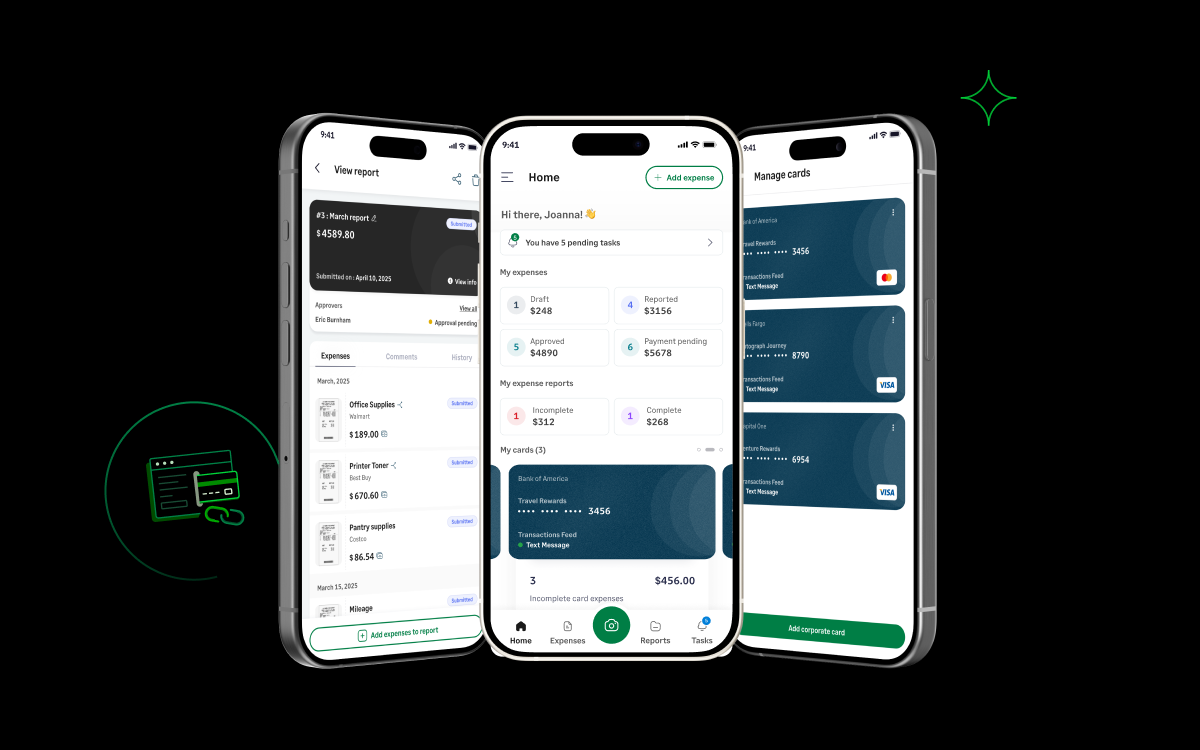
- Personal card management
- Universal statement parser to import credit card statements
- Automated credit card reconciliation
- Single-stage approvals
- Business rules and real-time policy violation checks
- Custom employee categories and expense fields
- Employee access delegation
- Two-way integrations with:
- QuickBooks Online
- Xero
- QuickBooks Desktop (additional cost applicable)
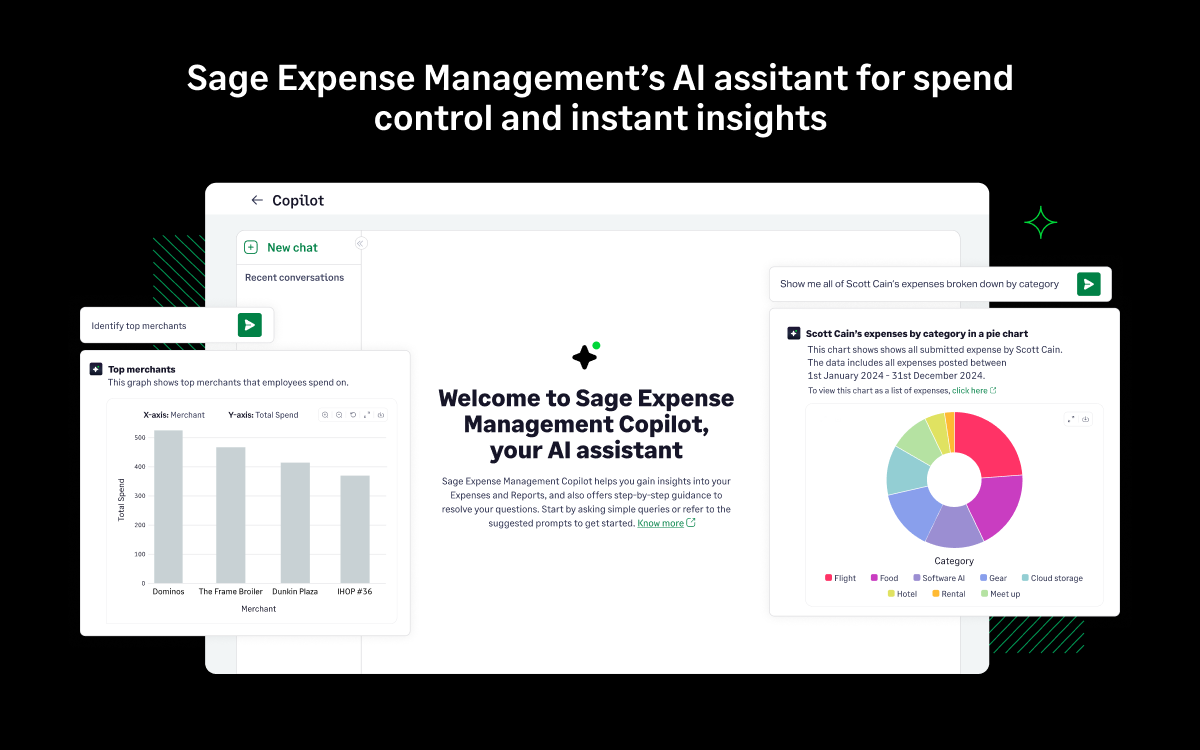
- AI-powered Copilot for instant spend insights and real-time support, get expense breakdowns and instant answers to all your queries.
- Basic email and knowledge base support
- Optional premium support with 24/7 live chat based support (additional fee applicable)
Business – $14.99/month
Everything in Growth plan, plus:
- Multi-org, multi-stage and policy-driven approvals
- ACH reimbursements (US only)
- Project expense tracking
- Custom data exports, including MIS
- Multi-currency, multi-region setup with multiple entities/orgs
- Two-way integrations (one-time implementation fee applicable) with:
- NetSuite
- Sage Intacct (Sage fees as applicable)
- Sage 300 Construction & Real Estate (Sage fees as applicable)
- QuickBooks Desktop (additional cost applicable)
- Direct, third-party, and API integrations with any accounting, travel, HRMS, and payroll software
- Premium Support with 24/7 live chat and email-based support, with a named account manager
- Optional SSO (additional fee applicable)
Enterprise – By quote
Everything in Business plan, plus:
- IP whitelisting of admin accounts
- Google single sign-on (SSO)
- Single sign-on with AD and Okta
- Branded account and emails
- Dedicated Enterprise Account Manager
- Half-yearly business reviews to optimize cost and compliance
- Customer Advisory Group for feature suggestions and direct FaceTime with the Product and Engineering teams, with priority access to features and planned deployments.
User Satisfaction
Positive Social Media Mentions
0
Negative Social Media Mentions
0
We realize that when you make a decision to get a Expense Management Software it’s important not only to see how professionals rank it in their reviews, but also to check whether the real people and businesses that bought this software are genuinely content with the product. That’s why we’ve devised our behavior-based Customer Satisfaction Algorithm™ that gathers customer reviews, comments and Sage Expense Management reviews across a vast range of social media sites. The data is then presented in a simple to understand form indicating how many users had positive and negative experience with Sage Expense Management. With that information at your disposal you will be equipped to make an informed purchasing choice that you won’t regret.
Video
Screenshots
Technical details
Devices Supported
- Windows
- Android
- iPhone/iPad
- Mac
- Web-based
Deployment
- Cloud Hosted
Language Support
- English
Pricing Model
- Monthly payment
- Quote-based
Customer Types
- Small Business
- Large Enterprises
- Medium Business
What Support Does This Vendor Offer?
- phone
- live support
- training
- tickets
What integrations are available for Sage Expense Management?
Sage Expense Management integrates with the following business systems and applications:
- Intuit Quickbooks
- Xero
- travelperk
- Gmail
- Office 365
- Oracle NetSuite
- Sage Inacct

Sage Expense Management
is waiting for
your first review.

Write your own review of this product
ADD A REVIEWMore reviews from 0 actual users:


Join a community of 7,369 SaaS experts
Thank you for the time you take to leave a quick review of this software. Our community and review base is constantly developing because of experts like you, who are willing to share their experience and knowledge with others to help them make more informed buying decisions.
Sign in with LinkedIn
Why we require LinkedIn?
- Show the community that you're an actual user.
- We will only show your name and profile image in your review.
- You can still post your review anonymously.
OR
Sign in with company emailSign in with company email
Popular Sage Expense Management Alternatives





Top Competitors To Sage Expense Management By Price
Product name:
Price:




Trending Expense Management Software Reviews


8.0
95%
8.0
100%
Sage Expense Management Comparisons
Product name:


Page last modified
Award Winner




Did you find this review useful?
Yes
No
Thank you for your feedback
How can we make this page better?
Unsure about this software?
FIND ALTERNATIVES
 Why is FinancesOnline free?