
- Home
- Survey Tools
- ClickTools

ClickTools Review


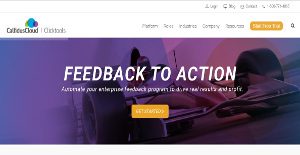

What is ClickTools?
ClickTools is a scalable survey and feedback solution for businesses, with many advanced features and integrations. It is designed for SMBs just as much as for enterprise-class users, so that both simple and complex surveys can be created and distributed.
ClickTools can automatically be incorporated into the CRM software used by the businesses which means that all the real-time information and updates can be seen and analyzed. Moreover, you don’t have to worry about the configuration of the ClickTools with in-house software used for the purpose of customer relationship management, employee feedback, and market research.
Also, the real-time information processing keeps you on your toes regarding the website’s performance with the help of dashboards, custom report and chart and branching logic. Such data can help businesses monitor the KPIs from time to time.
Show MoreOverview of ClickTools Benefits
If you are a non-IT user and want to conduct some compelling and contextually rich surveys through digital platforms, then ClickTools is the right survey system for you. It empowers every user to create, design, customize, distribute and analyze surveys to understand their performance metrics with regards to customers and employees. No difficult coding is required at any stage of the survey process. Also, the multi-mode deployment options are available across platforms such as mobile, email and IVR.
With customizable features, you can enhance the customer experience and make it engaging for the customers to fill out surveys. Customers would never fill out boring and dull surveys; rather they will overlook the whole prospect of providing feedback for any purpose. With this understanding, ClickTools offers features that can brand surveys, questionnaires, forms and emails according to the business’s brand personality.
Another amazing benefit of ClcikTools is that it allows for text and sentiment analysis, so that you can have both qualitative and quantitative data to base your results upon. These questions are automatically structured in the form of open-ended, close-ended, logic oriented, diagram based and branches through the software. All the surveys can be transported to CRM software to make a thorough real-time analysis of data and make smart data-driven decisions.
Show MoreOverview of ClickTools Features
- Email Distribution
- Embeddable Survey
- Custom Survey URLs
- Sentiment analysis
- Text analysis
- Data Analysis Tools
- Mobile Survey
- Offline Response Collection
- Multiple Question Types
- Kiosk Survey
- Templates
- Online Survey
- Phone Survey
- Question Branching
- Site Intercept Survey
- Social Media Integration
- Skip Logic
- Question Library
- Supports Audio / Images / Video
ClickTools Position In Our Categories
Knowing that companies have unique business-related wants, it is reasonable that they avoid seeking an all-in-one, ideal software product. Be that as it may, it would be almost impossible to try to chance on such an app even among popular software solutions. The clever step to do can be to set down the various vital aspects which require consideration such as critical features, price plans, skill capability of staff, organizational size, etc. Next, you must follow through the product research exhaustively. Read some ClickTools analyses and look into each of the software options in your list in detail. Such comprehensive research guarantee you circumvent mismatched applications and buy the system that has all the function your company requires.
Position of ClickTools in our main categories:
TOP
50
ClickTools is one of the top 50 Survey Tools products
If you are considering ClickTools it could also be a good idea to check out other subcategories of Survey Tools collected in our base of SaaS software reviews.
Since each enterprise has particular business needs, it is advisable for them to abstain from searching for a one-size-fits-all faultless software solution. Needless to say, it would be useless to try to find such an app even among widely used software applications. The smart thing to do would be to catalog the various vital aspects that need consideration such as required features, finances, skill levels of workers, company size etc. Then, you should do your groundwork thoroughly. Read some ClickTools Survey Tools reviews and check out each of the other solutions in your shortlist in detail. Such exhaustive research can make sure you weed out ill-fitting systems and zero in on the solution that provides all the features you need for business success.
How Much Does ClickTools Cost?
ClickTools Pricing Plans:
Free Trial
Quote-based Plan
Contact vendor
What are ClickTools pricing details?
ClickTools Pricing Plans:
Free Trial
Quote-based Plan
Contact vendor
ClickTools SMB and enterprise pricing information is available upon request. Contact the company to ask for more details and your annual subscription.
User Satisfaction
Positive Social Media Mentions
67
Negative Social Media Mentions
0
We know that when you choose to buy a Survey Tools it’s crucial not only to learn how experts score it in their reviews, but also to find out if the real clients and businesses that use this software are indeed happy with the service. That’s why we’ve created our behavior-based Customer Satisfaction Algorithm™ that gathers customer reviews, comments and ClickTools reviews across a wide range of social media sites. The data is then featured in an easy to understand format indicating how many users had positive and negative experience with ClickTools. With that information at hand you will be prepared to make an informed purchasing decision that you won’t regret.
Video
Technical details
Devices Supported
- Windows
- Mac
- Web-based
Deployment
- Cloud Hosted
Language Support
- English
Pricing Model
- Annual Subscription
- Quote-based
Customer Types
- Small Business
- Large Enterprises
- Medium Business
- Freelancers
What Support Does This Vendor Offer?
- phone
- live support
- training
- tickets
What integrations are available for ClickTools?
ClickTools integrate with the following business systems and applications:
- Salesforce
- SugarCRM
- Oracle CRM On Demand
- Microsoft Dynamics
ClickTools User Reviews
ClickTools average rating:
5/5
Overall impression
5/5
Customer Support
5/5
Value for Money
5/5
Ease of Use
Write your own review of this product
ADD A REVIEWThe most favorable review

PROS: I find ClickTools to be easy in terms of usage. I like its seamless integration with Salesforce. Their customer support is beyond amazing. The people I interact with are really experts that know how to get around issues. Even if they can't come up with an answer, they try taking things to another level. They focus intently on each customer.
CONS: To be honest, there's really nothing to hate. Their UI can use a bit of improvement. Knowledge base appears to be scarce in a way. But they've recently included more video tutorials and articles to make up for what's missing. I was even pushed to give feedback on their uploaded vids. They take their customers seriously.
The least favorable review
PROS: Clicktools offers great integration with Salesforce, and lot of our record management is automated. Technical support is highly responsive. Everyone in our office is using the Clicktools, and that’s why we get immediate response when we face some issues. The interface is very intuitive and user-friendly. I have to say that they have really improved their interface and its efficiency.
CONS: When we have made some upgrades the data import feature has stopped. We need to combine the surveys using other app. In the past we could upload our own 3rd part data so we can centralize the survey results into Ct so it can run automated report, but now we are not able to do this. We have asked for help but we haven’t heard anything yet. Also, it would be great if they could implement an option for downloading all response sets without downloading survey response separately.
More reviews from 9 actual users:
Sort by:
Latest
- Latest
- Most useful
- Most positive
- Most negative
Clicktools integrates with Salesforce
Read full review >
4/5
Overall impression
4/5
Customer Support
4/5
Value for Money
4/5
Ease of Use
Published on: 07.10.2021
Company Size: 11-50 Employees
Industry: International Trade and Development
PROS: Clicktools offers great integration with Salesforce, and lot of our record management is automated. Technical support is highly responsive. Everyone in our office is using the Clicktools, and that’s why we get immediate response when we face some issues. The interface is very intuitive and user-friendly. I have to say that they have really improved their interface and its efficiency.
CONS: When we have made some upgrades the data import feature has stopped. We need to combine the surveys using other app. In the past we could upload our own 3rd part data so we can centralize the survey results into Ct so it can run automated report, but now we are not able to do this. We have asked for help but we haven’t heard anything yet. Also, it would be great if they could implement an option for downloading all response sets without downloading survey response separately.
Salesforce can automatically deploy ClickTools easy.
Read full review >
5/5
Overall impression
5/5
Customer Support
5/5
Value for Money
5/5
Ease of Use
Published on: 10.08.2021
Company Size: 11-50 Employees
Industry: Information Technology
PROS: There are so many fine points with ClickTools. It's really easy to use. This tool allows for real-time metrics via the use of surveys. It has an auto-send feature whenever a case is being closed. It can easily be organized thanks to its Customer Service Manager.
CONS: There's nothing really bad to say about ClickTools. It's able to do a re-deploy instantly. And that's a good thing!
A perfect tool for conducting surveys!
Read full review >
5/5
Overall impression
5/5
Customer Support
5/5
Value for Money
5/5
Ease of Use
Published on: 30.07.2021
Company Size: More than 100 Employees
Industry: Consumer Electronics
PROS: I find ClickTools to be easy in terms of usage. I like its seamless integration with Salesforce. Their customer support is beyond amazing. The people I interact with are really experts that know how to get around issues. Even if they can't come up with an answer, they try taking things to another level. They focus intently on each customer.
CONS: To be honest, there's really nothing to hate. Their UI can use a bit of improvement. Knowledge base appears to be scarce in a way. But they've recently included more video tutorials and articles to make up for what's missing. I was even pushed to give feedback on their uploaded vids. They take their customers seriously.
I still consider this as one my favorite tools!
Read full review >
5/5
Overall impression
5/5
Customer Support
5/5
Value for Money
5/5
Ease of Use
Published on: 16.06.2021
Company Size: More than 100 Employees
Industry: Hospital & Health Care
PROS: I can't believe how easy this is to use! I don't have a programming background but I have passion for making workflows, and logical yet user-friendly forms. I purchased Clicktools largely because of its excellent survey abilities. Turns out, I'm using it even more for a lot of things (including call scripting). I can make use of data from Salesforce.com for rendering varying scripts according to where the lead was in the process of qualification.
CONS: At times, it gets a bit cumbersome in mappng back specific Salesforce field types. For instance, I want to utilize a 1 to 10 scale for an NPS score and then using a drop down or radio button. But at the same time, I want to map a number field within Salesforce for calculating scoring averages. I may be digging a deep hole for myself.
Brilliant software
Read full review >
5/5
Overall impression
5/5
Customer Support
5/5
Value for Money
5/5
Ease of Use
Published on: 26.04.2021
Company Size: More than 100 Employees
Industry: Computer Software
PROS: Clicktools integrates well with Salesforce. And it does this really swiftly. Building questions and other intricate survey needs can all be made possible. It's capable of customizing appearance and the "feel" for surveys to successfully pair with our brand.
CONS: The admin UI can be a little confusing. However, there are a lot of articles available for references. They've made recent changes to make this a bit better. There are a plethora options for extracting data out of the system. I see myself getting frequently confused in utilizing queries and reports.
Clicktools helps us to better understand our customers and to improve our service
Read full review >
5/5
Overall impression
5/5
Customer Support
5/5
Value for Money
5/5
Ease of Use
Published on: 01.02.2021
Company Size: More than 100 Employees
Industry: Pharmaceuticals
PROS: I love its interface it is extremely user-friendly. We can send reports quickly and do the integration with Salesforce. This is very beneficial for our sales goals.
CONS: It would be great if they could implement lot of features for reporting. I would like to be able to edit the reporting and to get net promoter scoring model. I would be happy if they could implement these.
We have great experience with Clicktools
Read full review >
5/5
Overall impression
5/5
Customer Support
5/5
Value for Money
5/5
Ease of Use
Published on: 15.02.2018
Company Size: More than 100 Employees
Industry: Electrical/Electronic Manufacturing
PROS: There are lot of things that I like about Clicktools, and some of them are: an integration with Salesforce (this is the reason I use this tool.), quick time for setting up a survey and I am able to do the mapping easily.
CONS: In my opinion it can be a bit complicated for creating surveys because we have customized surveys for company guidelines. I think, they need to implement their own feature for survey criteria. We don’t even use the reporting capabilities of Clicktool because the storing of all surveys is in Salesforce. When we started to use this product, there wasn’t any type of tutorial or help guide that would help us with the system.
Intuitive, easy to use and helpful tool
Read full review >
5/5
Overall impression
5/5
Customer Support
5/5
Value for Money
5/5
Ease of Use
Published on: 23.12.2017
Company Size: More than 100 Employees
Industry: Computer Software
PROS: You can easily integrate Clicktools with Salesforce, you are able to create questions, and lot of complex survey requirements. You are even able to customize the look and feel of the surveys in order to match the brand of your company.
CONS: I think that the Administrative user interface is bit complicated, but there are lot of posts about it, and they have even implement some new changes so they’ve improve the interface. Also, I found that the process of using the reports and queries is bit confusing, I often export it to excel or do the report from the Salesforce.
Give it a try
Read full review >
5/5
Overall impression
5/5
Customer Support
5/5
Value for Money
5/5
Ease of Use
Published on: 18.12.2017
Company Size: More than 100 Employees
Industry: Hospital & Health Care
PROS: I do not work as a programmer but I found this tool very easy to use. I simply enjoy in creating workflows and logical and forms. My main purpose for using Clicktools was the survey capabilities, but I have found that this product offers even more options including the call scripting. I am able to use the Salesforce data so I can render various script based on where some lead was in the whole qualification process. My work with this tool is much easier.
CONS: I have found that the software can be a little buggy to map back some field types in SF. For example, when I want to use a scale of 1-10 for the NPS score I use a drop-down feature or even radio button, the main issue comes when I want to map back to a number filed into the SF so I can calculate the average scores.


Join a community of 7,369 SaaS experts
Thank you for the time you take to leave a quick review of this software. Our community and review base is constantly developing because of experts like you, who are willing to share their experience and knowledge with others to help them make more informed buying decisions.
Sign in with LinkedIn
Why we require LinkedIn?
- Show the community that you're an actual user.
- We will only show your name and profile image in your review.
- You can still post your review anonymously.
OR
Sign in with company emailSign in with company email
Popular ClickTools Alternatives




Top Competitors To ClickTools By Price
Product name:
Price:


Trending Survey Tools Reviews


ClickTools Comparisons
Product name:


ClickTools user reviews
Clicktools integrates with Salesforce
Read full review >
4/5
Overall impression
4/5
Customer Support
4/5
Value for Money
4/5
Ease of Use
Published on: 07.10.2021
Company Size: 11-50 Employees
Industry: International Trade and Development
Salesforce can automatically deploy ClickTools easy.
Read full review >
5/5
Overall impression
5/5
Customer Support
5/5
Value for Money
5/5
Ease of Use
Published on: 10.08.2021
Company Size: 11-50 Employees
Industry: Information Technology
A perfect tool for conducting surveys!
Read full review >
5/5
Overall impression
5/5
Customer Support
5/5
Value for Money
5/5
Ease of Use
Published on: 30.07.2021
Company Size: More than 100 Employees
Industry: Consumer Electronics
I still consider this as one my favorite tools!
Read full review >
5/5
Overall impression
5/5
Customer Support
5/5
Value for Money
5/5
Ease of Use
Published on: 16.06.2021
Company Size: More than 100 Employees
Industry: Hospital & Health Care
Brilliant software
Read full review >
5/5
Overall impression
5/5
Customer Support
5/5
Value for Money
5/5
Ease of Use
Published on: 26.04.2021
Company Size: More than 100 Employees
Industry: Computer Software

Page last modified


 Why is FinancesOnline free?