
- Home
- Church Management Software
- FellowshipOne

FellowshipOne Review



What is FellowshipOne?
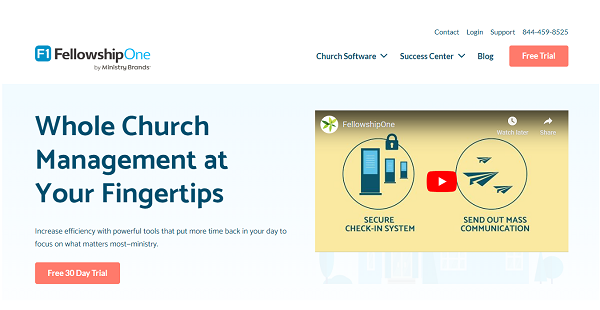
FellowshipOne Go Complete is a church a management software that integrates all of FellowshipOne church software solutions: FellowshipOne Church Management Software, FellowshipOne Church Accounting Software, and FellowshipOne Church Online Giving Software. Designed to streamline the administrative tasks of churches and congregations of more than 1,000 attendees and 10 employees, and at least 6 users; FellowshipOne is described as an intuitive and robust church management solution that has the capability to manage the complexity of church administration related to growing churches, congregations, and religious denominations.
As an advanced platform which is equipped with powerful tools and comprehensive database, FellowshipOne provides modular church management capabilities and functionalities comprised of memberships, volunteers, donations, events and programs management. It also offers mass messaging and integrated background checks to improve the communication and promote security across churches. The accounting capabilities of the software provides tools for general ledger, accounts payable and receivable, bank reconciliation, payroll, and purchase management.
Show MoreOverview of FellowshipOne Benefits
A very unique feature of FellowshipOne Go Complete which is included in this bundle of church management tools is its integrated church background check system. Users could request for the specific type of background checks they need to set up for their own church in consideration of their security requirements and practices. Through this background checks system, they would be able to obtain information about their members, volunteers, and other people involved with their church. Background checks are automatically submitted and all the information are added into the profiles of members.
The integrated church background checks system of FellowshipOne Go Complete is in fact a component of its volunteer management strategy functionality. This works in two ways; one, the church volunteer coordinators would be able to instantly access the results of background checks on members, helping them to easily implement their volunteer works and assignments, two; the recruitment and identification of volunteers themselves before they become part of the church groups and church events teams would be automatically processed. With the aid of this system, users would be able to determine to which type of volunteer assignment an applicant is best suited for. Furthermore, users could identify the talents and skills possessed by their members and designate them to activities, events, and groupings that require such capabilities.
Integrated and powered by Shelby Systems financial software solution and with the purpose of generating church financial insights and data that could be aligned with the ministry goals and managing the financial resources for ministry growth, the accounting functionalities of FellowshipOne Go Complete has a purchase management feature. With this feature, users would be able to access and use a centralised and web-based ministry acquisition system that enables them to easily enter purchase orders and incorporate their own order approval process. In this purchase management system, users would be able to track all the information related to a requisition and create customized purchase order forms. Moreover, purchase orders could be automatically managed by allowing users to apply the invoices they created from the accounts payable to purchased items. This feature aids also managers to approve instantly all requisitions falling under a specific dollar amount.
Meanwhile, the online giving functionality of FellowhipOnline GO Complete offers an interesting feature that allows users to manage donations and contributions from multiple campuses and sites that are sent online. It features the creation of online giving pages and specific funds that users could customize and generate for a specific campus or site. In addition, the multi-site support capability of the online giving feature of the church management software covers online campuses as well as mission campuses. With this feature, any donations sent from campuses and sites are automatically designated to specific funds thus making the administration of these donations automated and more convenient.
Show MoreOverview of FellowshipOne Features
- Integrated Background Checks
- Volunteer Management
- Purchase/Acquisition/ Requisition Management
- Online Giving
- Multiple-Site And Campus Support For Donation, Contribution, and Online Giving
- Member Management
- Church Accounting
- Mass Messaging
- Church Websites
FellowshipOne Position In Our Categories
Because businesses have their own business needs, it is only practical that they steer clear of picking an all-in-one, “perfect” software system. Having said that, it is almost impossible to stumble on such a software solution even among recognizable software systems. The better thing to do is to take note of the varied important aspects which need research including important features, plans, skill capability of staff, company size, etc. After which, you must conduct your product research fully. Read some FellowshipOne reviews and scrutinize the other solutions in your list more closely. Such all-encompassing research ascertains you stay away from mismatched applications and select the system that provides all the benefits your company requires for optimal results.
Position of FellowshipOne in our main categories:
TOP
3
FellowshipOne is one of the top 3 Church Management Software products
Each enterprise has its own characteristics, and might call for a specific Church Management Software solution that will be fit for their business size, type of customers and staff and even individual industry they cater to. You should not count on getting an ideal services that will work for every company regardless of their history is. It may be a good idea to read a few FellowshipOne Church Management Software reviews first and even then you should pay attention to what the service is supposed to do for your business and your employees. Do you need an easy and intuitive app with just essential features? Will you actually make use of the advanced tools required by pros and large enterprises? Are there any specific tools that are especially useful for the industry you operate in? If you ask yourself these questions it will be much easier to locate a solid solution that will fit your budget.
How Much Does FellowshipOne Cost?
FellowshipOne Pricing Plans:
Free Trial
FellowshipOne
Starts at $179/month
What are FellowshipOne pricing details?
FellowshipOne Pricing Plans:
Free Trial
FellowshipOne
Starts at $179/month
FellowshipOne Go Complete’s enterprise pricing plans start at $179/month, depending on the number of church accounts and members you wish to manage. Visit the company’s official website, and use their pricing calculator to check your quote.
User Satisfaction
Positive Social Media Mentions
8
Negative Social Media Mentions
0
We realize that when you choose to buy a Church Management Software it’s important not only to see how experts score it in their reviews, but also to find out whether the real users and businesses that bought these solutions are indeed content with the product. Because of that need we’ve devised our behavior-based Customer Satisfaction Algorithm™ that gathers customer reviews, comments and FellowshipOne reviews across a vast range of social media sites. The data is then presented in a simple to digest way showing how many customers had positive and negative experience with FellowshipOne. With that information at your disposal you will be equipped to make an informed buying choice that you won’t regret.
Video
Technical details
Devices Supported
- Windows
- Linux
- Android
- iPhone/iPad
- Mac
- Web-based
Deployment
- Cloud Hosted
Language Support
- English
Pricing Model
- Monthly payment
- Quote-based
Customer Types
- Small Business
- Large Enterprises
- Medium Business
What Support Does This Vendor Offer?
- phone
- live support
- training
- tickets
What integrations are available for FellowshipOne?
FellowshipOne Go Complete supports integrations with the following business systems and applications:
- Protect My Ministry
- High Ground Solutions
- EasyTithe
- Clover Sites
- MailChimp
- Constant Contact
FellowshipOne User Reviews
FellowshipOne average rating:
5/5
Overall impression
5/5
Customer Support
4/5
Value for Money
4/5
Ease of Use
Write your own review of this product
ADD A REVIEWThe most favorable review

PROS: I like how we can record how many visits and attendance every week. This helps us make accurate decisions.
CONS: It is not so intuitive. The UI can be improved a ton.
The least favorable review
PROS: We use this to monitor tithing and other financials. It is very simple to use and we can monitor the whole organization or even individual members from here.
CONS: The UI is not best in class especially at the start. It will grow on you though.
More reviews from 16 actual users:
Sort by:
Latest
- Latest
- Most useful
- Most positive
- Most negative
Vital part of my work.
Read full review >
5/5
Overall impression
4/5
Customer Support
4/5
Value for Money
5/5
Ease of Use
Published on: 18.09.2021
Company Size: 1-10 Employees
Industry: Music
PROS: I love how database management can be done on the platform conveniently and accurately. I use the program to keep in contact with my members and staff. Information management and communications have been easier since using this application.
CONS: I don't really dislike anything about the application. Since we used it the first time, I noticed a learning curve that's a little steep. But that is that. Afterward, it's very easy to use and is being used by all of us.
Love the app!
Read full review >
5/5
Overall impression
4/5
Customer Support
4/5
Value for Money
4/5
Ease of Use
Published on: 10.09.2021
Company Size: More than 100 Employees
Industry: Non-Profit Organization Management
PROS: It is very comprehensive. You can track everything from attendance, giving, and even assign volunteers from there. You can create sign-ups for classes or membership easily. Database management is great.
CONS: There will be some glitches on occasion. This happens when we sync it with other programs. This though depends on the scale and depth--the complexity of the problem.
Awesome app
Read full review >
5/5
Overall impression
4/5
Customer Support
5/5
Value for Money
5/5
Ease of Use
Published on: 31.08.2021
Company Size: More than 100 Employees
Industry: Religious Institutions
PROS: We store information securely there. We use it to build reports and its easy to use. Tracking information is convenient.
CONS: It is not very easy to use. But you'll get used to it.
Great product!
Read full review >
5/5
Overall impression
4/5
Customer Support
4/5
Value for Money
5/5
Ease of Use
Published on: 10.08.2021
Company Size: More than 100 Employees
Industry: N/A
PROS: The database is awesome. You can easily search for information like emails, names, phone numbers and the like easily. You can also create reports based on spreadsheets. Furthermore, it helps us handle our attendance data and check-in system very well.
CONS: The interface seems a little old looking. It is something to get used to.
Great tool
Read full review >
5/5
Overall impression
4/5
Customer Support
4/5
Value for Money
4/5
Ease of Use
Published on: 29.07.2021
Company Size: 11-50 Employees
Industry: Religious Institutions
PROS: I like how we can record how many visits and attendance every week. This helps us make accurate decisions.
CONS: It is not so intuitive. The UI can be improved a ton.
Database management made easy.
Read full review >
5/5
Overall impression
5/5
Customer Support
5/5
Value for Money
4/5
Ease of Use
Published on: 31.05.2021
Company Size: More than 100 Employees
Industry: Non-Profit Organization Management
PROS: The database management system is simply superb. You can keep track of members, patrons, customers and people in your organization. You can also customize different features and items and this helps us create personalized reports. F1 is being used every day here and we can't function as we do now without it.
CONS: It might just be me but the UI leaves much to be desired when you start out. It is not the most user-friendly out there. I hope they can upgrade this. I bet more people will use the program if this is improved.
Makes everything accessible!
Read full review >
5/5
Overall impression
4/5
Customer Support
5/5
Value for Money
4/5
Ease of Use
Published on: 13.05.2021
Company Size: 11-50 Employees
Industry: Non-Profit Organization Management
PROS: One of my faves is that there is a mass group email feature. This helps our communications be made easier and faster. Also, it makes coordinating a breeze. I believe that this helped increased participation in our ministries. The search function is very useful. I used it for individuals and for groups.
CONS: Entering information seems to take a while especially on service days. This makes every week a hard week for those entering them manually. Also, for our kid ministries, this also spells some problems. Kids don't like to enter comprehensive information for minutes just to check in. Hope they can make this easier and quicker.
Review of FellowshipOne Church
Read full review >
4/5
Overall impression
3/5
Customer Support
3/5
Value for Money
3/5
Ease of Use
Published on: 18.04.2021
Company Size: 11-50 Employees
Industry: N/A
PROS: I love how it allows you to analyze data easily. The database system is very good. Support is also great plus new features are being added. There is also the check-in system which makes it very convenient. No more pulling up browsers.
CONS: The interface is not really the best one out there. They can do better with this. Also, if the check-in tags can be customized, the platform would be so much better.
Great application!
Read full review >
5/5
Overall impression
4/5
Customer Support
4/5
Value for Money
5/5
Ease of Use
Published on: 24.03.2021
Company Size: More than 100 Employees
Industry: N/A
PROS: I love Fellowship One as it allows us to monitor different aspects of the organization easily. We have everything we need it one place. We can track financials, member information, statuses, and even conduct background checks.
CONS: The program malfunctions at times. The background check information feature sometimes gives out. It is not displayed properly so we are forced to determine the information using other means.
Great for big organizations!
Read full review >
4/5
Overall impression
4/5
Customer Support
4/5
Value for Money
4/5
Ease of Use
Published on: 27.01.2021
Company Size: More than 100 Employees
Industry: Religious Institutions
PROS: The database management feature is excellent. you can even take photos from your phone and add it to people profiles. It makes management and monitoring very easy.
CONS: I'm not big on the search tool. It seems clunky at times. This can be improved. Also, the app crashes some times.
Tithing monitoring made easy.
Read full review >
4/5
Overall impression
4/5
Customer Support
4/5
Value for Money
4/5
Ease of Use
Published on: 09.10.2019
Company Size: 11-50 Employees
Industry: Non-Profit Organization Management
PROS: We use this to monitor tithing and other financials. It is very simple to use and we can monitor the whole organization or even individual members from here.
CONS: The UI is not best in class especially at the start. It will grow on you though.
I like it a lot.
Read full review >
4/5
Overall impression
4/5
Customer Support
3/5
Value for Money
4/5
Ease of Use
Published on: 06.10.2019
Company Size: More than 100 Employees
Industry: Education Management
PROS: The platform is very comprehensive. It has so many useful tools that I can use. I love how you can generate reports quickly very much. Also, there is a good amount of configuration options so I can't hate that.
CONS: I am not liking the UI too much and there is a steep learning curve at the start.
One of the best Church platform.
Read full review >
5/5
Overall impression
5/5
Customer Support
4/5
Value for Money
4/5
Ease of Use
Published on: 26.09.2019
Company Size:
Industry: N/A
PROS: We use it to connect different aspects of our ministries together. Thanks to its database management feature, we can easily pull up information and communicate. You can even look into when and what activity did an individual attends. We use it to make accurate reports and it has been instrumental in making our ministry efficient.
CONS: The app is very comprehensive like having different features so not all of them is really great at their specific purpose. There is room for improvement, especially in the check-in feature. It is clunky at times and we have to do workarounds. The application may still have bugs but it is one of the most comprehensive applications out there.
Awesome tool. Hard to be without it.
Read full review >
4/5
Overall impression
4/5
Customer Support
4/5
Value for Money
4/5
Ease of Use
Published on: 16.09.2019
Company Size: More than 100 Employees
Industry: Marketing and Advertising
PROS: I like how we can import member data and create profiles easily. The program also allows us to communicate well and conveniently. We keep track of activities in it like member participations and even offerings. There is also a feature where you can make custom reports. This is a plus.
CONS: Sometimes the custom reports feature is a little clunky. There is much left to be desired. It works but the could improve on this.
F1 is great!
Read full review >
4/5
Overall impression
3/5
Customer Support
3/5
Value for Money
3/5
Ease of Use
Published on: 30.08.2019
Company Size: 1-10 Employees
Industry: Religious Institutions
PROS: I like how much easy it is to set up your database. The amount of customization is great as well. The search function makes it easy for me to find contacts.
CONS: The UI is not that great. It takes some time to get used to it especially when you try to customize items. But if you get used to it, this program is very helpful.
Moved from Fellowship One to Fellowship Go.
Read full review >
5/5
Overall impression
5/5
Customer Support
5/5
Value for Money
4/5
Ease of Use
Published on: 19.08.2019
Company Size: 1-10 Employees
Industry: N/A
PROS: I love how you can manage information easily on the platform. The reporting function is excellent as well.
CONS: There aren't many options for reporting. I hope they add more report types from the legacy version.


Join a community of 7,369 SaaS experts
Thank you for the time you take to leave a quick review of this software. Our community and review base is constantly developing because of experts like you, who are willing to share their experience and knowledge with others to help them make more informed buying decisions.
Sign in with LinkedIn
Why we require LinkedIn?
- Show the community that you're an actual user.
- We will only show your name and profile image in your review.
- You can still post your review anonymously.
OR
Sign in with company emailSign in with company email
Popular FellowshipOne Alternatives


Top Competitors To FellowshipOne By Price
Product name:
Price:

by quote




Trending Church Management Software Reviews





FellowshipOne Comparisons
Product name:


FellowshipOne user reviews
Vital part of my work.
Read full review >
5/5
Overall impression
4/5
Customer Support
4/5
Value for Money
5/5
Ease of Use
Published on: 18.09.2021
Company Size: 1-10 Employees
Industry: Music
Love the app!
Read full review >
5/5
Overall impression
4/5
Customer Support
4/5
Value for Money
4/5
Ease of Use
Published on: 10.09.2021
Company Size: More than 100 Employees
Industry: Non-Profit Organization Management
Awesome app
Read full review >
5/5
Overall impression
4/5
Customer Support
5/5
Value for Money
5/5
Ease of Use
Published on: 31.08.2021
Company Size: More than 100 Employees
Industry: Religious Institutions
Great product!
Read full review >
5/5
Overall impression
4/5
Customer Support
4/5
Value for Money
5/5
Ease of Use
Published on: 10.08.2021
Company Size: More than 100 Employees
Industry: N/A
Great tool
Read full review >
5/5
Overall impression
4/5
Customer Support
4/5
Value for Money
4/5
Ease of Use
Published on: 29.07.2021
Company Size: 11-50 Employees
Industry: Religious Institutions

Page last modified



Did you find this review useful?
Yes
No
Thank you for your feedback
How can we make this page better?
Unsure about this software?
FIND ALTERNATIVES
 Why is FinancesOnline free?