

Quosal Review


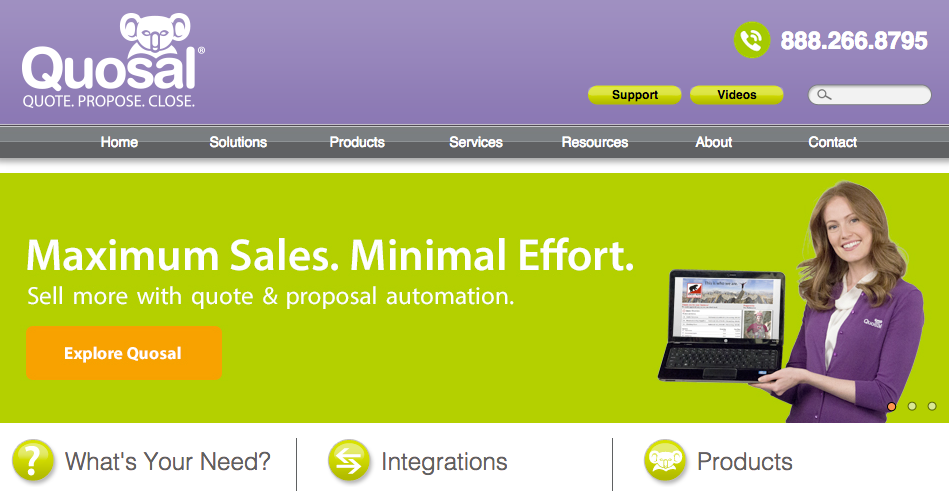

What is Quosal?
Quosal is a host of quoting and sales workflow automation tools that makes quoting and closing sales a lot easier and faster for small to medium size businesses. This is done with the system’s simple quote creation tools and effective channels for quote delivery. Quosal offers five different products, each designed to meet specific quotation and sales needs.
Quosal Sell – creates accurate and professional quotes and proposals from anywhere at any time.
Order Porter – speeds up closing process by enabling customers to say “yes” with their electronic signature.
Quosal Mobile – gives quotes effectively on the spot using your mobile device. This helps you reduce the sales cycle and close more business.
Quosal Catalog – superior product catalog management that enhances quoting and proposal processes
Modern Office – a suite of integrated office technology solutions designed to improve workflow and enhance productivity
Show MoreOverview of Quosal Benefits
Quosal comes with a myriad of advantages for businesses who rely heavily on delivering quotes and proposals to their clients.
- You can create professional-looking quotes and proposals that are accurate and timely anytime and from anywhere
- It’s easy to shorten sales cycles by enabling customers to affirm their orders instantly with the electronic signature feature
- You can enjoy seamless integrations with other systems such as CRM, PSA and accounting platforms
- Mobile app lets you quote on the spot via your Apple or Windows 8 devices
- You can effectively manage your catalog and make product information more accessible for faster quoting and proposals
Overview of Quosal Features
- Quote and Proposal Software
- Product Configuration
- Send Quotes Online
- Sales Workflow Automation
- Catalog Services
- Peer Review & Approval Workflow
- Quote to Order Workflow
- Channel Management
- Sales Acceleration Software
- Online Quote Presentation
- Sales Workflow Automation
- Professional Proposal Generation
- B2B Reorders & Configurations
- Catalog Services
- Quote to Order Workflow
Quosal Position In Our Categories
Keeping in mind businesses have special business wants, it is only sensible they abstain from paying for an all-encompassing, “perfect” system. Be that as it may, it is hard to try to pinpoint such a software system even among popular software products. The rational step to undertake is to write down the different key aspects that necessitate deliberation like crucial features, budget, technical skill levels of staff members, business size, etc. The second step is, you should conduct your research to a full extent. Have a look at some of these Quosal reviews and check out each of the software solutions in your list more closely. Such detailed product investigation guarantee you stay away from mismatched applications and choose the one that meets all the function your business requires.
Position of Quosal in our main categories:
TOP
50
Quosal is one of the top 50 Sales Proposal Automation Software products
TOP
500
Quosal is one of the 500 Sales Tools products
If you are interested in Quosal it may also be sensible to examine other subcategories of Sales Tools gathered in our database of B2B software reviews.
Since each company has unique business needs, it is advisable for them to desist from looking for a one-size-fits-all faultless software system. Needless to say, it would be useless to try to find such an app even among widely used software applications. The clever thing to do would be to jot down the various essential elements that need consideration such as main features, finances, skill levels of workers, company size etc. Then, you should do your research thoroughly. Read some Quosal Sales Tools reviews and check out each of the other apps in your shortlist in detail. Such in-depth homework can make sure you weed out ill-fitting applications and select the system that presents all the elements you need for business success.
How Much Does Quosal Cost?
Quosal Pricing Plans:
Free Trial
Quote-based Plan
Contact vendor
What are Quosal pricing details?
Quosal Pricing Plans:
Free Trial
Quote-based Plan
Contact vendor
For pricing information, contact the vendor directly.
User Satisfaction
Positive Social Media Mentions
56
Negative Social Media Mentions
0
We are aware that when you make a decision to buy a Sales Tools it’s vital not only to find out how professionals score it in their reviews, but also to find out whether the real clients and businesses that purchased these solutions are indeed happy with the product. Because of that need we’ve devised our behavior-based Customer Satisfaction Algorithm™ that aggregates customer reviews, comments and Quosal reviews across a vast range of social media sites. The information is then presented in an easy to digest form revealing how many clients had positive and negative experience with Quosal. With that information available you should be equipped to make an informed buying decision that you won’t regret.
Technical details
Devices Supported
- Windows
- iPhone/iPad
- Mac
Deployment
- Cloud Hosted
Language Support
- English
Pricing Model
- Quote-based
Customer Types
- Small Business
- Medium Business
What Support Does This Vendor Offer?
- phone
- live support
- training
- tickets
What integrations are available for Quosal?
Quosal supports integrations with the following business systems and applications:
- Autotask
- ConnectWise
- Microsoft Dynamics
- NetSuite
- Quickbooks
- Salesforce.com
- Dell
- Distributor Catalogs
- QuickBooks
- AvaTax
- Microsoft Office
Quosal User Reviews
Quosal average rating:
4/5
Overall impression
5/5
Customer Support
4/5
Value for Money
4/5
Ease of Use
Write your own review of this product
ADD A REVIEWThe most favorable review

PROS: Quosal eliminates all guess work in the quoting process for our team which saves time through automation. It also helps import quotes from Dell without much hustle and thus reduces the data entry workload. When it comes to price comparison for your list of vendors, it provides real-time data to help you make the right decision on pricing.
CONS: It is hectic to manipulate or update templates and forms, with the latest version of Quosal, the Quosal Sell. Apart from that deficiency, it requires major debugging in its fonts as they make it difficult to change the product description. Another drawback is the fact that you must generate and email a quote to see the final version which floods your inbox with a lot of emails to delete.
The least favorable review
PROS: The tool integrates well with Connectwise allowing for proper and accurate management of client details. It is easy to import the real-time prices of vendors, which makes comparison easy. When it comes to finding a particular customer or setting up a client’s profile, Quosal makes it possible and easy. It also proves to be reliable when you want to paste in Dell. However, its ability to integrate with Connectwise and paste in Dell comes with bugs that form part of its limitation.
CONS: When you want to upgrade to the latest version of Quosal, the process is no as smooth. The new version Quosal Sell is time consuming and slows down the quote process which would have taken lesser time with the old version, Quosal Create. Another limitation of the new version is that it is too detailed and thus not easy to work with it. Quosal Sell creates more problems when you want to enter item notes. The text becomes invisible which prompts you to first save it, then close, and open again in order to view it. When pasting quotes in Dell, the details of the product do not enter correctly including the pricing information. The old and the new version of Quosal show clear signs of incompatibility especially during processing and synchronization.
More reviews from 4 actual users:
Sort by:
Latest
- Latest
- Most useful
- Most positive
- Most negative
Helps speed up our quoting process
Read full review >
4/5
Overall impression
4/5
Customer Support
4/5
Value for Money
4/5
Ease of Use
Published on: 09.11.2021
Company Size: More than 100 Employees
Industry: Information technology
PROS: Quosal eliminates all guess work in the quoting process for our team which saves time through automation. It also helps import quotes from Dell without much hustle and thus reduces the data entry workload. When it comes to price comparison for your list of vendors, it provides real-time data to help you make the right decision on pricing.
CONS: It is hectic to manipulate or update templates and forms, with the latest version of Quosal, the Quosal Sell. Apart from that deficiency, it requires major debugging in its fonts as they make it difficult to change the product description. Another drawback is the fact that you must generate and email a quote to see the final version which floods your inbox with a lot of emails to delete.
Enhances workspace visibility
Read full review >
4/5
Overall impression
4/5
Customer Support
4/5
Value for Money
4/5
Ease of Use
Published on: 20.06.2021
Company Size: More than 100 Employees
Industry: Information technology
PROS: When creating a proposal for a client, Quosal Create, allows you to build quotes with multiple products and packages, which helps to protect the margin by improving visibility of the workspace. This makes work easier and thus reliable. It offers a broad integration platform with suppliers such as Etilize, Connectwise, Dell, and OrderPorter. The prices from vendors can be easily collected and compared to help you make a decision in time. Another good thing about Quosal is its ability to publish documents with ease making it a reliable tool for preparing and publishing proposals for clients.
CONS: Although compatible with OrderPorter, manipulation or modification of its templates proves to be hectic and costly thereby slowing the entire process. The computer requirements for the Quosal tool can be demanding as it requires a stable internet connection and a quality hard drive for it to work faster. The old and the new version of Quosal do not complement each other regarding the features, which makes it difficult to rely on the new version without needing the old version. The integration of Quosal Create and Connectwise is unreliable as it fails to pull over products’ thumbnail images clearly. There are also issues with how products are formatted on the templates during the quote process.
Easy price comparison from many distributors
Read full review >
3/5
Overall impression
3/5
Customer Support
4/5
Value for Money
3/5
Ease of Use
Published on: 12.09.2019
Company Size: 11-50 Employees
Industry: Information technology
PROS: The integration with Connectwise allows you to automate your business operations as it provides managed services. The templates it comes with help you to create professional basic quotes and save time in the quote process. The order porter feature the tool has equips it with the ability to approve quotes in real-time with minimum effort making it a convenient tool for any salesperson. It is equipped with etilize plugin responsible for collecting and comparing pricing data from the distributors in real-time and thus saves time regarding decision making.
CONS: When it comes to integrating with Connectwise, Quosal has some major issues. Some features are complex and thus require more time to get used to especially if you are not familiar with the tool. It will require a professional to setup and configure the system as it is also complex. The features and functions of Quosal are biased to the managed service industry and thus may not work well in organizations which are not in this category.
Integrates easily with Connectwise and vendors
Read full review >
3/5
Overall impression
3/5
Customer Support
4/5
Value for Money
3/5
Ease of Use
Published on: 14.12.2017
Company Size: More than 100 Employees
Industry: Information technology
PROS: The tool integrates well with Connectwise allowing for proper and accurate management of client details. It is easy to import the real-time prices of vendors, which makes comparison easy. When it comes to finding a particular customer or setting up a client’s profile, Quosal makes it possible and easy. It also proves to be reliable when you want to paste in Dell. However, its ability to integrate with Connectwise and paste in Dell comes with bugs that form part of its limitation.
CONS: When you want to upgrade to the latest version of Quosal, the process is no as smooth. The new version Quosal Sell is time consuming and slows down the quote process which would have taken lesser time with the old version, Quosal Create. Another limitation of the new version is that it is too detailed and thus not easy to work with it. Quosal Sell creates more problems when you want to enter item notes. The text becomes invisible which prompts you to first save it, then close, and open again in order to view it. When pasting quotes in Dell, the details of the product do not enter correctly including the pricing information. The old and the new version of Quosal show clear signs of incompatibility especially during processing and synchronization.


Join a community of 7,369 SaaS experts
Thank you for the time you take to leave a quick review of this software. Our community and review base is constantly developing because of experts like you, who are willing to share their experience and knowledge with others to help them make more informed buying decisions.
Sign in with LinkedIn
Why we require LinkedIn?
- Show the community that you're an actual user.
- We will only show your name and profile image in your review.
- You can still post your review anonymously.
OR
Sign in with company emailSign in with company email
Popular Quosal Alternatives



Top Competitors To Quosal By Price
Product name:
Price:




Trending Sales Tools Reviews



Quosal Comparisons
Product name:







Quosal user reviews
Helps speed up our quoting process
Read full review >
4/5
Overall impression
4/5
Customer Support
4/5
Value for Money
4/5
Ease of Use
Published on: 09.11.2021
Company Size: More than 100 Employees
Industry: Information technology
Enhances workspace visibility
Read full review >
4/5
Overall impression
4/5
Customer Support
4/5
Value for Money
4/5
Ease of Use
Published on: 20.06.2021
Company Size: More than 100 Employees
Industry: Information technology
Easy price comparison from many distributors
Read full review >
3/5
Overall impression
3/5
Customer Support
4/5
Value for Money
3/5
Ease of Use
Published on: 12.09.2019
Company Size: 11-50 Employees
Industry: Information technology
Integrates easily with Connectwise and vendors
Read full review >
3/5
Overall impression
3/5
Customer Support
4/5
Value for Money
3/5
Ease of Use
Published on: 14.12.2017
Company Size: More than 100 Employees
Industry: Information technology

Page last modified



 Why is FinancesOnline free?