
- Home
- HR Management Software
- Workstatus

Workstatus Review



What is Workstatus?
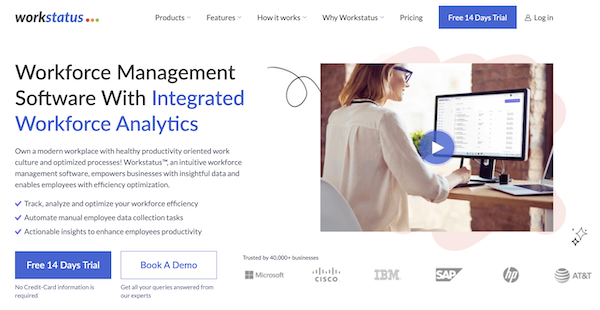
Workstatus is a powerful workforce management tool, offering a suite of essential features that streamline various facets of organizational operations. At its core, the platform excels in time and attendance tracking, ensuring accurate and efficient monitoring of employee work hours.
The workforce management component of Workstatus facilitates seamless task allocation, employee scheduling, and communication, enhancing overall team coordination. The reporting and analytics capabilities provide invaluable insights, enabling data-driven decision-making by offering customizable reports and real-time visualizations of key performance indicators.
Additionally, Workstatus boasts robust project management tools, facilitating project planning, execution, and monitoring. With integrated timelines, milestone tracking, and budget management, Workstatus serves as a comprehensive solution to optimize workforce productivity and operational efficiency in a dynamic business environment.
Show MoreOverview of Workstatus Benefits
Time and Employee Activity Tracking
Workstatus tracks the time your team spends working as well as their usage habits. It allows them to add details about the task and takes screenshots of their desktop for proof of work. It also enables them to prove their attendance and identity through selfie validation. Workstatus tracks their app and website activities and allows you to block URLs to help them improve their productivity.
Timesheets and Invoicing
Workstatus automatically generates invoices for your team’s billable hours. It details the projects and tasks that each of your employees worked on and allows your managers to approve their timesheets for invoicing and payroll. It provides automatic calculations that consider breaks, lates, and leaves, among others.
Project Management
Workstatus enables you to set project costs and define timelines to increase your efficiency. It allows you to create tasks and sub-tasks, prioritize items, and estimate costs. It also sends real-time alerts when you get closer to the project limits or if your timeline has deviated so that you can adjust accordingly.
Team Management
Workstatus helps manage your team’s schedules. It allows you to create shift schedules and tag them as recurring. It sends notifications and alerts for any shift changes. Workstatus supports privileged user access and enables you to control who can access what information. You can also refer to the dashboard for real-time updates on your employees’ performance and productivity.
Geofencing and GPS Tracking
Workstatus utilizes GPS for location tracking and geofencing. It allows you to track and optimize routes so that you can minimize diversions and expenses. It also predicts possible delays. Workstatus allows you to create geofences around worksites and enable the system to trigger clock in and out logging based on their location.
Actionable Analytics
Workstatus generates actionable reports and analytics to help you make better business decisions. It provides time and project reports and analyzes employee productivity. It also calculates your costs and profitability and provides the information through downloadable reports.
Show MoreOverview of Workstatus Features
- Time & Attendance
- Workforce Management
- Reporting & Analytics
- Project Management
- Productivity Measurement
- Employee Scheduling
- Geofencing
- GPS Tracking
- Reporting
- Timesheets
- Selfie Validation
- Invoicing
Awards & Quality Certificates

Workstatus Position In Our Categories
Since companies have special business wants, it is logical they steer clear of adopting a one-size-fits-all, ”best” software solution. Having said that, it is hard to come across such an app even among branded software systems. The practical thing to undertake would be to spell out the numerous major functions that demand examination like crucial features, costing, technical skill aptitude of staff, business size, etc. After which, you should follow through the product research to a full extent. Read these Workstatus reviews and scrutinize each of the applications in your shortlist in detail. Such all-encompassing research ascertain you weed out unsuitable software products and pay for the one that meets all the features your company requires for success.
Position of Workstatus in our main categories:
TOP
20
Workstatus is one of the top 20 Computer Monitoring Software products
TOP
20
Workstatus Employee Monitoring Software products
TOP
100
Workstatus is one of the top 100 HR Management Software products
TOP
50
Workstatus is one of the 50 Workflow Management Software products
It is important to realize that virtually no service in the HR Management Software category is an ideal solution that can fulfill all the requirements of different business types, sizes and industries. It may be a good idea to read a few Workstatus HR Management Software reviews first as specific services may excel just in a really small set of applications or be prepared with a very specific industry in mind. Others may work with an intention of being easy and intuitive and as a result lack advanced functions welcomed by more experienced users. You can also find solutions that support a large group of customers and provide a complex feature base, but that frequently comes at a higher price of such a software. Ensure you're aware of your requirements so that you purchase a solution that provides specifically the elements you look for.
How Much Does Workstatus Cost?
Workstatus Pricing Plans:
Free Trial
Free Forever Package
$0
Starter Package
$4.99/user/month
Scale Package
$9.99/user/month
Enterprise Package
$18/user/month
What are Workstatus pricing details?
Workstatus Pricing Plans:
Free Trial
Free Forever Package
$0
Starter Package
$4.99/user/month
Scale Package
$9.99/user/month
Enterprise Package
$18/user/month
Workstatus is available through four enterprise pricing packages.
Free Forever Package – Free
- 1 user
- 1 project
- Unlimited tasks
- Time tracking
- Manual time entries
- Activity levels
- Limited screenshots
- Limited support availability
Starter Package – $4.99/user/month
- All of the Free Forever Package features
- Starts at $9.98 for 2 users
- 4 projects
- Unlimited screenshots
- 2-3 business days SLA
- Limited reports
Scale Package – $9.99/user/month
- All of the Starter Package features
- Starts at $19.98 for 2 users
- 8 projects
- Unlimited screenshots
- Per-user settings
- Track apps and website URLs
- Mobile GPS tracking
- Jobsites
- Timesheet approvals
- Weekly limits
- Teams
- Attendance
- Time off and holidays
- Schedules
- Control screenshots timing
- Reports
Enterprise Package – $18/user/month
- All of the Scale Package features
- Starts at $180 for 10 users
- 20 projects
- 1 business day SLA
- VIP support
- Dedicated account manager
- On-premise deployment
- Public access to APIs
User Satisfaction
Positive Social Media Mentions
120
Negative Social Media Mentions
4
We know that when you choose to purchase a HR Management Software it’s crucial not only to see how experts evaluate it in their reviews, but also to find out if the real clients and businesses that use this software are genuinely satisfied with the service. Because of that need we’ve created our behavior-based Customer Satisfaction Algorithm™ that aggregates customer reviews, comments and Workstatus reviews across a vast array of social media sites. The data is then presented in a simple to digest way indicating how many users had positive and negative experience with Workstatus. With that information available you will be equipped to make an informed purchasing decision that you won’t regret.
Video
Technical details
Devices Supported
- Windows
- Android
- iPhone/iPad
- Mac
- Web-based
Deployment
- Cloud Hosted
- On Premise
- Open API
Language Support
- English
Pricing Model
- Free
- Monthly payment
- Annual Subscription
Customer Types
- Small Business
- Large Enterprises
- Medium Business
- Freelancers
What Support Does This Vendor Offer?
- phone
- live support
- training
- tickets
What integrations are available for Workstatus?
No information available.
Workstatus User Reviews
Workstatus average rating:
4/5
Overall impression
5/5
Customer Support
5/5
Value for Money
5/5
Ease of Use
Write your own review of this product
ADD A REVIEWThe most favorable review

PROS: A great employee time tracking software and after implementing this system, my team could complete tasks at least twice as fast. Overall, there was an increase of 79% in my team's productivity.
CONS: Time management allows employees to work smarter and faster while achieving the same results. It also facilitates accurate payments without hassle, making employee payroll easier than ever before.
The least favorable review

PROS: Workstatus is a great tool for keeping track of employee time. It makes it easy to see how much time each person has worked and when they've been active so you can manage your team easily. The reports are also very helpful when it comes to billing clients. If you need a good way to manage your team, give this one a try!
CONS: It would be highly beneficial if they provided a local customer service representative who could answer questions during their hours of operation.
More reviews from 4 actual users:
Sort by:
Latest
- Latest
- Most useful
- Most positive
- Most negative
I Really Loved Using Workstatus for My Team
Read full review >
4/5
Overall impression
4/5
Customer Support
4/5
Value for Money
4/5
Ease of Use
Published on: 29.08.2025
Company Size: N/A
Industry: N/A
PROS: The best aspects of Workstatus are how it combines time tracking, project management, and employee monitoring into one platform. Features like GPS tracking, automated attendance, Kanban boards, and productivity reports make it easier to stay organized and get a clear view of team performance.
CONS: Some aspects that could be improved are the strictness of monitoring features, like screenshots and activity tracking, which may feel intrusive at times. Using it on personal devices can also raise privacy concerns. Additionally, having more integrations and wider user feedback would make it even more reliable.
Great tool for keeping track of employee time
Read full review >
4/5
Overall impression
4/5
Customer Support
4/5
Value for Money
4/5
Ease of Use
Published on: 23.08.2022
Company Size: 11-50 Employees
Industry: Information Technology and Services
PROS: Workstatus is a great tool for keeping track of employee time. It makes it easy to see how much time each person has worked and when they've been active so you can manage your team easily. The reports are also very helpful when it comes to billing clients. If you need a good way to manage your team, give this one a try!
CONS: It would be highly beneficial if they provided a local customer service representative who could answer questions during their hours of operation.
Workstatus is the perfect addition to my business toolbox and smart investment for my time.
Read full review >
4/5
Overall impression
5/5
Customer Support
4/5
Value for Money
5/5
Ease of Use
Published on: 15.07.2022
Company Size: 11-50 Employees
Industry: Human Resources
PROS: As a company that employs many people who work remotely, strong time tracking software is needed in order to keep track of their progress and make adjustments when necessary. One great feature this particular program has is the Idle Time Management system which lets you know whether or not an employee is wasting time.
CONS: Customer support has been a little delayed because of issues we have had with Windows computers. This is an area where Workstatus needs to do some extra work so that it becomes more user-friendly for Windows.
Best time tracking software
Read full review >
5/5
Overall impression
5/5
Customer Support
4/5
Value for Money
5/5
Ease of Use
Published on: 06.07.2022
Company Size: N/A
Industry: N/A
PROS: A great employee time tracking software and after implementing this system, my team could complete tasks at least twice as fast. Overall, there was an increase of 79% in my team's productivity.
CONS: Time management allows employees to work smarter and faster while achieving the same results. It also facilitates accurate payments without hassle, making employee payroll easier than ever before.


Join a community of 7,369 SaaS experts
Thank you for the time you take to leave a quick review of this software. Our community and review base is constantly developing because of experts like you, who are willing to share their experience and knowledge with others to help them make more informed buying decisions.
Sign in with LinkedIn
Why we require LinkedIn?
- Show the community that you're an actual user.
- We will only show your name and profile image in your review.
- You can still post your review anonymously.
OR
Sign in with company emailSign in with company email
Popular Workstatus Alternatives


Top Competitors To Workstatus By Price
Product name:
Price:



by quote

by quote

Trending HR Management Software Reviews


Workstatus Comparisons
Product name:


Workstatus user reviews
I Really Loved Using Workstatus for My Team
Read full review >
4/5
Overall impression
4/5
Customer Support
4/5
Value for Money
4/5
Ease of Use
Published on: 29.08.2025
Company Size: N/A
Industry: N/A
Great tool for keeping track of employee time
Read full review >
4/5
Overall impression
4/5
Customer Support
4/5
Value for Money
4/5
Ease of Use
Published on: 23.08.2022
Company Size: 11-50 Employees
Industry: Information Technology and Services
Workstatus is the perfect addition to my business toolbox and smart investment for my time.
Read full review >
4/5
Overall impression
5/5
Customer Support
4/5
Value for Money
5/5
Ease of Use
Published on: 15.07.2022
Company Size: 11-50 Employees
Industry: Human Resources
Best time tracking software
Read full review >
5/5
Overall impression
5/5
Customer Support
4/5
Value for Money
5/5
Ease of Use
Published on: 06.07.2022
Company Size: N/A
Industry: N/A

Page last modified



Did you find this review useful?
Yes
No
Thank you for your feedback
How can we make this page better?
Unsure about this software?
FIND ALTERNATIVES
 Why is FinancesOnline free?