

CloudCall Review



What is CloudCall?
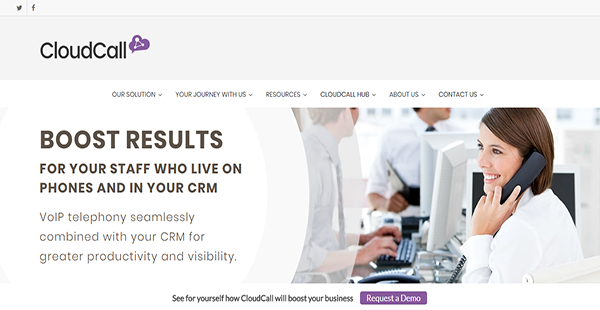
CloudCall is a dynamic, cloud-based business communications solution with powerful integrations with CRM systems. With it, you can achieve higher rates of productivity and more visibility into your customer support. This connectivity also allows you to save time when it comes to collecting data during calls and using them for follow-ups.
CloudCall is also a flexible application that can adapt to your industry’s unique requirements. On top of that, it is able to meet the different needs of your business units to ensure that they are able to perform their CRM and communications tasks seamlessly and efficiently.
Moreover, CloudCall provides you with tools that let you and your team give your customers the best support. The application has a variety of collaboration features that direct callers to the appropriate department who can provide them applicable assistance.
Show MoreOverview of CloudCall Benefits
Robust CRM Integration
CloudCall is a business phone system that seamlessly interfaces with your CRM application. Because of it, you can contact your customers and your partners directly from your CRM window. Other than that, this integration provides you with a clear and full overview of call activities, including call records. With these capabilities, you can assess your employees’ performances and make certain callers are receiving the assistance they need.
Skills-Based Groups
With CloudCall, you can create call groups based on their skills. This way, employees can easily route callers to the right unit who are better equipped to answer their queries. This saves your teams time in finding people who can properly resolve customers’ issues. This enables every team to take more calls as well.
Supervisor Panels
To ensure the high quality of support, CloudCall provides supervisors with the means to oversee call-related activities on the floor. The administrative dashboard shows them the number of successful calls, drop rates, average call times, and more. By having access to such information, you empower your supervisors and managers to manage their teams efficiently.
Voicemail Drops
You can make certain that you never leave a crucial detail out of the message you leave in a recipient’s voicemail box with CloudCall. That is because the business communications platform allows you to pre-record up to five messages so you can automatically leave a well-composed but informative voicemail.
Show MoreOverview of CloudCall Features
- Click to Dial
- Power Dialer
- Local Presence
- Voicemail Drop
- Automated Call Distribution
- Calling Groups
- Inbound Screen Notifications
- Interactive Voice Response
- Queue Callback
- Call Recording
- CloudCall Portal
- Call Reports
- Real-Time Dashboards
- Supervisor Panel
- Call Forwarding
- Call Controls
- Conference Calls
- CRM Integration
- CloudCall Mobile
CloudCall Position In Our Categories
Because companies have their own business requirements, it is reasonable they avoid seeking a one-size-fits-all, ”best” system. Having said that, it would be futile to try to find such application even among well-known software systems. The clever step to do would be to write down the various critical functions that necessitate scrutiny like key features, costing, technical skill capability of staff, business size, etc. Thereafter, you should conduct your product research through and through. Browse over these CloudCall analyses and look over each of the applications in your shortlist more closely. Such detailed product research makes sure you steer clear of unsuitable software products and choose the system which offers all the features your company requires.
Position of CloudCall in our main categories:
TOP
50
CloudCall is one of the top 50 Business Phone Systems products
If you are interested in CloudCall it may also be beneficial to analyze other subcategories of Business Phone Systems gathered in our base of SaaS software reviews.
It is essential to keep in mind that virtually no software in the Business Phone Systems category is going to be a perfect solution that can match all the requirements of different business types, sizes and industries. It may be a good idea to read a few CloudCall Business Phone Systems reviews first as certain services might dominate only in a very narrow set of applications or be created with a very specific industry in mind. Others can work with an idea of being easy and intuitive and therefore lack complicated features needed by more experienced users. There are also solutions that focus on a wide group of users and offer a rich feature toolbox, however this frequently comes at a more significant cost of such a solution. Make sure you're aware of your requirements so that you get a software that provides exactly the functionalities you search for.
How Much Does CloudCall Cost?
CloudCall Pricing Plans:
Free Trial
2,000 Minutes Essential
Starts at $24.00/user/month
2,000 Minutes Professional
Starts at $45.00/user/month
2,000 Minutes Performance
Starts at $52.00/user/month
Pay As You Go Essential
Starts at $11.75/user/month
Pay As You Go Professional
Starts at $30.00/user/month
Pay As You Go Performance
Starts at $42.00/user/month
Unlimited Essential
Starts at $35.00/user/month
Unlimited Professional
Starts at $55.00/user/month
Unlimited Performance
Starts at $65.00/user/month
What are CloudCall pricing details?
CloudCall Pricing Plans:
Free Trial
2,000 Minutes Essential
Starts at $24.00/user/month
2,000 Minutes Professional
Starts at $45.00/user/month
2,000 Minutes Performance
Starts at $52.00/user/month
Pay As You Go Essential
Starts at $11.75/user/month
Pay As You Go Professional
Starts at $30.00/user/month
Pay As You Go Performance
Starts at $42.00/user/month
Unlimited Essential
Starts at $35.00/user/month
Unlimited Professional
Starts at $55.00/user/month
Unlimited Performance
Starts at $65.00/user/month
CloudCall has three types of enterprise pricing: 2,000 Minutes, Pay As You Go, and Unlimited. Each one has three options: Essential, Professional, and Performance. The prices may vary across the packages though their inclusions remain the same.
2,000 Minutes
Essential – starts at $24.00/user/month
- Unlimited Inbound Calls
- Direct Line & Geo Number
- Follow Me & Call Forwarding
- Voicemail to Email
- Group Pick Up
- Do Not Disturb
- Historical Reporting
- 3 Months Call Recording Storage
Professional – starts at $45.00/user/month
- All Essential Features
- CRM Integration
- Click to Dial
- Inbound Screen Pop-Ups
- Call Activity – CRM Record
- Call Dispositions & Notes
- SIP Forking
- Click to Conference
- Advanced Reporting Suite
- CloudCall Go Mobile App
- 6 Months Call Recording Storage
Performance – starts at $52.00/user/month
- All Professional Features
- Voicemail Drop
- Hot Desking
- Outbound Power Dialer
- Automatic Call Distribution
- User Presence
- Queue Callback
- Local Presence
- Supervisor Panel
- Monitor/Whisper/Barge
- 12 Months Call Recording Storage
Pay As You Go
- Essential – starts at $11.75/user/month
- Professional – starts at $30.00/user/month
- Performance – starts at $42.00/user/month
Unlimited
- Essential – starts at $35.00/user/month
- Professional – starts at $55.00/user/month
- Performance – starts at $65.00/user/month
All packages have the following inclusions:
- Hosted PBX
- Auto Attendant
- Main Company Number
- Phone, Online, Chat Support
- Hunt Groups & Calling Groups
- Department & Company Level Voicemail
- Company Conference Bridge – 6 Rooms
- Number Porting
- Music on Hold
- Advanced Analytics & Reporting Suite
- Extension Dialing
- Call Forwarding & Follow Me
User Satisfaction
Positive Social Media Mentions
2
Negative Social Media Mentions
0
We are aware that when you choose to purchase a Business Phone Systems it’s crucial not only to see how professionals evaluate it in their reviews, but also to check whether the real users and enterprises that bought these solutions are actually happy with the product. That’s why we’ve designer our behavior-based Customer Satisfaction Algorithm™ that collects customer reviews, comments and CloudCall reviews across a wide array of social media sites. The information is then displayed in a simple to digest way revealing how many customers had positive and negative experience with CloudCall. With that information at your disposal you should be equipped to make an informed purchasing decision that you won’t regret.
Video
Technical details
Devices Supported
- Windows
- Android
- iPhone/iPad
- Mac
- Web-based
Deployment
- Cloud Hosted
Language Support
- English
Pricing Model
- Monthly payment
Customer Types
- Small Business
- Large Enterprises
- Medium Business
What Support Does This Vendor Offer?
- phone
- live support
- training
- tickets
What integrations are available for CloudCall?
CloudCall integrates with a wide array of CRM systems:
- Bullhorn
- Zoho
- Salesforce
- Microsoft Dynamics CRM
- Lunar CRM
- Chameleon
For a comprehensive list of integrations, visit the website or request information from the support team.

CloudCall
is waiting for
your first review.

Write your own review of this product
ADD A REVIEWMore reviews from 0 actual users:


Join a community of 7,369 SaaS experts
Thank you for the time you take to leave a quick review of this software. Our community and review base is constantly developing because of experts like you, who are willing to share their experience and knowledge with others to help them make more informed buying decisions.
Sign in with LinkedIn
Why we require LinkedIn?
- Show the community that you're an actual user.
- We will only show your name and profile image in your review.
- You can still post your review anonymously.
OR
Sign in with company emailSign in with company email
Popular CloudCall Alternatives


Top Competitors To CloudCall By Price
Product name:
Price:
By quote


Trending Business Phone Systems Reviews



CloudCall Comparisons
Product name:


Page last modified



Did you find this review useful?
Yes
No
Thank you for your feedback
How can we make this page better?
Unsure about this software?
FIND ALTERNATIVES
 Why is FinancesOnline free?