

GorillaDesk Review


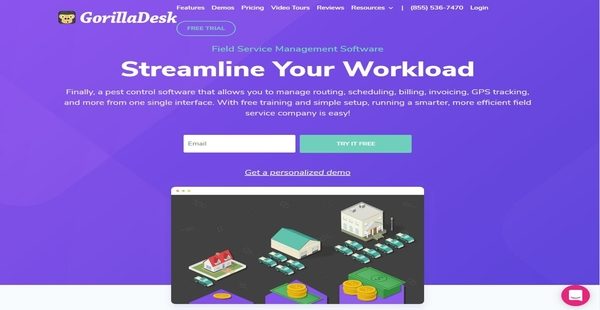

What is GorillaDesk?
GorillaDesk is a leading field service management software that delivers all the important features and tools pest control businesses, pool service businesses, lawn care companies, and other field service providers need in order for them run various aspects of their operations smoothly, complete their jobs and tasks faster, satisfy their customers, and achieve business growth.
As an all-in-one field management software, GorillaDesk combines different solutions, capabilities, and features together, enabling users to save valuable time and concentrate more on growing their business. With GorillaDesk, they will be able to access information about their customers from any location and device, track devices and equipment that are deployed in the field through barcode scanning, monitor the precise locations of their team members on a map in real time, set and optimize routes, schedule and update appointments quickly, assign or route jobs using a drag-and-drop calendar, and track and report chemical and material usage and application.
GorillaDesk also helps users communicate with their teams and clients effectively. They can send work order details, notes, and reminders to team members to keep them in the loop and ensure that they are able to accomplish their tasks on time and properly. When it comes to communicating with clients, the software gives them the ability to reach out to clients through automated SMS messaging.
The field service management software, moreover, has a document management feature. Users can integrate custom documents into the software, attach documents to jobs, and enable electronic signing of documents. Last but not least, GorillaDesk supports integration with Stripe which permits users to process online payments fast as well as monitor past due balances easily.
Show MoreOverview of GorillaDesk Benefits
Compete Well, Win More Jobs, And Stay Compliant Through Device Tracking
GorillaDesk offers a feature that enables field service providers to compete well and stay compliant with the regulations imposed by any state and requirements demanded by their clients. This feature is called device tracking. Some facilities require device tracking, so this feature is very useful for field service businesses and companies that are bidding on jobs that have such requirement.
So how does this feature work? GorillaDesk allows users to attach barcodes to field-deployed traps devices, or equipment they want to track. They can scan these barcodes using a mobile application, enabling them to capture and store any relevant activities and findings such as device status and location, material usage, chemical application, inspection details, and more. They can track and manage all field-deployed devices directly from the mobile app as well as generate documents in which device data is included like invoices, work orders, and device reports.
Intuitive Job And Appointment Scheduling
Another feature incorporated into GorillaDesk is scheduling. With this feature, users will be able to easily prepare schedules for jobs and appointments. Through the aid of a user-friendly calendar that has a drag-and-drop interface, they can intuitively create schedules, add all the important details they need, and assign job or appointment schedules to team members. They can also view schedules on a map. If they want to see the details associated with a particular schedule, all they need to do is to hover over the appointment or schedule which is pinned on the map. The software enables them to print schedules in PDF format directly from the calendar, too.
Keep Track Of The Locations Of Your Team Members
If GorillaDesk allows users to view job and appointment schedules on a map, it also enables them to monitor the exact locations of their team members on a map in real time. This is made possible through the aid of the software’s GPS tracking feature. Basically, this feature makes it easy for them to verify if team members are currently located in places where they are supposed to be at and make sure that they are not wandering elsewhere. The GPS tracking feature is integrated into the software’s mobile application, and what’s great about this is that the app can even keep track of the actual routes team members took using such feature.
A Mobile App That Allows Your Field Personnel To Perform Tasks On The Go
Speaking of mobile app, GorillaDesk’s mobile application is very powerful because it extends the capabilities of the software to iOS and Android devices. Technicians and personnel dispatched in the field can actually take advantage of this app, as it permits them to perform tasks while they are on the go such as viewing schedules and appointments, viewing details about the jobs assigned to them, accessing documents, or preparing invoices and collecting payments.
Seamless Document Management
Any field service business requires documents like contracts, agreements, or state or government-related forms. Thanks to GorillaDesk’s document management feature which makes the process of handling any type of field service document seamless. GorillaDesk has a library of pre-built documents and forms that users can access by activating the document add-on. If they want to add a custom document or form to this library, GorillaDesk can also integrate that into its system. In addition, filling out these documents and forms with information is very simple.
For example, when users are editing a particular document, they will be able to access two windows, one on the left and another on the right. The left window is the live preview of the document, while the right window is an area where they can type in information. As they enter information into data fields found in the right window, the document’s live preview is automatically populated with the information they typed in. What is more, the documents and forms can be signed electronically. Attaching documents and forms to jobs that are shown on the calendar is made possible as well. Users can preview the documents attached to jobs straight from the calendar.
Built-In CRM System
As previously pointed out, GorillaDesk combines different tools and solutions together. One of those tools and solutions is a built-in CRM or customer relationship management system. Users can utilize this CRM system to store, access, and update any information about the clients and customers they are providing services for. Moreover, the CRM system is mobile-friendly, allowing them to access customer information from their mobile devices anywhere.
Automated, Enhanced, And Effective Communication
The field service management software comes with features that automate and enhance communications with team members and clients. Users can create and send notes to team members. For example, when they are preparing schedules and assigning jobs to team members, they can add notes and even upload and attach files. This way, team members are reminded of the things they need to consider as they perform their jobs. Another communication feature included in GorillaDesk is automated SMS messaging. Thus, with this feature, users and their clients can exchange text messages with each other, eliminating the need to make phone calls.
Accelerate Payment Collection And Processing Through Stripe Integration
To wrap it up, GorillaDesk integrates with Stripe, a leading and widely used online payment service. The main benefit users can get from this integration is it enables them to collect and process online payments fast. This integration feature lets them store debit and credit cards within the software which they can charge later on. They can also add links to the invoices and statements they are sending out to clients via email so the latter can make payments online quickly. If a client has a past due balance, a late payment reminder can be sent to him or her.
Show MoreOverview of GorillaDesk Features
- Device Tracking That Enables You to Compete Well and Stay Compliant
- Record, Track, and Report on Chemical And Material Usage
- User-Friendly Scheduling
- Integrated Mapping
- Quick Routing of Jobs
- Work Order Management
- GPS Tracking Plus Route Monitoring and Optimization
- Seamless Document Management with Integrated E-Signature
- Built-In CRM
- Automated SMS Messaging
- Notes and Notifications
- A Mobile App Optimized For Field Use
- Stripe Integration
GorillaDesk Position In Our Categories
Knowing that businesses have special business-related needs, it is only sensible that they steer clear of seeking an all-encompassing, “perfect” system. Just the same, it would be almost impossible to try to stumble on such a software solution even among sought-after software systems. The right step to do should be to write down the numerous essential aspects which need research including essential features, price plans, skill capability of the employees, organizational size, etc. Next, you should follow through the research through and through. Browse through some of these GorillaDesk reviews and look into each of the software options in your shortlist in detail. Such comprehensive product research ascertains you steer clear of ill-fitting applications and buy the system which has all the benefits your business requires.
Position of GorillaDesk in our main categories:
Since each company has unique business needs, it is prudent for them to refrain from seeking a one-size-fits-all ideal software system. Needless to say, it would be useless to try to find such a platform even among popular software solutions. The intelligent thing to do would be to jot down the various important elements that require consideration such as main features, finances, skill levels of employees, company size etc. Then, you should do your groundwork thoroughly. Read some GorillaDesk Field Service Management Software - FSM reviews and investigate each of the other solutions in your shortlist in detail. Such comprehensive research can ensure you reject ill-fitting applications and choose the system that offers all the features you require for business success.
How Much Does GorillaDesk Cost?
GorillaDesk Pricing Plans:
Free Trial
Monthly Basic
Starts at $49/mo. (1 Schedule)
Annual Basic
Starts at $588/yr. (1 Schedule)
Monthly Pro
Starts at $99/mo. (1 Schedule)
Annual Pro
Starts at $1,888/yr. (1 Schedule)
What are GorillaDesk pricing details?
GorillaDesk Pricing Plans:
Free Trial
Monthly Basic
Starts at $49/mo. (1 Schedule)
Annual Basic
Starts at $588/yr. (1 Schedule)
Monthly Pro
Starts at $99/mo. (1 Schedule)
Annual Pro
Starts at $1,888/yr. (1 Schedule)
GorillaDesk offers two SMB and enterprise pricing plans for all users to choose from. You can scale the plan of your choice depending on the number of schedules you have and as your field service grows. Here are the details:
Basic (Only For 1 Schedule)
- $49/mo. – billed monthly
- $588/yr. – billed annually
- Delivers all the essential features and tools you need for streamlining your field service business
- Unlimited Number of Admin Users/Staff
- Android and iOS App
- Built-In CRM
- Mapping and Routing
- Estimation, Invoicing, and Work Order Management
- Integration with Stripe
- Process Online Payments
- Send Late Payment Reminders
- Drag-and-Drop Job and Appointment Scheduling
- Automated Messaging
- SMS Communication
- Material Usage and Application Monitoring
- Generate Over 20 Reports
- Push Notifications
- Unlimited Phone and Chat Support
Pro (Only For 1 Schedule)
- $99/mo. – billed monthly
- $1,188/yr. – billed annually
- Access additional features to get your team connected, impress your clients, and make your business well-organized
- Unlimited Number of Admin Users/Staff
- Android and iOS App
- Built-In CRM
- Mapping and Routing
- Estimation, Invoicing, and Work Order Management
- Integration with Stripe
- Process Online Payments
- Send Late Payment Reminders
- Drag-and-Drop Job and Appointment Scheduling
- Automated Messaging
- SMS Communication
- Material Usage and Application Monitoring
- Generate Over 20 Reports
- Push Notifications
- Stripe Subscriptions
- Integrate Document Management
- Synchronize with QuickBooks Online
- Device Tracking
- GPS Tracking
- Create and Send Custom Invoices
- Custom Work Orders
- Unlimited Phone and Chat Support
User Satisfaction
Positive Social Media Mentions
0
Negative Social Media Mentions
0
We know that when you choose to buy a Field Service Management Software - FSM it’s important not only to find out how professionals evaluate it in their reviews, but also to check whether the actual clients and businesses that use it are genuinely content with the service. That’s why we’ve designer our behavior-based Customer Satisfaction Algorithm™ that gathers customer reviews, comments and GorillaDesk reviews across a broad array of social media sites. The information is then featured in a simple to digest format revealing how many users had positive and negative experience with GorillaDesk. With that information at your disposal you will be prepared to make an informed purchasing choice that you won’t regret.
Video
Technical details
Devices Supported
- Windows
- Linux
- Android
- iPhone/iPad
- Mac
- Web-based
Deployment
- Cloud Hosted
Language Support
- English
Pricing Model
- Monthly payment
- Annual Subscription
Customer Types
- Small Business
- Large Enterprises
- Medium Business
What Support Does This Vendor Offer?
- phone
- live support
- training
- tickets
What integrations are available for GorillaDesk?
GorillaDesk supports direct integration with:
- Stripe
- QuickBooks Online

GorillaDesk
is waiting for
your first review.

Write your own review of this product
ADD A REVIEWMore reviews from 0 actual users:


Join a community of 7,369 SaaS experts
Thank you for the time you take to leave a quick review of this software. Our community and review base is constantly developing because of experts like you, who are willing to share their experience and knowledge with others to help them make more informed buying decisions.
Sign in with LinkedIn
Why we require LinkedIn?
- Show the community that you're an actual user.
- We will only show your name and profile image in your review.
- You can still post your review anonymously.
OR
Sign in with company emailSign in with company email
Popular GorillaDesk Alternatives





Top Competitors To GorillaDesk By Price
Product name:
Price:





Trending Field Service Management Software - FSM Reviews


GorillaDesk Comparisons
Product name:







Page last modified



Did you find this review useful?
Yes
No
Thank you for your feedback
How can we make this page better?
Unsure about this software?
FIND ALTERNATIVES
 Why is FinancesOnline free?