

Scoro Review


What is Scoro?
A cloud-based work management software, Scoro is targeted at small to medium enterprises specifically those in the advertising, consulting, information technology and other sectors. The solution offers such companies features which include collaboration, work scheduling and tracking, project management, customer relations management, quoting and billing and advanced reporting and dashboards. Its user-friendly interface is complemented by its elimination of the need to switch between solutions and email clients.
The software’s key feature is its control hub, from which tasks, account information, key performance data and calendar events, among other aspects of businesses are displayed. This, along with the solution’s user-friendly interface makes working with the platform a breeze even for first time users. The application also provides localized solutions, offering country specific integrations for the European market.
Show MoreOverview of Scoro Benefits
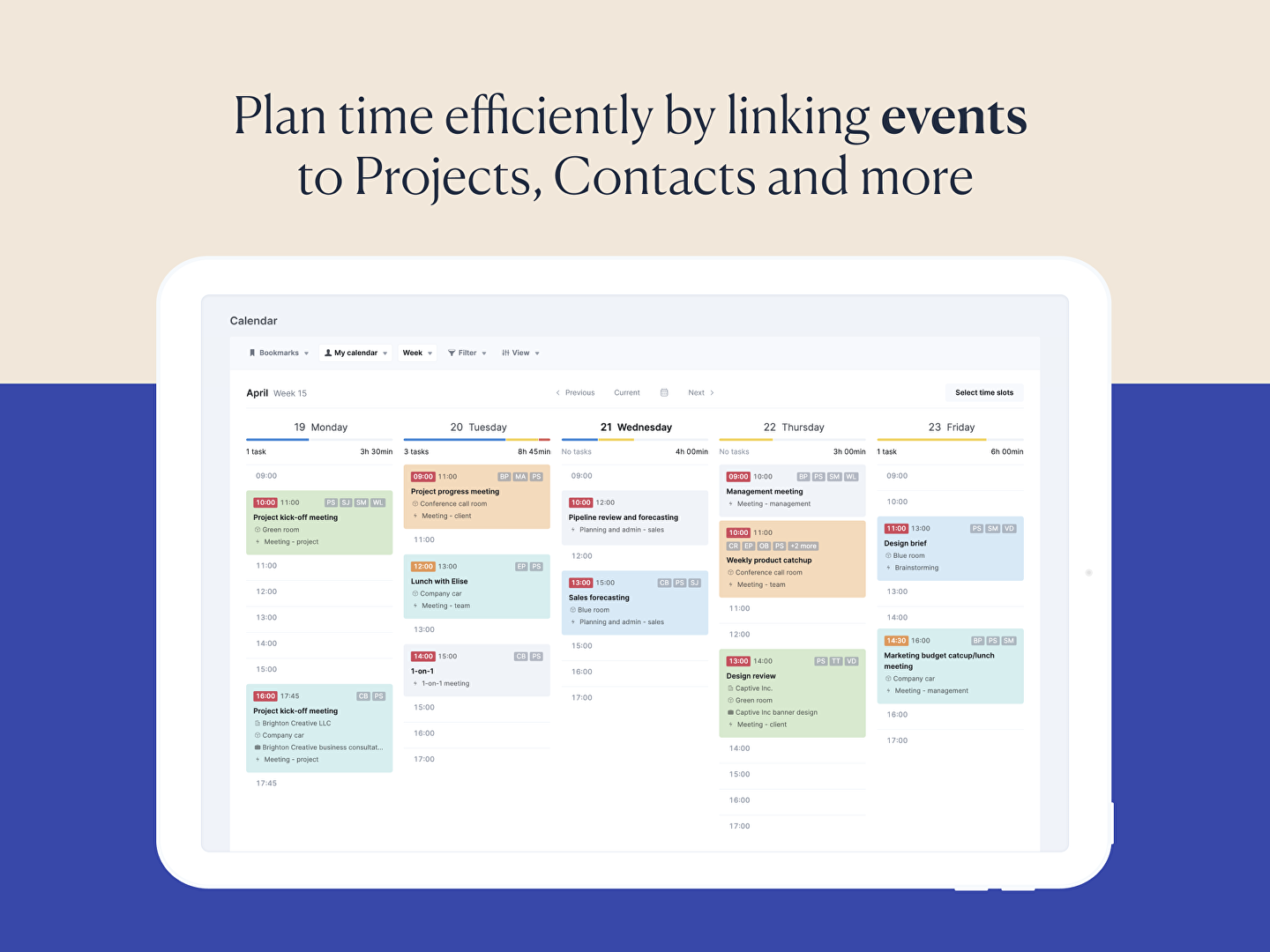
Cloud-based business management software Scoro is currently the most comprehensive work management solution in the market today. It is the only platform from which users can control their business from a single place. With Scoro, users always stay abreast of business performance as the software allows them to see all task changes in real time. Tasks are scheduled by day, week or month and are automatically compiled in a list, which a user can sort as needed. The platform likewise provides security as it can allow users by different levels, ensuring that only relevant staff are working on a specific project.
Scoro can save businesses precious time when it comes to project management. Organizations are given the ability to add tasks, making the process event faster. These tasks can be readily linked to clients. What is even better is that email tasks can be archived in a smart inbox, which are also subsequently displayed on the task list.
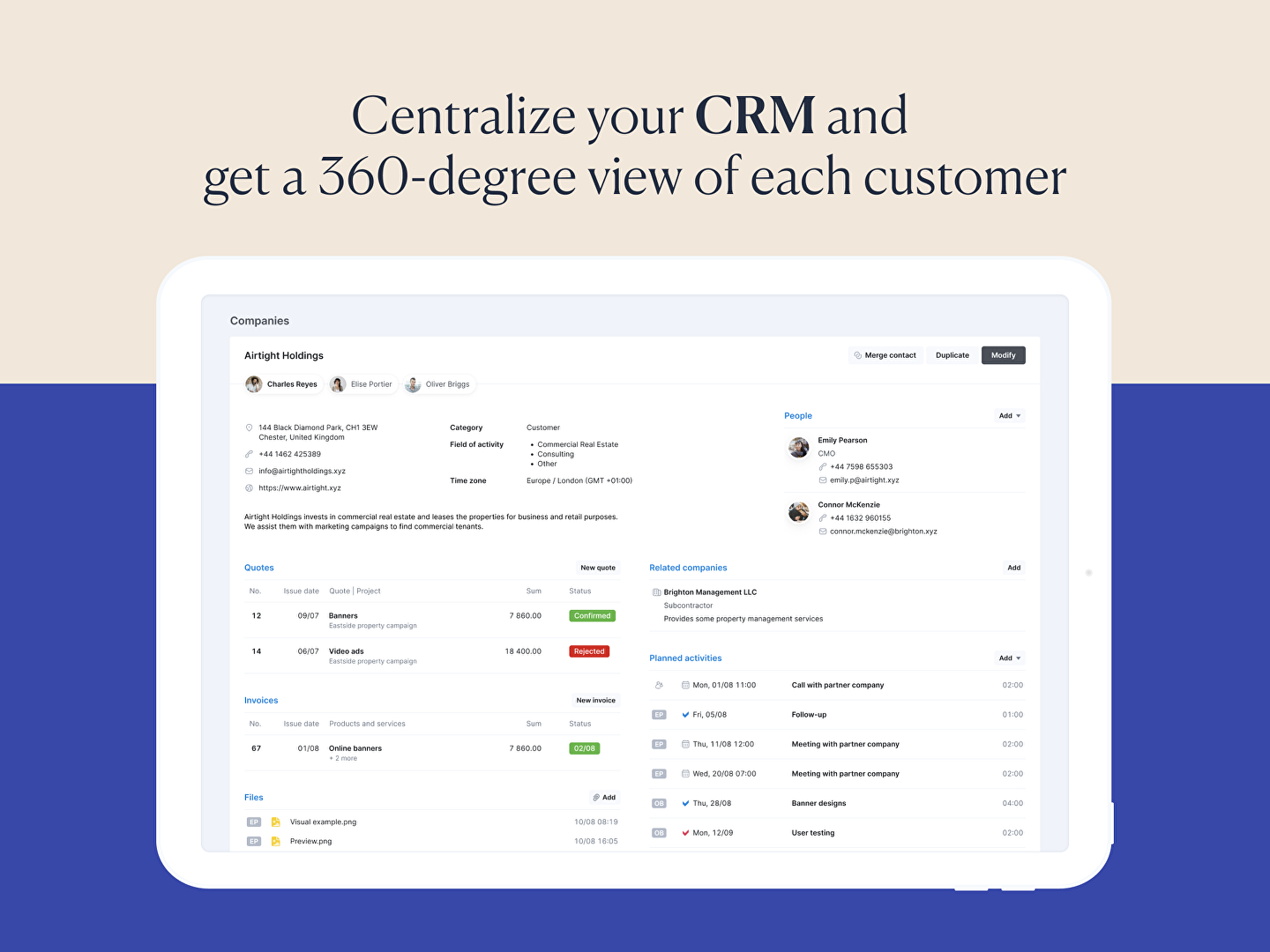
As for CRM, the software can keep all contact details of both customers and suppliers in a single page. These contact details can be searched, sorted and filtered using tags, location and categories. They can be accessed quickly by saving filtered views as bookmarks. Also, using the same views, invoices can be created and issued. Using the system, sales, pre-payment and credit invoices can be issued in just about any currency. Likewise, expenses and billable project times can be tracked. With Scoro, comprehensive financial reports can be viewed with the click of a mouse, making accounting and finance a lot more easier.
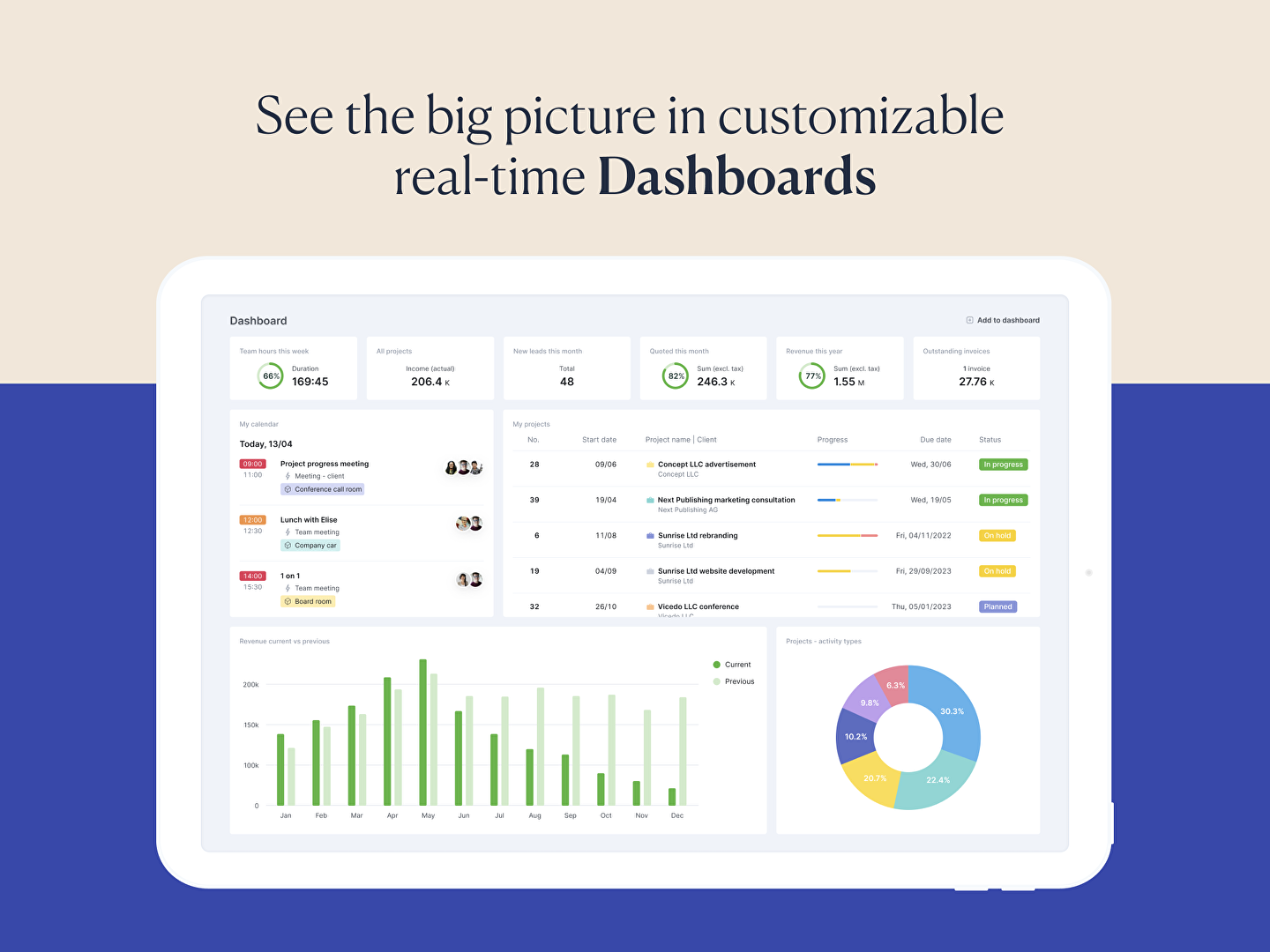
Aside from being visually pleasant, the dashboard allows users to see project status in real time. It also can give an overview of both billable and non-billable work, tasks that have yet to be assigned and completed jobs. Scoro can be customized in accordance with user preference, enabling users to add custom fields to just about any of the solution’s features. Businesses also have the option of choosing PDF templates for invoices, quotes, orders and reports.
The platform can seamlessly integrate with many systems, including iCal, Outlook Google and other calendar apps. Users can use their Dropbox accounts to access files anytime, anywhere. Scoro can also connect with Mailchimp to synchronize mailing lists and XERO for financial data. To make things even better, the vendor has come up with a mobile version of the app, which supports both iOS and Android. This is essentially to enable users to access the platform even on the go.
Scoro is available in three pricing plans, all requiring a minimum of five users. The plans differ only on the features that users can access, with higher priced plans getting more capabilities than lower priced ones. A credit card-free 14-day trial is also available for those who want to evaluate the software first.
Truly, Scoro is the most reliable project management software currently in the market. Its functionalities are second to none when it comes to project management. For businesses looking to improve their business processes, Scoro may very well be the perfect solution they are looking for.
Show MoreOverview of Scoro Features
- Business dashboard
- Calendar management
- Task management
- Project management
- Quote management
- Customer management
- Invoices & expense management
- Financial reporting
- Work-time billing
- Scheduled invoicing
- Late invoice reminders
- Comparative reports
- Commission calculator
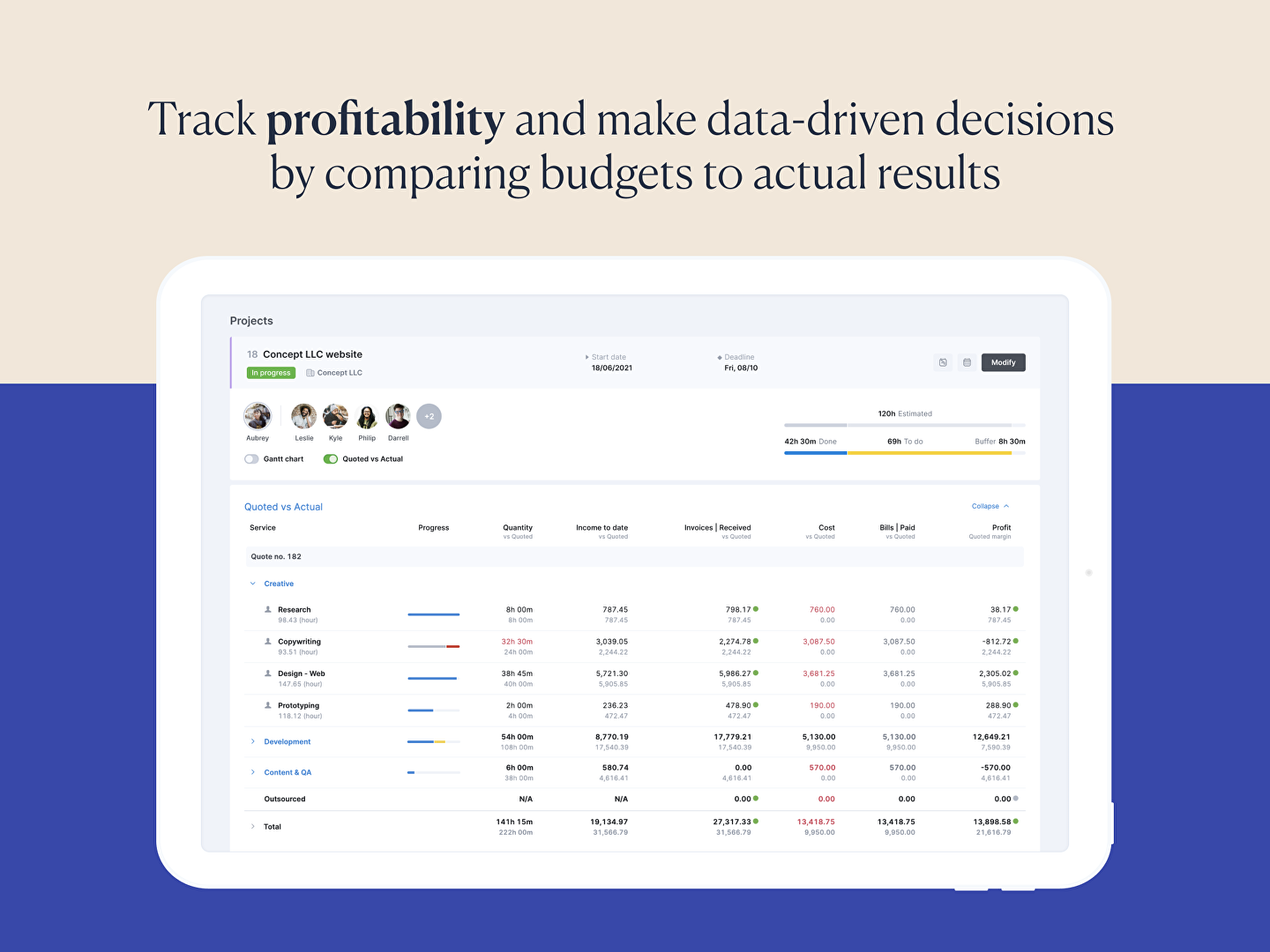
- Budgets & forecasts
- Resource planning
- File management & sharing
- Company news feed
- Custom fields
- Custom tags
- Multi-currency
- Multi-language
- Automated alerts
- Configurable statuses
- Lead management
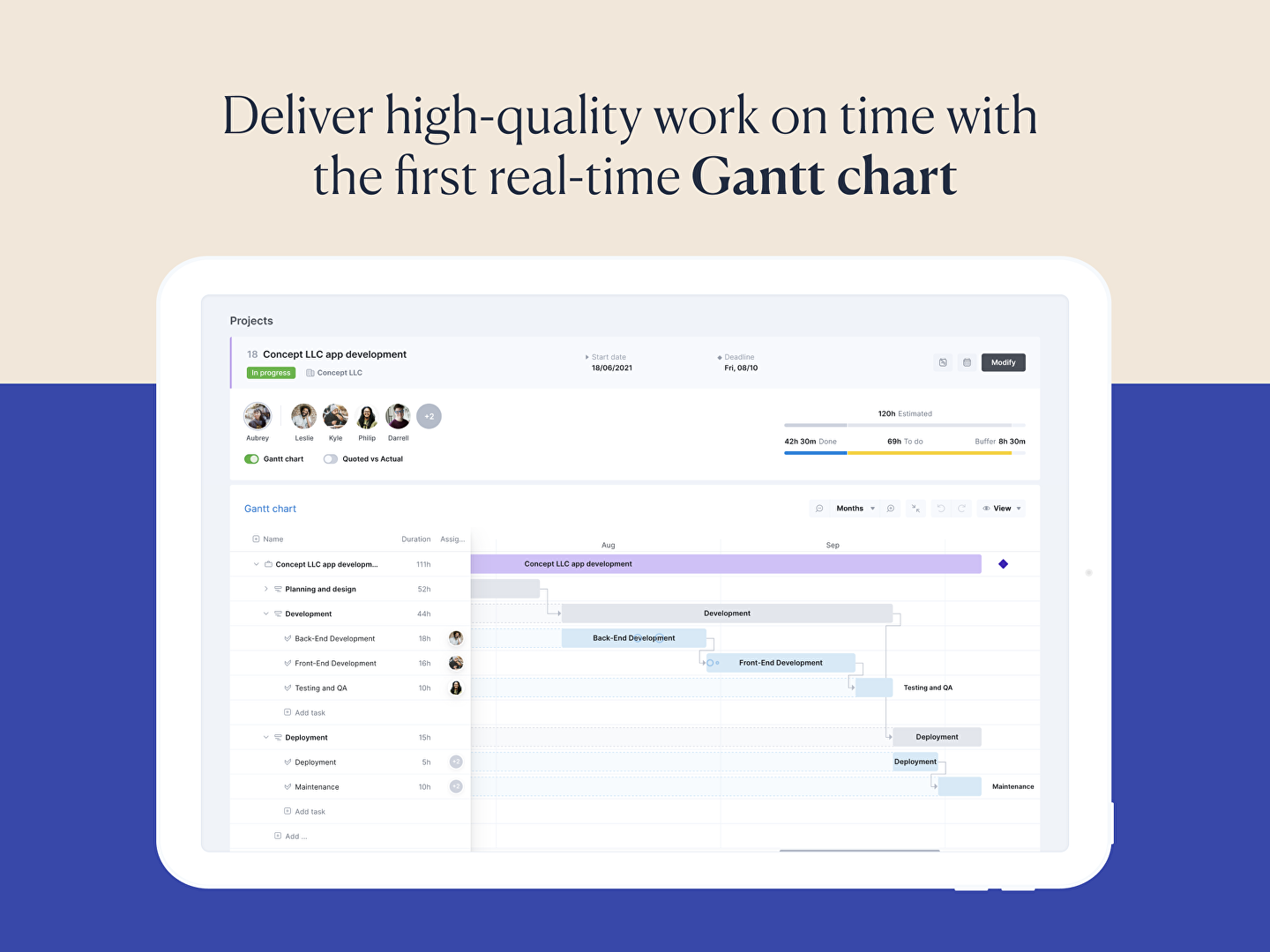
- Real-time Gantt charts
What Problems Will Scoro Solve?
Scoro can be very handy during situations where potential problems could be averted. Here are some scenarios where the software can be of great help:
Complications from using too many solutions.
Scoro is very useful in preventing problems associated with the use of different software. Such scenarios include entry of incorrect or double data, which could lead to complications. This is a very useful capability as it also saves users precious time and money.
Lack of focus and control.
Scoro can likewise give businesses absolute control over their organizations’ processes. This is achieved as the platform is able to give users an accurate overview over allocated time and resources.
Inadequate reporting and tracking capabilities.
With Scoro, businesses are assured of making sound decisions using reliable data from the software’s reporting and tracking features. The solution has the capability to track time, projects, finances and all other business processes.
Scoro Position In Our Categories
Knowing that businesses have distinct business-related needs, it is reasonable they abstain from paying for a one-size-fits-all, ”best” software. At any rate, it would be almost impossible to try to come across such application even among widely used software products. The right step to do should be to spell out the various essential factors which merit inspection like major features, packages, skill levels of staff, organizational size, etc. The second step is, you should conduct your product research to a full extent. Have a look at these Scoro evaluations and explore the other software programs in your shortlist in detail. Such all-encompassing research ensure you steer clear of unsuitable software solutions and choose the system that meets all the function your business requires.
Position of Scoro in our main categories:
TOP
100
Scoro is one of the top 100 Collaboration Software products
TOP
100
Scoro is one of the 100 CRM Software products
TOP
100
Scoro is one of the top 100 Event Management Software products
TOP
100
Scoro is one of the 100 Project Management Software products
TOP
50
Scoro is one of the top 50 Workflow Management Software products
There are popular and widely used solutions in each software group. But are they essentially the best fit for your organization’s specific wants? A popular software product may have thousands of subscribers, but does it provide what you require? For this reason, do not blindly shell out for popular systems. Read at least a few Scoro Project Management Software reviews and mull over the factors that you want in the software such as the price, main tools, available integrations etc. Then, choose a few apps that fit your wants. Check out the free trials of these platforms, read online reviews, get information from the maker, and do your investigation systematically. This in-depth groundwork is certain to aid you find the most excellent software platform for your company’s unique wants.
How Much Does Scoro Cost?
Scoro Pricing Plans:
Free Trial
Essential
$26/user/month
Standard
$37/user/month
Pro
$63/user/month
Ultimate
by quote
What are Scoro pricing details?
Scoro Pricing Plans:
Free Trial
Essential
$26/user/month
Standard
$37/user/month
Pro
$63/user/month
Ultimate
by quote
Scoro offers a 14-day free trial, followed by four packages, all of which require a minimum of five users.
Essential Package
– $26 per user/month For smaller teams tired of switching between applications and spreadsheets, Scoro’s Essential package includes all the tools you and your team need to get things done:
- Minimum of 5 users
- Projects
- Calendars
- Task list & task board
- Contacts & customers
- Quotes
- Invoices & receipts
- Bills
- Dashboards
- Detailed work reports
- Summary financial report
Standard
– $37 per user/month
For team’s who need to make the most of their resources, Scoro helps automate processes and save hundreds of hours with task bundles, recurring tasks, and project templates.
- Minimum of 5 users
- Everything in Essential, plus:
- Gantt chart & dependencies
- Phases & milestones
- Time tracker
- Project templates
- Purchase orders
- Expenses
- Recurring tasks
- Multiple currencies
- Triggers & actions
- Detailed financial reports
Pro
– $63 user/month
Ideal for rapidly growing businesses, Scoro’s Pro package enables you to track everything with fully customizable dashboards, as well as financial and sales reports.
- Minimum of 5 users
- Everything in Standard, plus:
- Planner
- Timesheet & time locking
- Track billable time
- Task matrix
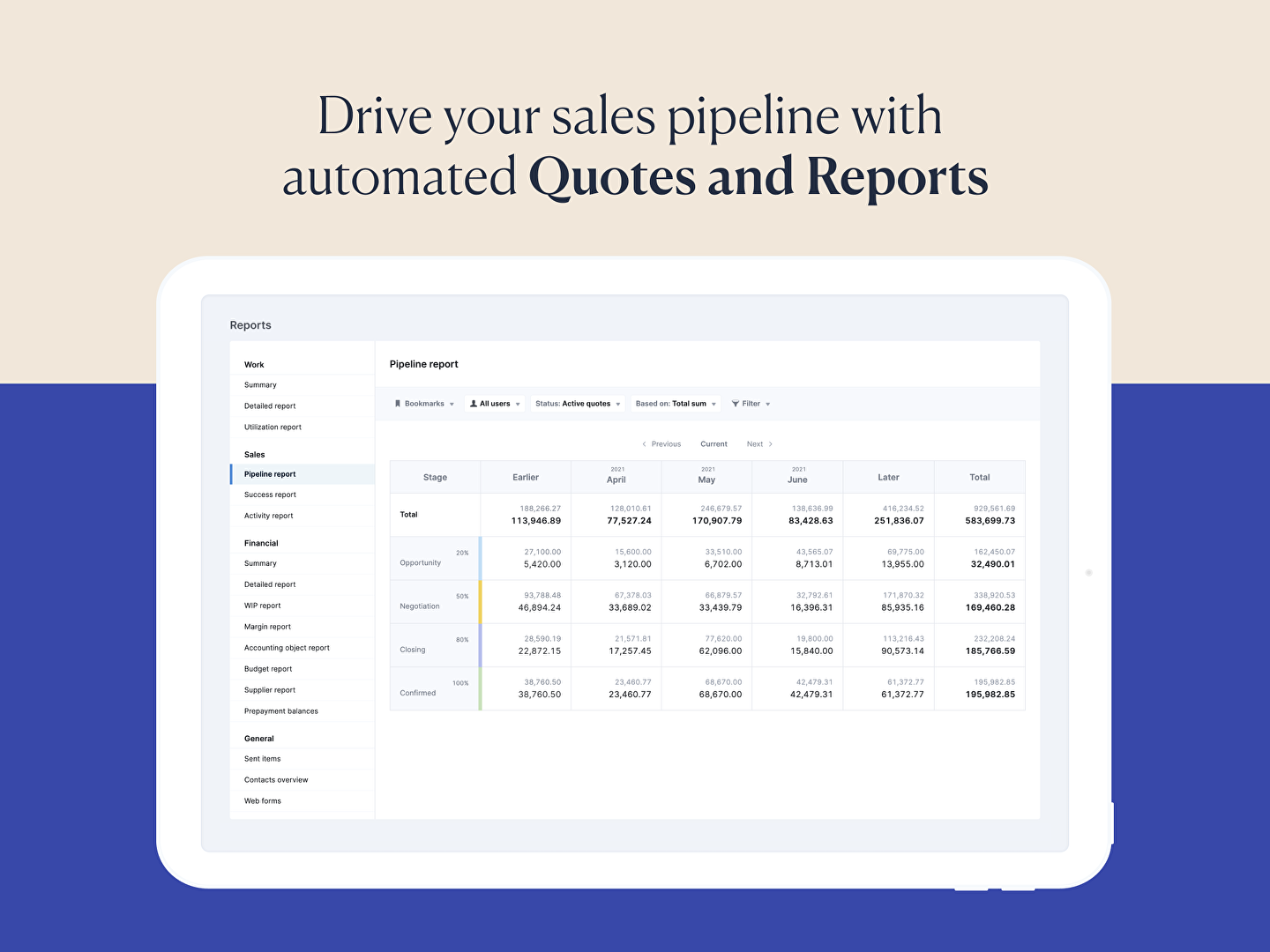
- Sales pipeline
- Margin and markup
- Labor cost
- Late invoice reminders
- Utilization report
- Pipeline report
Ultimate Package
– Contact Scoro for pricing
Scoro’s enterprise-level toolset is ideal for businesses with complex needs and large numbers of projects and sales. Get all the features of Standard and Pro, alongside detailed insights into your team’s time, work and utilization, and powerful sales and finance reports.
User Satisfaction
Positive Social Media Mentions
12
Negative Social Media Mentions
0
We realize that when you make a decision to get a Project Management Software it’s crucial not only to learn how experts score it in their reviews, but also to find out whether the actual clients and businesses that use it are indeed satisfied with the service. That’s why we’ve created our behavior-based Customer Satisfaction Algorithm™ that gathers customer reviews, comments and Scoro reviews across a broad array of social media sites. The information is then featured in a simple to understand format indicating how many customers had positive and negative experience with Scoro. With that information at your disposal you will be prepared to make an informed purchasing decision that you won’t regret.
Video
Screenshots

Technical details
Devices Supported
- Windows
- Android
- iPhone/iPad
- Mac
- Web-based
Deployment
- Cloud Hosted
Language Support
- English
- German
- Spanish
- French
Pricing Model
- Monthly payment
Customer Types
- Small Business
- Large Enterprises
- Medium Business
What Support Does This Vendor Offer?
- phone
- live support
- training
- tickets
What integrations are available for Scoro?
Scoro is the control hub of your whole business – you can fully customise Scoro to fit your workflow and integrate with many other leading tools, including:
- Xero
- QuickBooks
- Dropbox
- Google Calendar
- Toggl
- Zapier
- iCal
Scoro is also on Zapier, so you can easily integrate with over 1000 applications.

Scoro
is waiting for
your first review.

Write your own review of this product
ADD A REVIEWMore reviews from 0 actual users:


Join a community of 7,369 SaaS experts
Thank you for the time you take to leave a quick review of this software. Our community and review base is constantly developing because of experts like you, who are willing to share their experience and knowledge with others to help them make more informed buying decisions.
Sign in with LinkedIn
Why we require LinkedIn?
- Show the community that you're an actual user.
- We will only show your name and profile image in your review.
- You can still post your review anonymously.
OR
Sign in with company emailSign in with company email
Popular Scoro Alternatives





Top Competitors To Scoro By Price
Product name:
Price:





Trending Project Management Software Reviews




Scoro Comparisons
Product name:








Page last modified



Did you find this review useful?
Yes
No
Thank you for your feedback
How can we make this page better?
Unsure about this software?
FIND ALTERNATIVES
 Why is FinancesOnline free?