

SmartAdmin Review


What is SmartAdmin?
Smart Admin is a project management software that helps you run your day-to-day business operations in an organized manner. This software is ideal for small to medium-sized businesses. Since the software is web-based, you can access it from any device with an Internet connection.
Some of SmartAdmin’s main features include project management, team management, payroll management, leave management, tax management, invoicing, and time tracking. SmartAdmin is also customizable. You can change the app settings based on your geographic location, currency, and culture.
The vendor offers data security measures to protect your privacy online. Any personally identifiable information is encrypted with private keys. SmartAdmin also runs automatic backups to ensure that you don’t lose your data in the event of hardware damages or natural disasters.
The configuration option and variety of features, along with the lowest subscription cost, make SMART ADMIN a hot product in the SaaS market.
The following software tools are available, which can be configured for any geography:
- Project Tracker
- Multiple Timesheet
- Multiple Currencies
- Multiple modes of billing
- Pay Structure multiple types
- Leave Management
- Tax Management
Overview of SmartAdmin Benefits
Project Management
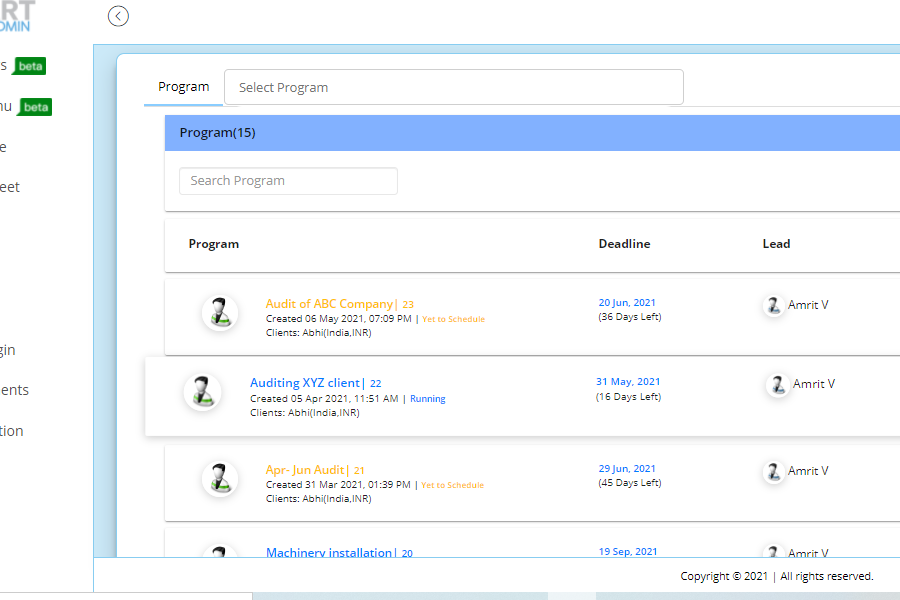
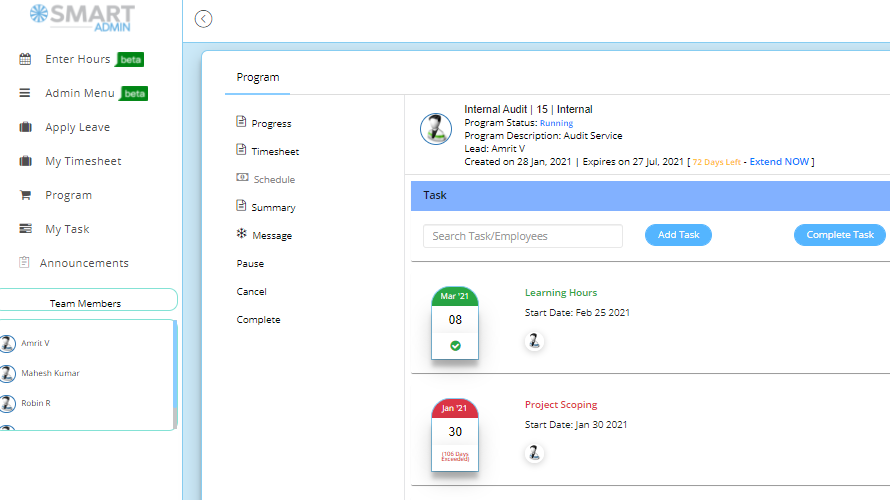
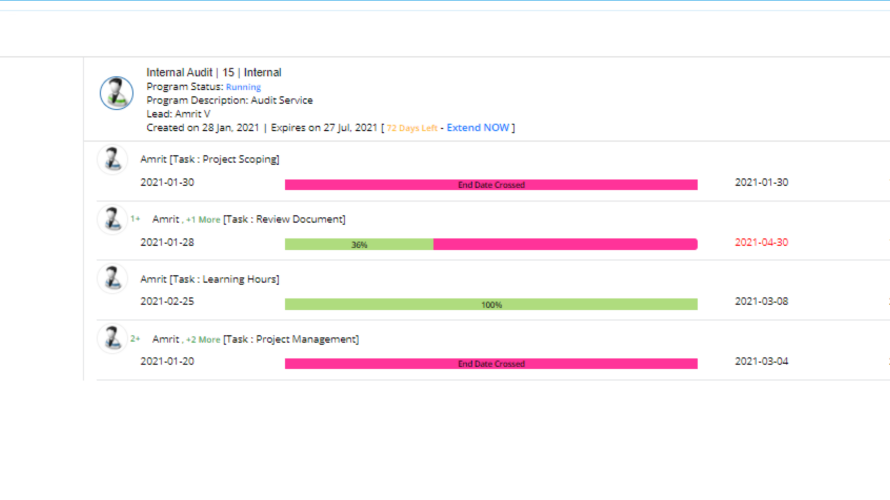
You can use SmartAdmin to plan your projects. Any member can create a project in the app, then once you or an admin approves it, you and your team can begin the project. You can create tasks and subtasks, then assign them to any team member. There is a project summary feature where you can see the project’s progress. You can also add cost proposals and create project objectives.
Team Management
SmartAdmin can help you properly manage your team. You will know which team members are available so that you can properly delegate tasks. You will be able to communicate with your members by sending them messages using the app or attaching important files. SmartAdmin also has email integration to help you organize your mailboxes better.
Payroll Management
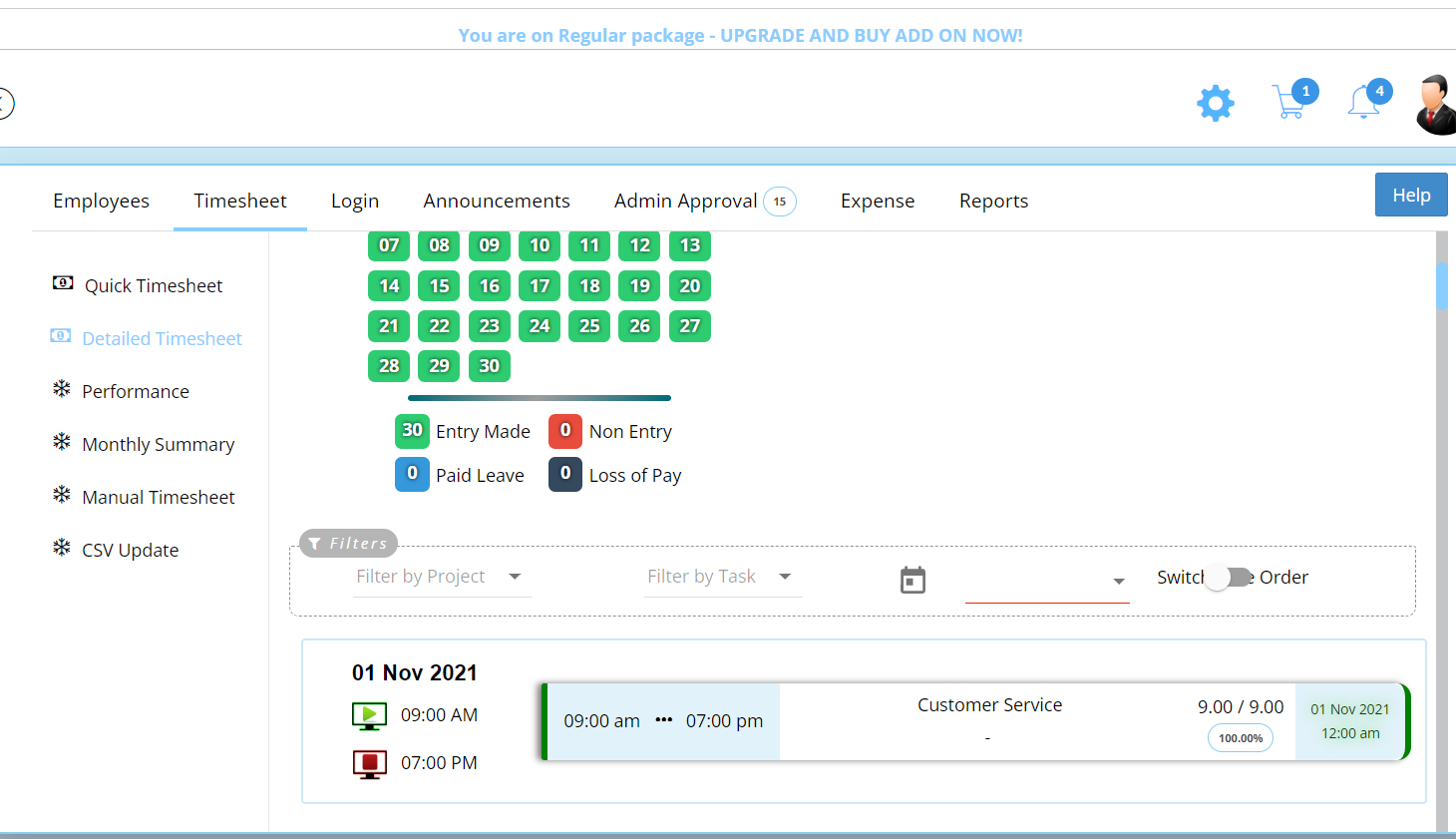
SmartAdmin can help you keep track of employee attendance plus paid and unpaid leaves. Your employees are required to log in when they start working and log out when their shifts end. Their total work hours are recorded in the timesheet so that you can pay them appropriately. You will also be able to see how many hours they spent on certain tasks as well as any unproductive hours.
Show MoreOverview of SmartAdmin Features
- Project Summary
- Time Tracking
- Invoicing
- Currency Support
- Employee and Client Profiles
- Payroll
- Statutory Reports
What Problems Will SmartAdmin Solve?
Problem #1: Project failure is often the result of poor planning.
Planning is the backbone of projects. Before starting to work on a certain project, you need to create clear objectives, evaluate the needs of stakeholders, organize a team, assign roles, and establish a budget. With SmartAdmin’s planning tools, you can add a communications plan, staffing plan, risk management plan, or all of the above. These additional plans can help you easily tackle all the stages of the planning process and ensure that there will be no gaps when you start the project.
Problem #2: High cost of owning software.
SmartAdmin is designed as a cloud-based software to help you save up on hardware costs and maintenance fees. Not every software can provide you with all the tools that you need, which is why some businesses buy software bundles or different types of software with different features. SmartAdmin has integrated invoice, timesheet, payroll, and project management features so that you do not need to source multiple software.
Problem #3: Features don’t align with business needs
Not every company needs all the high-end features provided by SmartAdmin which is why the vendor designed it to be scalable. SmartAdmin gives you the option to start small and only pay for the features that you currently need, then you can add more features as your company grows.
Awards & Quality Certificates


SmartAdmin Position In Our Categories
Bearing in mind companies have particular business requirements, it is rational that they avoid deciding on an all-encompassing, ideal solution. Be that as it may, it is futile to stumble on such a software product even among well-known software systems. The rational thing to undertake should be to take note of the numerous significant functions which demand scrutiny such as key features, price terms, technical skill aptitude of the employees, company size, etc. Thereafter, you must perform your research through and through. Have a look at some SmartAdmin reviews and check out the other software options in your list in detail. Such all-encompassing research ensures you circumvent mismatched applications and subscribe to the system which includes all the features your business requires.
Position of SmartAdmin in our main categories:
TOP
500
SmartAdmin is one of the top 500 Project Management Software products
If you are interested in SmartAdmin it could also be sensible to investigate other subcategories of Project Management Software gathered in our database of B2B software reviews.
Every business is different, and might require a special Project Management Software solution that will be adjusted to their company size, type of clients and staff and even specific industry they support. You should not count on locating a perfect software that is going to work for each business no matter what their background is. It may be a good idea to read a few SmartAdmin Project Management Software reviews first and even then you should pay attention to what the service is intended to do for your business and your workers. Do you require a simple and intuitive app with only essential features? Will you really use the advanced functionalities required by experts and big enterprises? Are there any specific features that are especially practical for the industry you work in? If you ask yourself these questions it will be much easier to find a solid app that will fit your budget.
How Much Does SmartAdmin Cost?
SmartAdmin Pricing Plans:
Free Trial
Project Tracker
$29/month
Project Tracker Plus Invoice
$49/month
Global Basic
$29/month
What are SmartAdmin pricing details?
SmartAdmin Pricing Plans:
Free Trial
Project Tracker
$29/month
Project Tracker Plus Invoice
$49/month
Global Basic
$29/month
SmartAdmin offers the following plans:
Project Tracker – Promotional Global – $29/year
- 6 team members
- 6 projects
- Timesheet with payroll
Project Tracker Plus Invoice – Promotional Global – $49/year
- Unlimited invoices
- Invoice configurable to local laws
Global Basic – $29/month
- 25 members
- Payroll
- 25 projects per month
- Unlimted invoices
User Satisfaction
Positive Social Media Mentions
14
Negative Social Media Mentions
0
We realize that when you choose to get a Project Management Software it’s important not only to see how professionals rank it in their reviews, but also to check whether the real people and companies that bought it are indeed satisfied with the product. That’s why we’ve created our behavior-based Customer Satisfaction Algorithm™ that aggregates customer reviews, comments and SmartAdmin reviews across a broad range of social media sites. The data is then presented in an easy to digest form indicating how many clients had positive and negative experience with SmartAdmin. With that information at hand you should be prepared to make an informed purchasing choice that you won’t regret.
Video
Screenshots
Technical details
Devices Supported
- Android
- Web-based
Deployment
- Cloud Hosted
Language Support
- English
Pricing Model
- Monthly payment
- Annual Subscription
Customer Types
- Small Business
- Medium Business
- Freelancers
What Support Does This Vendor Offer?
- phone
- live support
- training
- tickets
What integrations are available for SmartAdmin?
SmartAdmin offers integration in the upcoming higher version of the software.

SmartAdmin
is waiting for
your first review.

Write your own review of this product
ADD A REVIEWMore reviews from 0 actual users:


Join a community of 7,369 SaaS experts
Thank you for the time you take to leave a quick review of this software. Our community and review base is constantly developing because of experts like you, who are willing to share their experience and knowledge with others to help them make more informed buying decisions.
Sign in with LinkedIn
Why we require LinkedIn?
- Show the community that you're an actual user.
- We will only show your name and profile image in your review.
- You can still post your review anonymously.
OR
Sign in with company emailSign in with company email
Popular SmartAdmin Alternatives




Top Competitors To SmartAdmin By Price
Product name:
Price:


Trending Project Management Software Reviews


SmartAdmin Comparisons
Product name:










Page last modified



Did you find this review useful?
Yes
No
Thank you for your feedback
How can we make this page better?
Unsure about this software?
FIND ALTERNATIVES
 Why is FinancesOnline free?