

Teambook Review



What is Teambook?
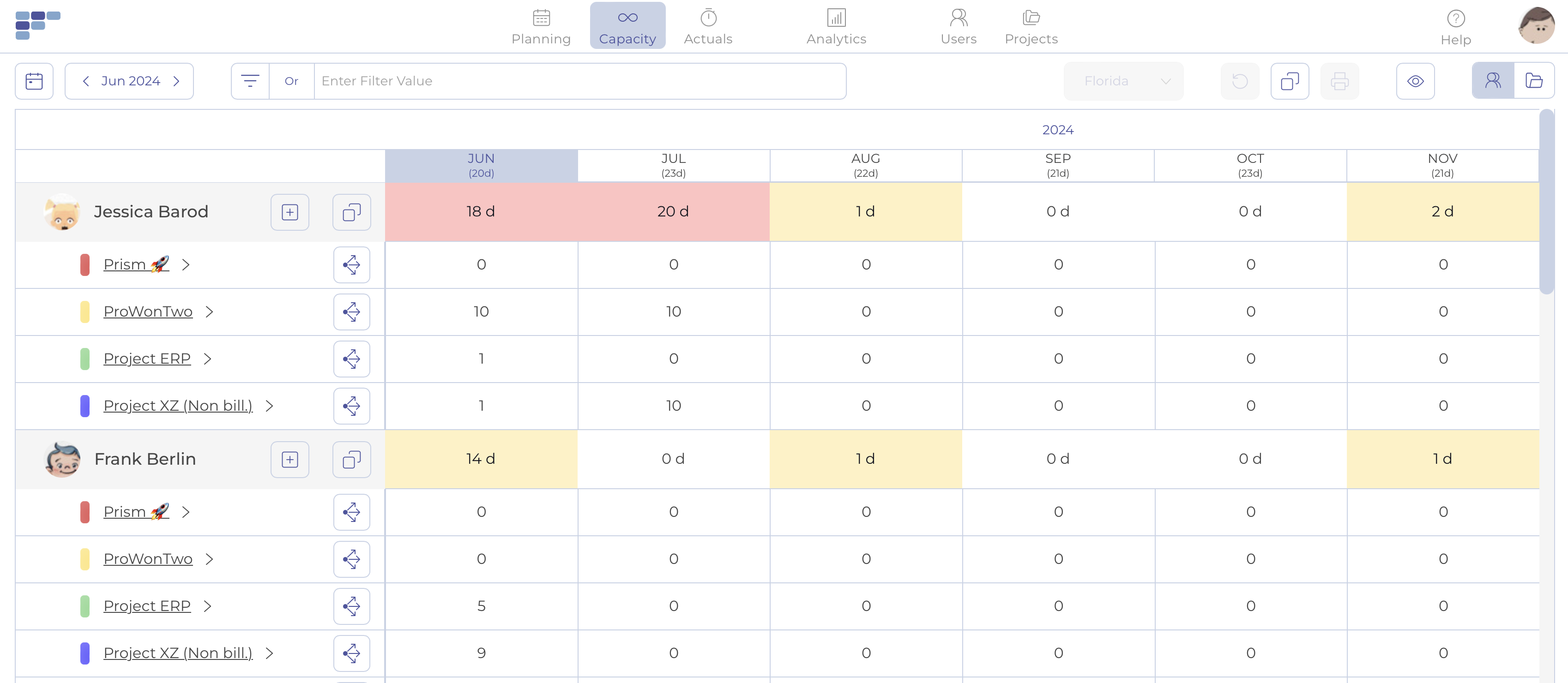
Teambook is a project resource planning software that gives you the tools you need to become a better project manager. With the visual team board, you can see the big picture of your consultants’ workload and know who’s available or not in a matter of seconds. You can also map your team’s talents to maximize staff usage. As a result, you can say goodbye to guesswork and overworked consultants, and make the most of your employees’ abilities.
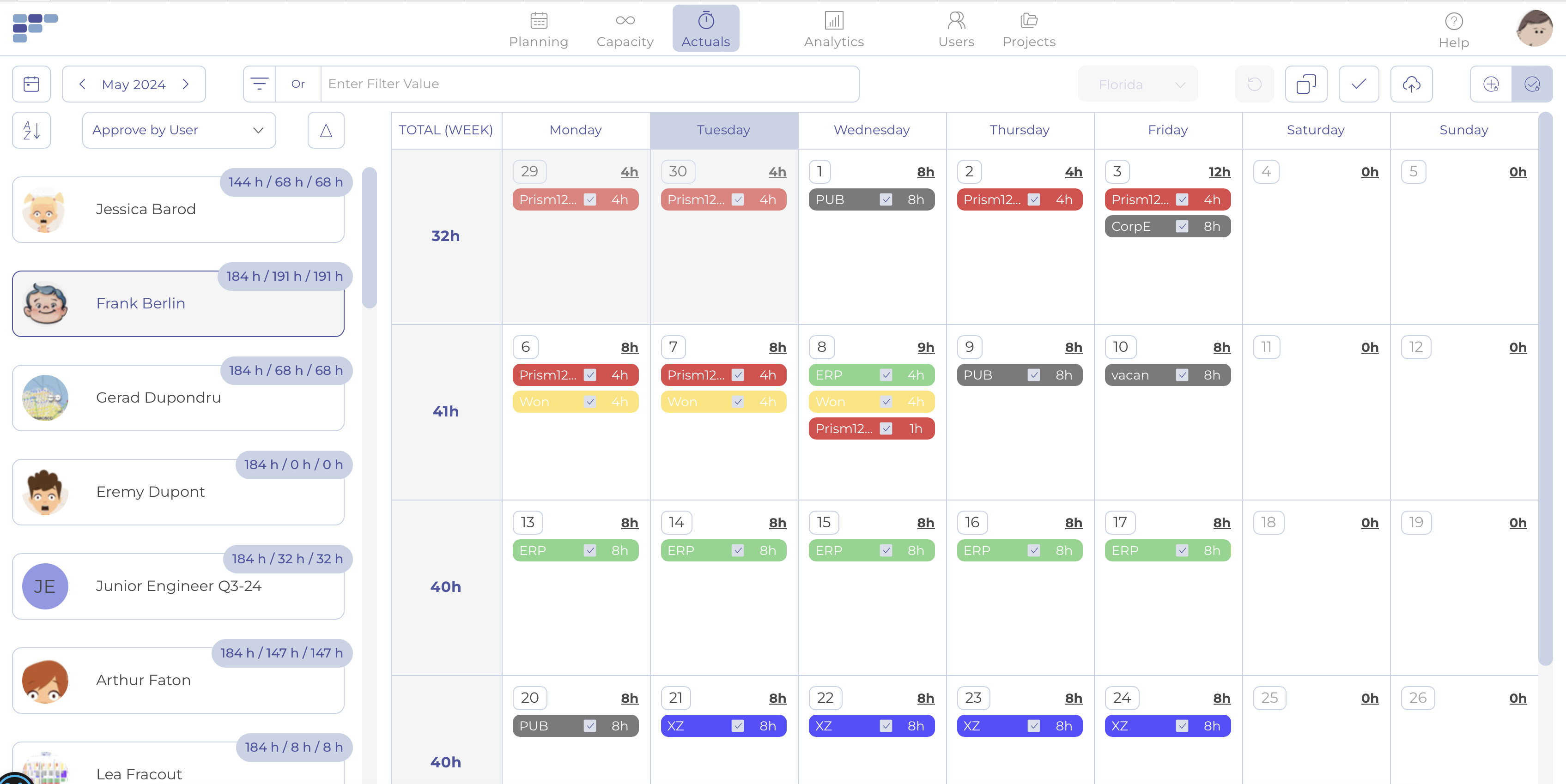
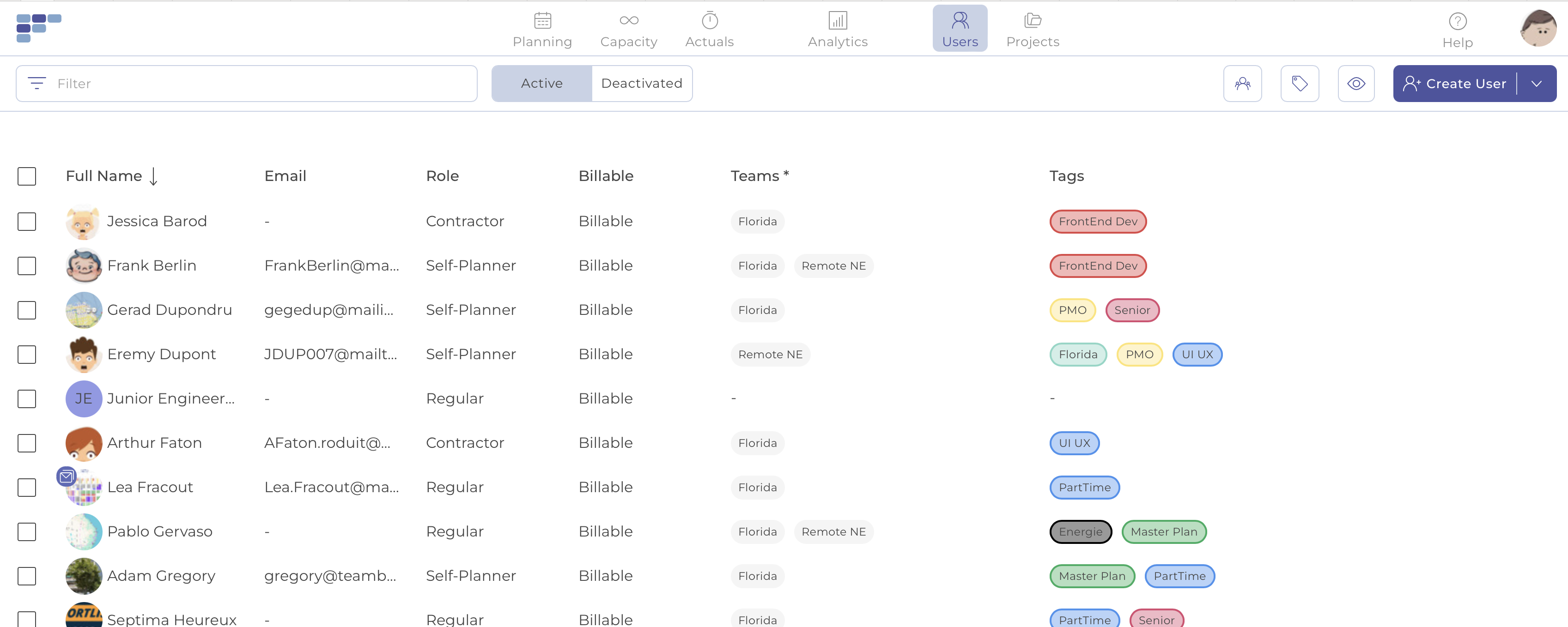
In addition, the platform ensures that it does not add further complexity to your workflow by making its operation simple and intuitive. You can allocate one or multiple resources to a project in a single click. You can also change the setup anytime with ease thanks to the drag-and-drop support and bulk edit features. Furthermore, the tag system in Teambook is an effective approach to “customizing” your workers and colleagues. Use it to assign talents to your consultants and ensure that they are deployed to projects that are a good fit for them.
Show MoreOverview of Teambook Benefits
Streamlined Resource Delegation
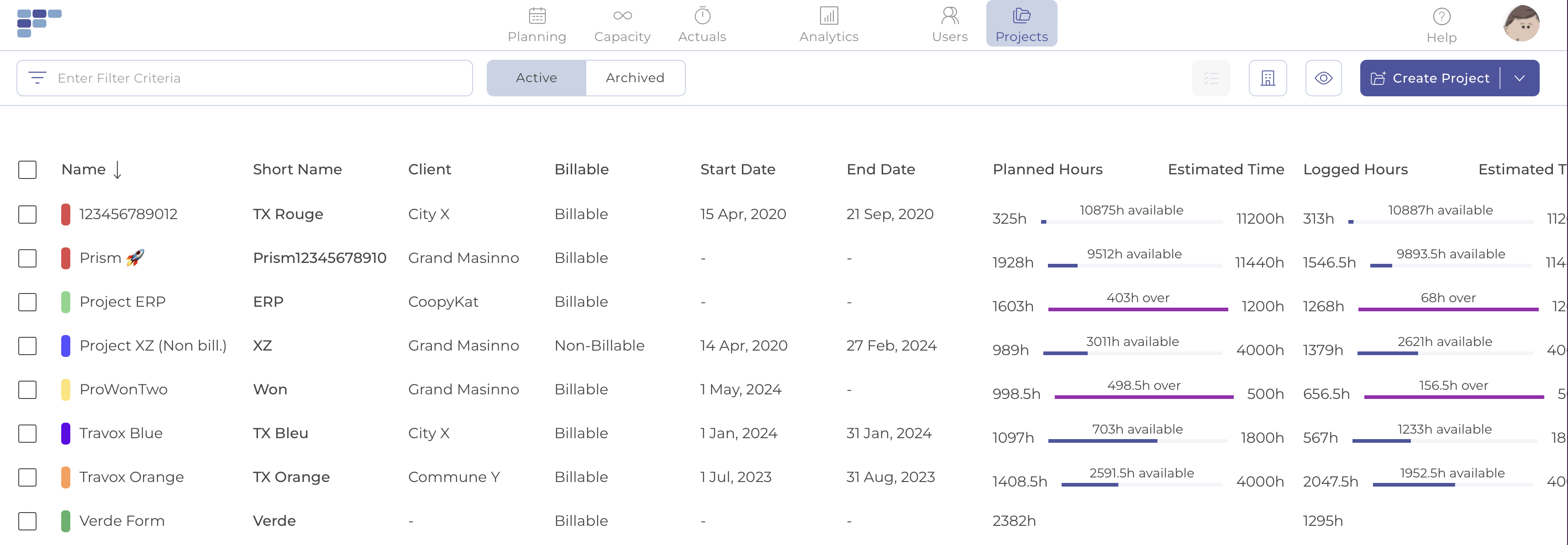
Book one or more units at once while keeping track of your project budget and use tags and filters to locate the best resource for the task. You can set the bookings as tentative and confirm them later if you’re not sure when a job will be done. You can make any necessary changes to resource allocation you’ve done at any point with ease through the bulk update and drag-and-drop bookings.
Intuitive Planner
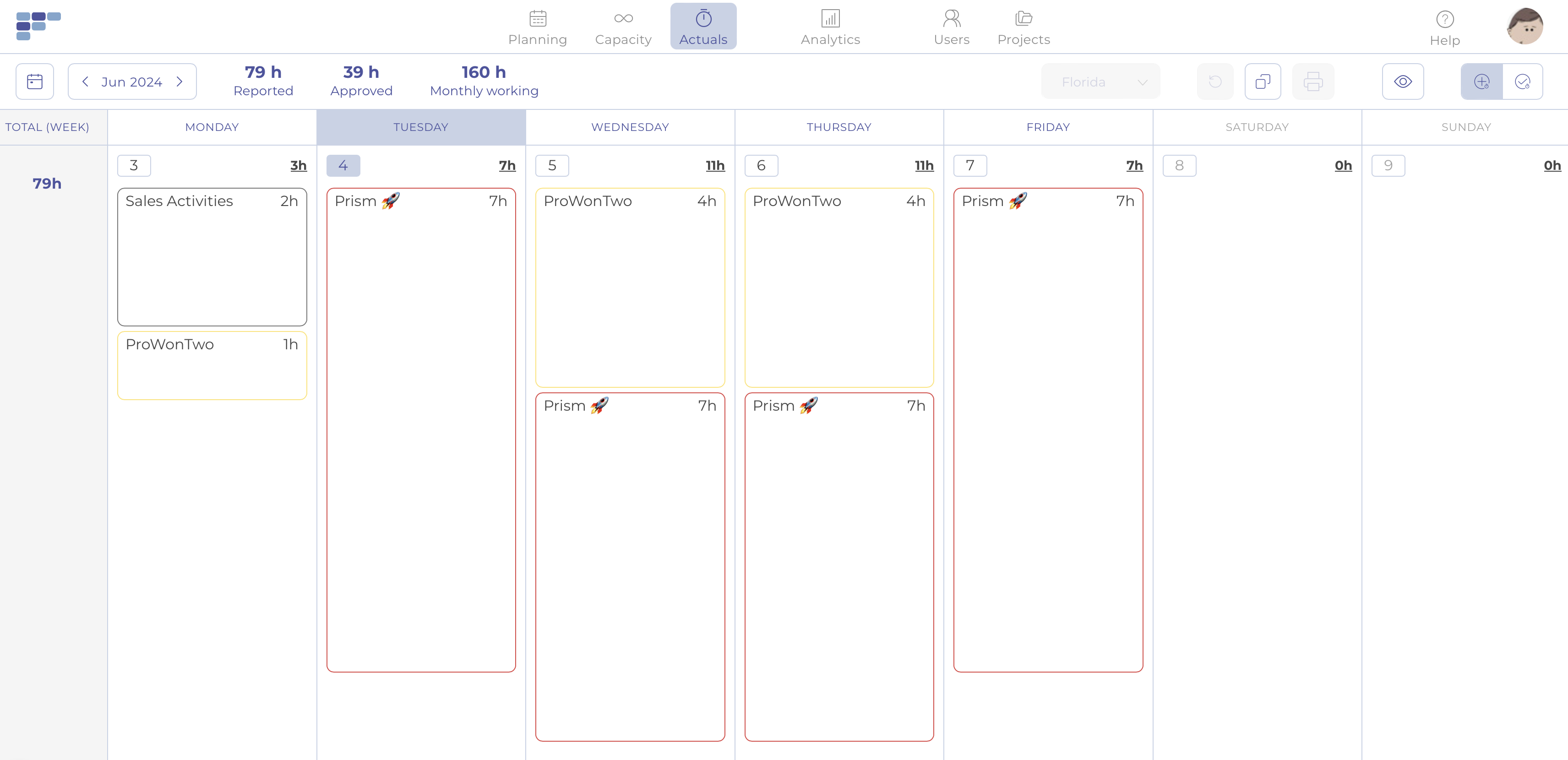
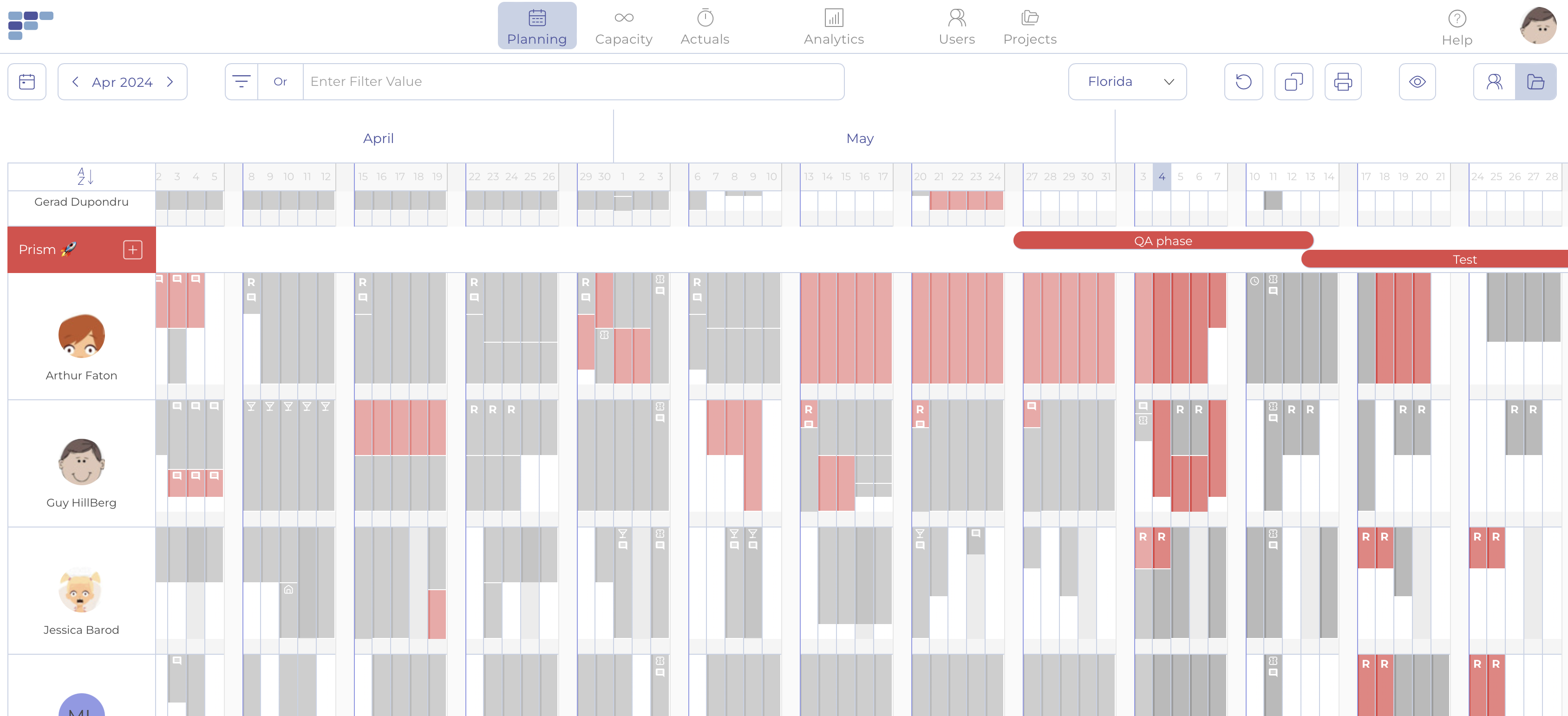
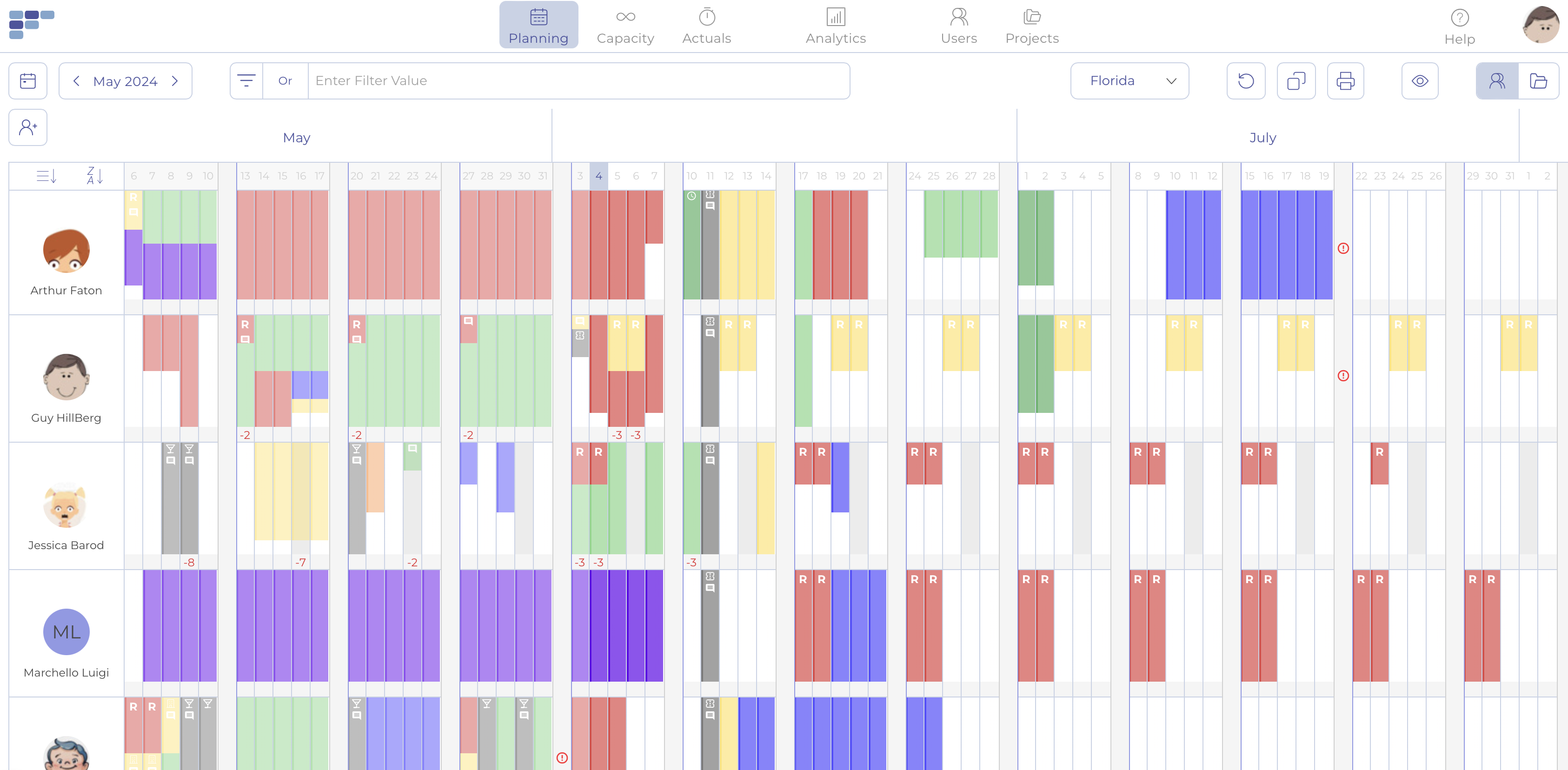
The planner board in Teambook provides an easy-to-understand summary of your company’s activities: you can see who’s working on what and when, as well as who’s available and who’s not. You may also easily navigate around past, current, and future bookings by displaying dates ranging from 2 weeks to 3 months. Use tags to keep track of your team’s abilities, and take advantage of the clear visual hints to get the information at a glance.
Reports and Analytics
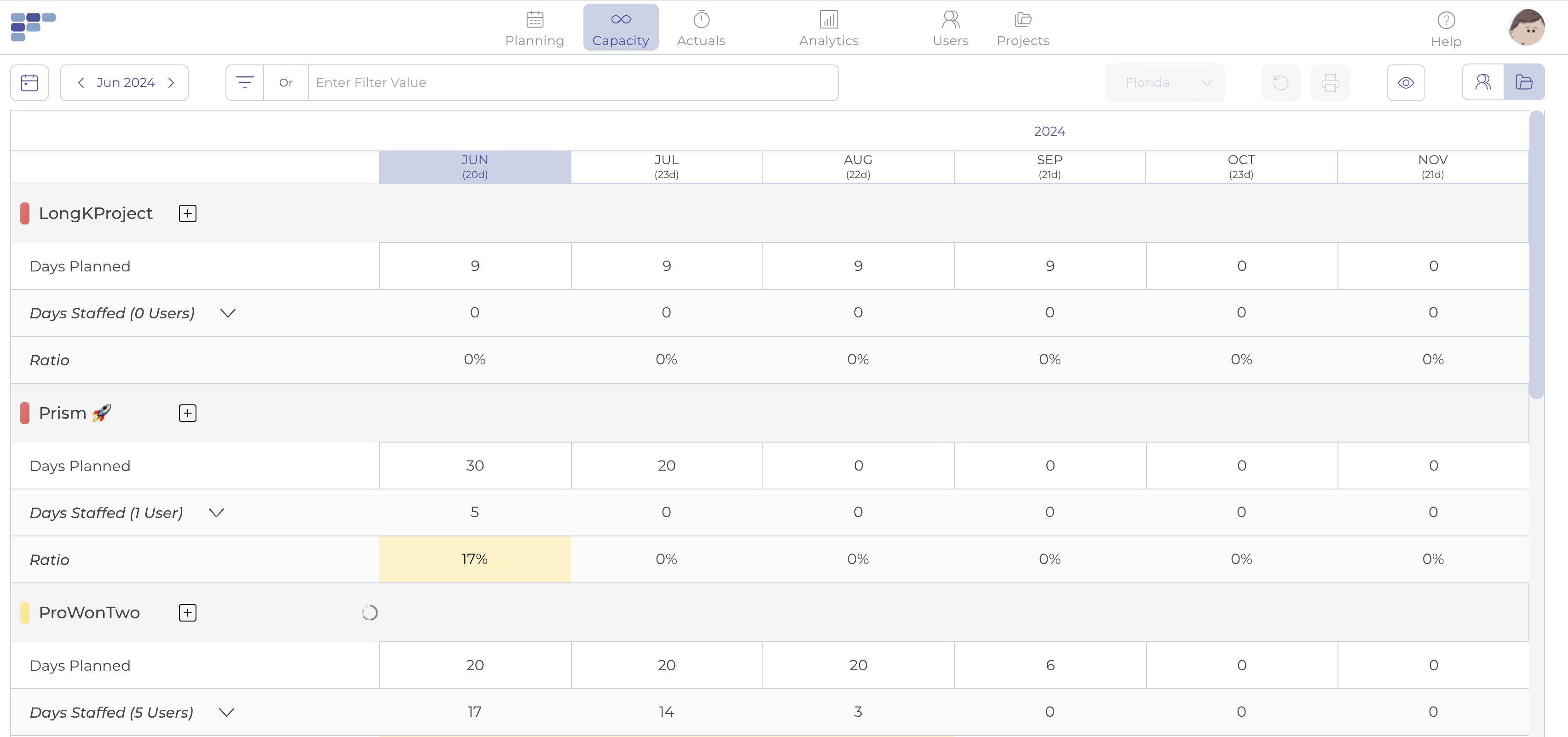
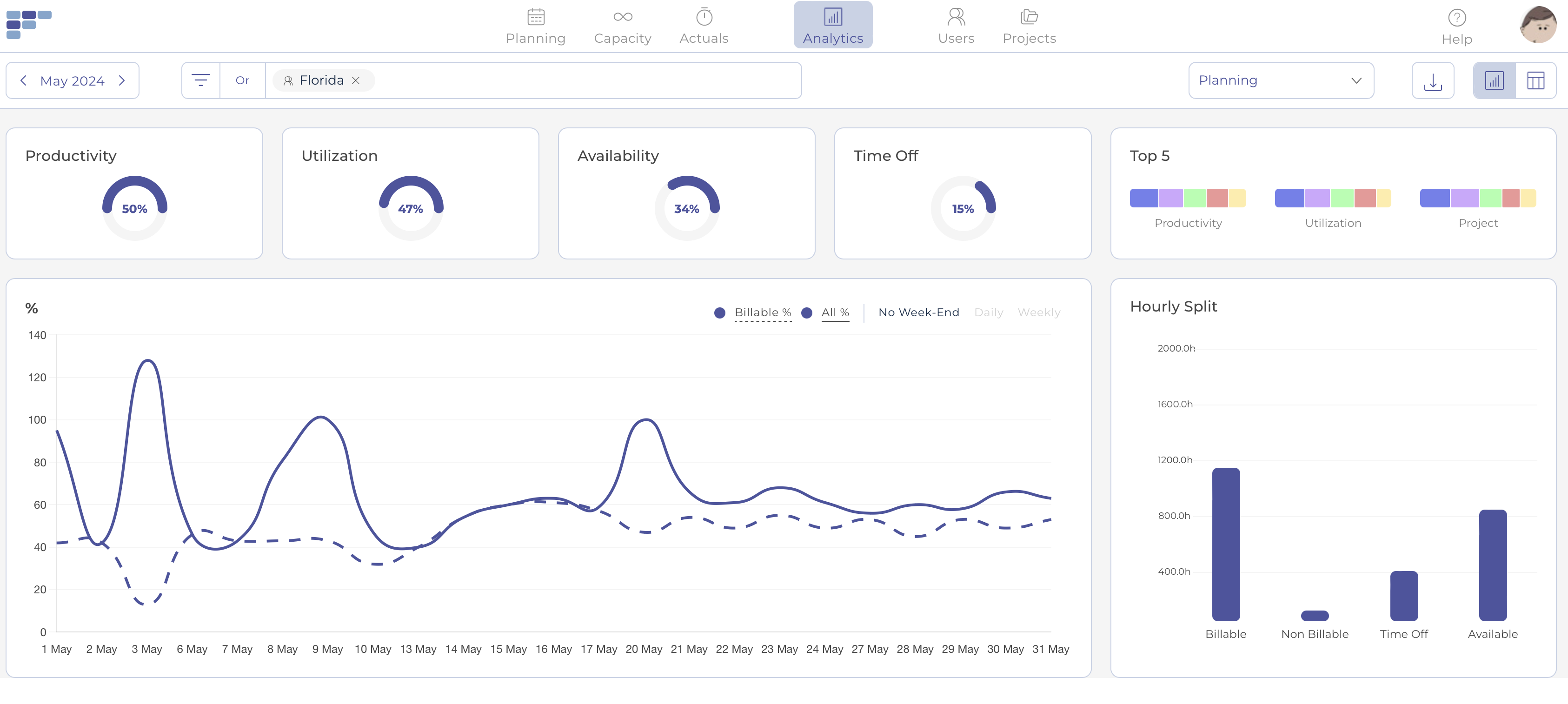
With a comprehensive range of metrics, Teambook helps keep track of your key performance indicators. It lets you monitor metrics such as availability, usage, and productivity and provides a more refined view through the use of filters. The same is true for billable, non-billable, and time-offs during the month; making sure that you don’t miss any critical information.
Advanced Communication Tools
Teambook interacts with your favorite tools and features extensive communication capabilities to keep everyone in the loop, from your team to your clients. Once a week, your team members receive a daily overview of the changes that occurred throughout the day, as well as their weekly schedule.
Show MoreOverview of Teambook Features
- Planner
- Booker
- Analytics
- Personal Homepage
- Calendar Subscription
- Client Link
- 99% Uptime
- Third-party Integration
Awards & Quality Certificates

Teambook Position In Our Categories
Since businesses have particular business-related wants, it is logical they abstain from picking a one-size-fits-all, ideal business application. At any rate, it is difficult to come across such an app even among well-known software systems. The correct step to undertake should be to note down the different significant factors that call for a investigation including key features, pricing, technical skill ability of staff members, organizational size, etc. Thereafter, you must do the research thoroughly. Have a look at some of these Teambook evaluations and look into the other software solutions in your list in detail. Such comprehensive product research makes sure you steer clear of ill-fitting applications and pay for the system which includes all the benefits your business requires for optimal results.
Position of Teambook in our main categories:
TOP
500
Teambook is one of the top 500 Collaboration Software products
TOP
500
Teambook is one of the 500 Project Management Software products
Each enterprise has different wants and requires a system that can be personalized for their size, kind of workers and clients, and the particular industry they are in. For these reasons, no platform can offer perfect tools out-of-the-box. When you try to find a software system, first be sure what you want it for. Read some Teambook Project Management Software reviews and ask yourself do you need basic tools or do you require complex functionality? Are there any industry-specific tools that you are seeking? Find the answers to these queries to help your search. There are multiple elements that you need to mull over and these include your budget, particular business needs, your organization size, integration requirements etc. Take your time, try out a few free trials, and finally zero in on the system that presents all that you need to boost your organization competence and productivity.
How Much Does Teambook Cost?
Teambook Pricing Plans:
Free Trial
Starter
$3/month
Small
$45/month
Medium
$75/month
Large
$90/month
What are Teambook pricing details?
Teambook Pricing Plans:
Free Trial
Starter
$3/month
Small
$45/month
Medium
$75/month
Large
$90/month
Teambook’s enterprise pricing scales with the number of active projects you plan to get.
Planning features are free for up to 10 projects and all plans include unlimited users.
Starter – $3/month
- 0 – 10 active projects for planning features
- Unlimited users & clients
- Unlimited client support
- 24/7 Monitoring
- Daily Backup
- SSL Encryption
- 99% Uptime
Small – $45/month
- 11 – 40 active projects
- Unlimited users & clients
- Unlimited client support
- 24/7 Monitoring
- Daily Backup
- SSL Encryption
- 99% Uptime
Medium – $75/month
- 41 – 80 active projects
- Unlimited users & clients
- Unlimited client support
- 24/7 Monitoring
- Daily Backup
- SSL Encryption
- 99% Uptime
Large – $90/month
- 81 – 120 active projects
- Unlimited users & clients
- Unlimited client support
- 24/7 Monitoring
- Daily Backup
- SSL Encryption
- 99% Uptime
User Satisfaction
Positive Social Media Mentions
3
Negative Social Media Mentions
0
We are aware that when you choose to buy a Project Management Software it’s important not only to find out how experts rank it in their reviews, but also to check whether the real users and enterprises that use it are genuinely satisfied with the product. Because of that need we’ve designer our behavior-based Customer Satisfaction Algorithm™ that aggregates customer reviews, comments and Teambook reviews across a broad range of social media sites. The information is then displayed in an easy to digest form revealing how many people had positive and negative experience with Teambook. With that information at your disposal you should be ready to make an informed buying choice that you won’t regret.
Video
Screenshots
Technical details
Devices Supported
- Windows
- Linux
- Android
- iPhone/iPad
- Mac
- Web-based
Deployment
- Cloud Hosted
- On Premise
- Open API
Language Support
- English
- German
- Spanish
- French
- Italian
Pricing Model
- Monthly payment
Customer Types
- Small Business
- Medium Business
What Support Does This Vendor Offer?
- phone
- live support
- training
- tickets
What integrations are available for Teambook?
Teambook supports API and third-party integration to further streamline the team scheduling & management process.
Here are some of the popular tools it can connect with.
- Generic connectors: Zappier
- Calendars (Google, iOS, Outlook)
- Project management tools: Slack
- CRM: Hubspot
- Payroll tools: Personio
- Accounting: Quickbooks

Teambook
is waiting for
your first review.

Write your own review of this product
ADD A REVIEWMore reviews from 0 actual users:


Join a community of 7,369 SaaS experts
Thank you for the time you take to leave a quick review of this software. Our community and review base is constantly developing because of experts like you, who are willing to share their experience and knowledge with others to help them make more informed buying decisions.
Sign in with LinkedIn
Why we require LinkedIn?
- Show the community that you're an actual user.
- We will only show your name and profile image in your review.
- You can still post your review anonymously.
OR
Sign in with company emailSign in with company email
Useful Teambook Resources
Popular Teambook Alternatives





Top Competitors To Teambook By Price
Product name:
Price:




Trending Project Management Software Reviews


8.0
100%


8.0
100%

Teambook Comparisons
Product name:





Page last modified



Did you find this review useful?
Yes
No
Thank you for your feedback
How can we make this page better?
Unsure about this software?
FIND ALTERNATIVES
 Why is FinancesOnline free?