
- Home
- Communications Software
- TuneFab Screen Recorder

TuneFab Screen Recorder Review



What is TuneFab Screen Recorder?
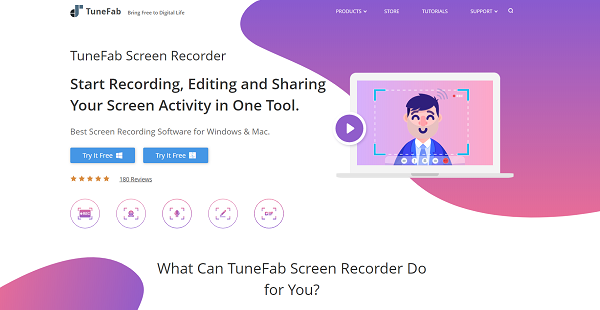
TuneFab Screen Recorder is a screen recording software designed for Windows and Mac devices. The app is a home edition only for personal use. You can use it for recording gameplay, online meetings, live streaming videos, program activity, and other screen activities with or without sounds.
The platform also comes with tools for editing your recordings. There are functions for adding an outline, arrow, and text. What’s more, you can modify your recorded video or screenshot in real-time. Sharing your video is also made easier. The app lets you directly upload your recording on social media sites such as Facebook, YouTube, and Instagram or just export it to your personal computer. The tool supports popular video and audio formats including but not limited to MP3, MP4, M4A, MOV, GIF, WMV, F4V, AAC, and AVI. Screenshots, on the other hand, can be saved as PNG, JPG, GIF, BMP, and TIFF files.
Show MoreOverview of TuneFab Screen Recorder Benefits
Editing and Sharing Features
Tunefab is more than just a screen recorder. It comes with a drawing panel where you can edit your recordings in real-time. You can add an outline, arrows, tags, or text during the recording process. After you are finished with the recording, you can easily share it with the world by uploading it to social media channels directly from the app or simply export your work to your computer.
Extensive Knowledge Base
With Tunefab, you do not have to worry about not being a tech geek. The platform comes with a plethora of guides and learning materials to help you make the most of the product. From installation down to solving problems that may arise, there’s a guide to almost everything. Customer service is also available. They can provide additional assistance and answer product related questions.
Multiple Videos and Audio Formats Support
The app supports a wide range of video and audio formats including WMA, MP3, M4A, AAC, MP4, WMV, MOV, F4V, GIF, TS, AVI, and more. So you can create and save your output in whatever format you need.
High-Quality Videos
With Tunefab Screen Recorder, you can create high-quality videos. The platform supports MPEG2 HD Files (*.mpg;*.mpeg), QuickTime HD Files (*.mov), MPEG4 HD Files (*.mp4), WMV HD Video Files (*.wmv) and more. You can save your video in different levels of quality.
Cost-Effective
For as low as $24.95, you can already use and enjoy TuneFab for a year. The platform offers a range of pricing plans to suit every individual’s budget. What’s more, the vendor lets you try the product free of charge for 7 days. This will allow you to explore what the product has to offer and know whether it works great for you or not.
Show MoreOverview of TuneFab Screen Recorder Features
- Screen and webcam recorder
- Area selection
- Drawing panel
- History panel
- Recording
- Changeable cursor
- Supports MP3, WMA, AAC, M4A, HD MP4, WMV, MOV, F4V, and AVI. format Supports JPG, PNG, BMP, GIF and TIFF file format
Awards & Quality Certificates


TuneFab Screen Recorder Position In Our Categories
Since businesses have specific business requirements, it is logical they abstain from getting a one-size-fits-all, ”best” system. Be that as it may, it would be futile to try to stumble on such an app even among recognizable software solutions. The sensible thing to do is to list the different chief aspects which require research such as major features, packages, skill capability of staff, organizational size, etc. After which, you must do the product research exhaustively. Browse over some of these TuneFab Screen Recorder analyses and look over the other software solutions in your list more closely. Such detailed product investigation ensure you keep away from mismatched software solutions and choose the system that includes all the tools your business requires.
Position of TuneFab Screen Recorder in our main categories:
TOP
50
TuneFab Screen Recorder is one of the top 50 Communications Software products
If you are considering TuneFab Screen Recorder it might also be sensible to investigate other subcategories of Communications Software gathered in our base of SaaS software reviews.
It's important to note that almost no software in the Communications Software category is a perfect solution that can fulfill all the requirements of various company types, sizes and industries. It may be a good idea to read a few TuneFab Screen Recorder Communications Software reviews first as certain software may excel just in a very small set of applications or be designed with a very specific industry in mind. Others can operate with an idea of being easy and intuitive and consequently lack complex functionalities desired by more experienced users. There are also apps that support a broad group of customers and offer a powerful feature toolbox, but that in most cases comes at a more significant cost of such a software. Ensure you're aware of your requirements so that you get a software that provides specifically the features you look for.
How Much Does TuneFab Screen Recorder Cost?
TuneFab Screen Recorder Pricing Plans:
Free Trial
1 Year Subscription
$24.95
Personal License
$34.95
Family License
$69.95
What are TuneFab Screen Recorder pricing details?
TuneFab Screen Recorder Pricing Plans:
Free Trial
1 Year Subscription
$24.95
Personal License
$34.95
Family License
$69.95
Tunefab offers one-time payment and a subscription enterprise pricing method.
1 Year Subscription – $24.95
- 1 Year/1PC
- 1-year free update and auto-renewal
Personal License – $34.95
- Lifetime/1PC
- Lifetime free upgrade on one computer
Family License – $69.95
- Lifetime/2-5 PCs
- Lifetime free upgrade on up to 5 computers
User Satisfaction
Positive Social Media Mentions
109
Negative Social Media Mentions
12
We realize that when you make a decision to get a Communications Software it’s important not only to find out how experts rank it in their reviews, but also to check whether the actual clients and enterprises that purchased these solutions are actually happy with the product. That’s why we’ve devised our behavior-based Customer Satisfaction Algorithm™ that aggregates customer reviews, comments and TuneFab Screen Recorder reviews across a vast array of social media sites. The information is then presented in an easy to digest way revealing how many customers had positive and negative experience with TuneFab Screen Recorder. With that information at hand you will be ready to make an informed purchasing decision that you won’t regret.
Video
Technical details
Devices Supported
- Windows
- Mac
Deployment
- Cloud Hosted
- On Premise
Language Support
- English
Pricing Model
- One-time payment
- Annual Subscription
Customer Types
- Freelancers
What Support Does This Vendor Offer?
- phone
- live support
- training
- tickets
What integrations are available for TuneFab Screen Recorder?
No available information.

TuneFab Screen Recorder
is waiting for
your first review.

Write your own review of this product
ADD A REVIEWMore reviews from 0 actual users:


Join a community of 7,369 SaaS experts
Thank you for the time you take to leave a quick review of this software. Our community and review base is constantly developing because of experts like you, who are willing to share their experience and knowledge with others to help them make more informed buying decisions.
Sign in with LinkedIn
Why we require LinkedIn?
- Show the community that you're an actual user.
- We will only show your name and profile image in your review.
- You can still post your review anonymously.
OR
Sign in with company emailSign in with company email
Popular TuneFab Screen Recorder Alternatives




Top Competitors To TuneFab Screen Recorder By Price
Product name:
Price:

By quote

By quote


Trending Communications Software Reviews



TuneFab Screen Recorder Comparisons
Product name:





Page last modified



Did you find this review useful?
Yes
No
Thank you for your feedback
How can we make this page better?
Unsure about this software?
FIND ALTERNATIVES
 Why is FinancesOnline free?