

AlertOps Review



What is AlertOps?
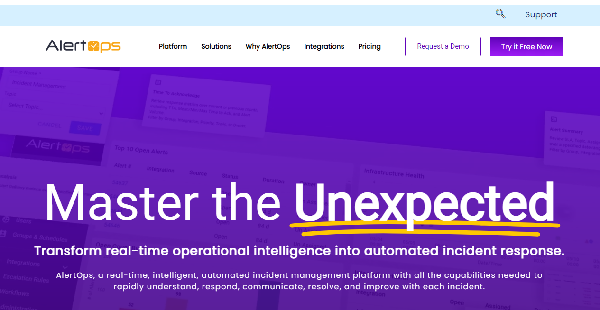
AlertOps is an incident management and response platform that allows ITOps, ITSM, DevOps, and SecOps teams, network operations centers, and managed service providers to efficiently, accurately, and seamlessly identify, analyze, and solve major, critical, and complex IT events and issues. This reliable, adaptive, and intelligent tool helps organizations and teams in different industries minimize service downtime, ensure business continuity and security, and enhance operational efficiency.
AlertOps sends the right incident alerts to the right team members and stakeholders at the right time through phone call, email, and SMS. Users can get all the information and details they need in order to properly and quickly understand and respond to incidents. IT incidents and alerts can also be automatically routed or escalated based on specific policies, rules, and conditions.
The platform provides workflow automation and system integration capabilities. Users will be able to leverage such features to streamline their processes and tasks for incident response and resolution and improve communication and collaboration with people inside and outside of the organization.
Show MoreOverview of AlertOps Benefits
Enriched & Dynamic Alerts
AlertOps permits you to customize and enrich alerts with contents and information. These include images, graphs, runbooks or custom links, and third-party monitoring system data. Your team members can gain a complete and accurate understanding of the IT incidents and take appropriate and effective actions to resolve them. You can also automatically deliver incident alerts to team members using various communication channels, including phone call, email, and text.
Smart Routing & Escalation
IT incidents and alerts will be automatically routed or forwarded to other team members when the first persons who have received them did not acknowledge, own, and respond to the incidents and alerts within a certain time frame. Moreover, you can escalate incidents and alerts to executives, managers, customers, or regulatory agencies if specific severity and urgency levels or SLA limits are met.
Better Team Collaboration
You can integrate your monitoring, chat, and helpdesk or ticketing tools with AlertOps. When your monitoring apps detect and report IT incidents, you and your team members can access, organize, and handle alerts related to those incidents from a centralized dashboard within AlertOps.
The platform removes duplicate alerts so users won’t get distracted and exhausted with too many noisy, unnecessary incident alerts. Plus, you’ll instantly access and handle alerts, start discussions, create, monitor, and close tickets, and check incident details and updates within Slack, Microsoft Teams, Jira, ServiceNow, and other chat and helpdesk tools.
Real-Time Analytics
AlertOps lets you monitor, assess, and improve the health of infrastructures, services, and applications in real time. Moreover, you can track and analyze IT events and problems as they happen using visual incidental timelines. Thus, you’ll know the teams or staff who responded to incidents, the dates and times when they worked on the incidents, and the tasks or actions they took in order to resolve them. You can access detailed alert analytics too, such as alert source, volume, response, and resolution metrics.
Show MoreOverview of AlertOps Features
- Customizable Incident Alerts
- Communication Channels
- Smart Routing
- Incident & Alert Escalations
- Automated Workflows
- Mobil Incident Management
- On-Call Scheduling
- Integrations
- Dashboards & Reports
- Team Management
- Enterprise Security
Awards & Quality Certificates

AlertOps Position In Our Categories
Bearing in mind companies have special business-related needs, it is reasonable that they avoid paying for an all-encompassing, “perfect” software product. Nonetheless, it is difficult to try to discover such application even among well-known software solutions. The reasonable thing to undertake can be to list the varied vital aspects that demand inspection like major features, price terms, technical skill aptitude of staff, organizational size, etc. Thereafter, you must do your research to a full extent. Go over some of these AlertOps analyses and look over each of the software products in your list in detail. Such comprehensive research makes sure you weed out mismatched apps and select the system which offers all the benefits your company requires.
Position of AlertOps in our main categories:
Enterprises have unique wants and requirements and no software solution can be perfect in such a scenario. It is pointless to try to find a perfect out-of-the-box software system that meets all your business requirements. The smart thing to do would be to customize the solution for your unique requirements, employee skill levels, finances, and other elements. For these reasons, do not hurry and subscribe to well-publicized popular systems. Though these may be widely used, they may not be the ideal fit for your particular wants. Do your homework, check out each short-listed system in detail, read a few AlertOps IT Service Software reviews, contact the maker for clarifications, and finally choose the product that provides what you want.
How Much Does AlertOps Cost?
AlertOps Pricing Plans:
Free Trial
Starter Pack
$0
Standard
$5/month
Premium
$15/month
Enterprise
$23/month
What are AlertOps pricing details?
AlertOps Pricing Plans:
Free Trial
Starter Pack
$0
Standard
$5/month
Premium
$15/month
Enterprise
$23/month
AlertOps offers several plans for users to choose from, including an enterprise pricing plan that gives you access to all of the features of the incident management and response solution. Here are the details:
Starter Pack – $0
- Android & iOS app
- Unlimited push & email notifications
- 125 SMS or 25 Voice notifications (US/Canada)
- 75 SMS or 25 Voice notifications (International)
- Unlimited teams
- On-call schedules
- Escalations
- Open API
- Integrations with monitoring tools
- Integrations with ChatOps
- Security roles
- Incident alert prioritization & deduplication
- Rich alerts
- Alert lifecycle monitoring
- Unlimited API requests
- Support via online help center
Standard – $8/month ($5 if billed annually)
- All features in Starter Pack, Plus:
- Unlimited SMS or Voice notifications (US/Canada)
- 25 SMS or 25 Voice notifications/user/month (International)
- Support via online help center, email, & chat
Premium – $18/month ($15 if billed annually)
- All features in Standard Plan, Plus:
- Unlimited SMS or Voice notifications (International)
- Heartbeat tracking
- Integrations with external & ITSM tools
- Phone number for live call routing
- Limited custom workflows
- Alert suppressions & delays
- Unified notification rules
- Flexible routing
- Custom actions
- Custom alert mapping
- Incident opt-out
- Operations dashboard
- Reports on alerts & notifications
- Reports on incident management
Enterprise – $27/month ($23 if billed annually)
- All features in Premium Plan, Plus:
- Unlimited custom security roles
- Stakeholders communication
- Unlimited custom workflows
- Flexible grouping
- Manual alerts
- Message templates
- Access to conference bridge
- 24/7 Support for critical responses
- White glove customer onboarding
- Extended proof of concept
User Satisfaction
Positive Social Media Mentions
19
Negative Social Media Mentions
0
We are aware that when you make a decision to purchase a IT Service Software it’s crucial not only to learn how professionals score it in their reviews, but also to find out whether the real people and companies that use it are indeed happy with the product. That’s why we’ve devised our behavior-based Customer Satisfaction Algorithm™ that gathers customer reviews, comments and AlertOps reviews across a broad array of social media sites. The data is then displayed in an easy to understand way indicating how many users had positive and negative experience with AlertOps. With that information available you should be prepared to make an informed purchasing choice that you won’t regret.
Video
Technical details
Devices Supported
- Android
- iPhone/iPad
- Web-based
Deployment
- Cloud Hosted
- Open API
Language Support
- English
Pricing Model
- Free
- Monthly payment
- Annual Subscription
Customer Types
- Small Business
- Large Enterprises
- Medium Business
What Support Does This Vendor Offer?
- phone
- live support
- training
- tickets
What integrations are available for AlertOps?
AlertOps integrates with:
- Slack
- Microsoft Teams
- Zoom
- Salesforce Case Management
- Zendesk
- VMware
- StatusPage.io
- Terraform Cloud
- Pipedrive
- SolarWinds
- Spiceworks
- Splunk
- GitLab
- GitHub
- FreshDesk
- FreshService
- Nagios
- Jira
- Jenkins
- ConnectWise Manage
- Confluence
- Bitbucket
- AWS CloudWatch
- AppDynamics
- BigPanda
- Manage Engine Service Desk Plus
- Microsoft Azure
- Google StackDriver

AlertOps
is waiting for
your first review.

Write your own review of this product
ADD A REVIEWMore reviews from 0 actual users:


Join a community of 7,369 SaaS experts
Thank you for the time you take to leave a quick review of this software. Our community and review base is constantly developing because of experts like you, who are willing to share their experience and knowledge with others to help them make more informed buying decisions.
Sign in with LinkedIn
Why we require LinkedIn?
- Show the community that you're an actual user.
- We will only show your name and profile image in your review.
- You can still post your review anonymously.
OR
Sign in with company emailSign in with company email
Popular AlertOps Alternatives



Top Competitors To AlertOps By Price
Product name:
Price:


Trending IT Service Software Reviews
8.4
99%

AlertOps Comparisons
Product name:




Page last modified



Did you find this review useful?
Yes
No
Thank you for your feedback
How can we make this page better?
Unsure about this software?
FIND ALTERNATIVES
 Why is FinancesOnline free?