

NumReceipt Review



What is NumReceipt?
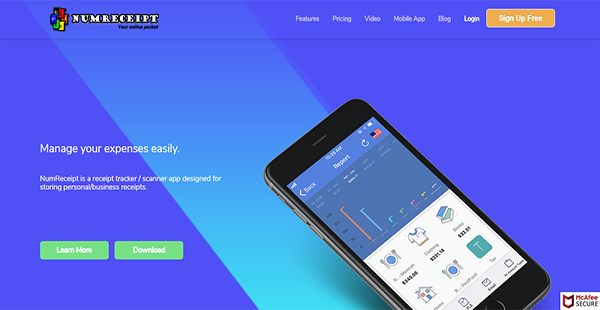
NumReceipt is a receipt tracker and expense manager with an OCR capability. It can scan paper receipts and extract details such as total amount, tax, retailer, and the date of the transaction. After which, the solution stores them as digital files into the system for easier recording. NumReceipt also supports manual uploading of expenses into the system.
Apart from receipt information, NumReceipt can also take note of transaction locations. This is especially beneficial in drawing up location reports for audits and reconciliations. Apart from these, there are a host of tools and features available in NumReceipt that are advantageous from solo entrepreneurs to corporate entities.
Show MoreOverview of NumReceipt Benefits
Automatic Receipt Detail Extraction
Regardless of the plan you sign up for with NumReceipt, you have access to the solution’s OCR capability. This lets you extract vital information from your receipts like total amount, date, tax, and the name of the retailer. This way, your accountants can work with new information promptly to keep your finances in good health.
Advanced Search Functions
In case you need to find certain transactions, you can do so easily with NumReceipt. The solution has an advanced searching ability that lets you filter receipts by retailer category, notes, and other characteristics. Thus, you can find the right document rapidly.
Instantaneous Currency Exchange
When you or your employees have transactions in other currencies, NumReceipt converts them automatically to your preferred currency. With this, you can avoid discrepancies in your financial records. What’s more, you can accelerate your accounting since you do not have to check exchange rates daily.
Travel Miles & Location Tracking
Travelling is unavoidable in a business setting. That is why NumReceipt supports the tracking of business miles for simplified tax reimbursement. The solution also captures locations for better accounting and for full business visibility and can outline them in a comprehensive locations report. As such, you can attain greater transparency.
Bank Reconciliation
NumReceipt can pull information from your bank account. With this, you can reconcile transactions and amounts with ease. This also lets you better manage your expenses since you can quickly see how much you have left in your operational bank account.
Extra Security Layer
With NumReceipt, you can make certain that only you or select administrators can perform a particular set of actions in a Business Account. They have four-digit passcode that secures your private data. If the phone is lost or misplaced, the user can retrieve information from another device like a PC. NumReceipts is encrypted with 256 bit SSL encryption for extra security.
Role-Based Access
The user can add or assign roles like partner, accountants, and employee to other users in a business account. Additionally, the user can allow access to trusted individuals or restrict account access in a particular set of business actions for data privacy and security. Meanwhile, an Accountant user can utilize the Chat feature to interact with their clients.
Show MoreOverview of NumReceipt Features
- PDF & XLS Reports
- OCR Capability
- Automated Exchange Rate Calculation
- Data Backup
- Business Miles Tracking
- Advanced Search Functions
- Multi-currency Support
- Automatic Retailer Tagging
- Calendar View
- Passcode
- Bank Connect
Awards & Quality Certificates


NumReceipt Position In Our Categories
Keeping in mind companies have distinctive business-related requirements, it is reasonable that they avoid adopting an all-in-one, ideal solution. Be that as it may, it would be futile to try to find such a software product even among well-known software products. The practicable step to undertake should be to tabulate the varied important functions which require inspection like essential features, price terms, technical skill ability of the employees, organizational size, etc. Thereafter, you must do the product research through and through. Read some NumReceipt analyses and look into the other software programs in your shortlist more closely. Such well-rounded research ascertains you weed out ill-fitting applications and select the one that delivers all the tools your business requires in growing the business.
Position of NumReceipt in our main categories:
There are trendy and widely used solutions in each software category. But are they essentially the best fit for your organization’s specific needs? A trendy software application may have thousands of subscribers, but does it present what you need? For this reason, do not blindly invest in popular systems. Read at least a few NumReceipt Expense Management Software reviews and think about the aspects that you desire in the software such as the cost, main features, available integrations etc. Then, choose a few systems that fit your needs. Check out the free trials of these apps, read online reviews, get information from the vendor, and do your homework thoroughly. This in-depth homework is certain to help you choose the best software platform for your organization’s special wants.
How Much Does NumReceipt Cost?
NumReceipt Pricing Plans:
Free Trial
Personal Free
$0
Personal Basic
$9.99/year
Personal Plus
$4.99/month
Personal Pro
$14.99/month
Business Free
$0
Business Basic
$9.99/year
Business Plus
$9.99/month
Business Pro
$49.99/month
Accountant Free
$0
Accountant Plus
$11.99/month
Accountant Pro
$99.99/month
Corporate
Contact vendor
What are NumReceipt pricing details?
NumReceipt Pricing Plans:
Free Trial
Personal Free
$0
Personal Basic
$9.99/year
Personal Plus
$4.99/month
Personal Pro
$14.99/month
Business Free
$0
Business Basic
$9.99/year
Business Plus
$9.99/month
Business Pro
$49.99/month
Accountant Free
$0
Accountant Plus
$11.99/month
Accountant Pro
$99.99/month
Corporate
Contact vendor
NumReceipt has four types of enterprise pricing with varying numbers of tiers each. The solution also offers free versions for individuals and organizations with minimal requirements. The inclusions of these packages are outlined below to help you come to a decision.
Personal
Personal Free – $0
- With Advertisement
- Black & White Receipts
- 200 MB Storage
- McAfee Secure
- Bank Transaction Pull 30-day Trial
- Basic OCR
Personal Basic – $9.99/year
- All Free Features
- No Advertisement
- 500 MB Storage
Personal Plus – $4.99/month or $33/year
- All Basic Features
- Color Receipts
- 1 GB Storage
- Pull Bank Transaction
- Intermediate OCR
Personal Pro – $14.99/month or $99.99/year
- All Plus Features
- Unlimited Storage
- Unlimited Accounts
- Advanced OCR
- P & L
Small Business
Business Free – $0
- With Advertisement
- Black & White Receipts
- 1 Employee
- 200 MB Storage
- McAfee Secure
- Bank Transaction Pull 30-day Trial
- Basic OCR
Business Basic – $9.99/year
- All Business Free Features
- No Advertisement
- 500 MB Storage
Business Plus – $9.99/month or $59.99/year
- All Business Basic Features
- Color Receipts
- 25 GB Storage
- 3 Business Accounts
- Pull Bank Transaction
- Intermediate OCR
Business Pro – $49.99/month or $239.99/year
- All Business Plus Features
- Unlimited Storage
- Unlimited Accounts
- Advanced OCR
- P & L
- Multi-currency Support
Accountant
Accountant Free – $0
- With Advertisement
- Black & White Receipts
- Unlimited Clients
- 200 MB Storage
- 5K Receipts
- McAfee Secure
- Bank Transaction Pull 30-day Trial
- Basic OCR
Accountant Plus – $11.99/month or $79.99/year
- All Accountant Free Features
- No Advertisements
- Color Receipts
- 25 GB Storage
- 1 Million Receipts
- Pull Bank Transaction
- Intermediate OCR
Accountant Pro – $99.99/month or $399.99/year
- All Accountant Plus Features
- Unlimited Storage
- Unlimited Receipts
- Advanced OCR
- P & L
- Multi-currency Support
Corporate – request pricing information
User Satisfaction
Positive Social Media Mentions
0
Negative Social Media Mentions
0
We are aware that when you decide to buy a Expense Management Software it’s important not only to learn how professionals score it in their reviews, but also to find out if the real users and companies that use it are actually content with the product. Because of that need we’ve devised our behavior-based Customer Satisfaction Algorithm™ that aggregates customer reviews, comments and NumReceipt reviews across a vast array of social media sites. The information is then displayed in a simple to understand form indicating how many clients had positive and negative experience with NumReceipt. With that information at hand you should be prepared to make an informed buying decision that you won’t regret.
Video
Technical details
Devices Supported
- Android
- iPhone/iPad
- Web-based
Deployment
- Cloud Hosted
Language Support
- English
Pricing Model
- Free
- Monthly payment
- Annual Subscription
- Quote-based
Customer Types
- Small Business
- Large Enterprises
- Medium Business
- Freelancers
What Support Does This Vendor Offer?
- phone
- live support
- training
- tickets
What integrations are available for NumReceipt?
No information available.
NumReceipt User Reviews
NumReceipt average rating:
4/5
Overall impression
5/5
Customer Support
4/5
Value for Money
5/5
Ease of Use
Write your own review of this product
ADD A REVIEWMore reviews from 1 actual users:
Sort by:
Latest
- Latest
- Most useful
- Most positive
- Most negative
Great App for Expense Management
Read full review >
4/5
Overall impression
5/5
Customer Support
4/5
Value for Money
4/5
Ease of Use
Published on: 06.01.2021
Company Size: 1-10 Employees
Industry: Information Technology and Services
PROS: Far better than all the other similar apps out there. OCR function does it's job perfect, it saves time in capturing paper receipts. Quick Expense Report & Search by retailer name & Category gives advantages Mileage tracker work great. Thumbs Up
CONS: OCR feature can be enhanced


Join a community of 7,369 SaaS experts
Thank you for the time you take to leave a quick review of this software. Our community and review base is constantly developing because of experts like you, who are willing to share their experience and knowledge with others to help them make more informed buying decisions.
Sign in with LinkedIn
Why we require LinkedIn?
- Show the community that you're an actual user.
- We will only show your name and profile image in your review.
- You can still post your review anonymously.
OR
Sign in with company emailSign in with company email
Popular NumReceipt Alternatives





Top Competitors To NumReceipt By Price
Product name:
Price:



Trending Expense Management Software Reviews




NumReceipt Comparisons
Product name:








NumReceipt user reviews
Great App for Expense Management
Read full review >
4/5
Overall impression
5/5
Customer Support
4/5
Value for Money
4/5
Ease of Use
Published on: 06.01.2021
Company Size: 1-10 Employees
Industry: Information Technology and Services

Page last modified



Did you find this review useful?
Yes
No
Thank you for your feedback
How can we make this page better?
Unsure about this software?
FIND ALTERNATIVES
 Why is FinancesOnline free?