

SmartServ Review



What is SmartServ?
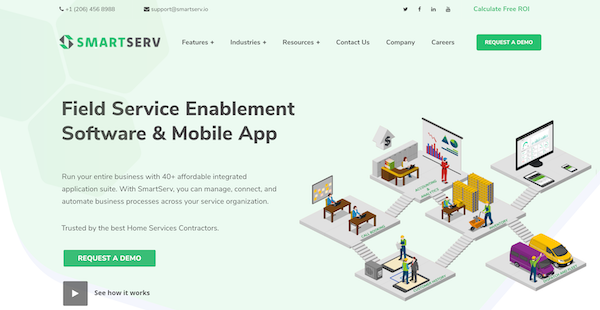
SmartServ is a field service management software that enables you to oversee your business processes, such as inventory and customer management, in one platform. It offers scheduling and dispatching tools to help you keep track of individual assignments and job statuses, among others.
SmartServ also offers a mobile interface that you can use for remote work. Through this app, your employees and technicians can access their checklists, requests, and customer information anytime and anywhere. The app also serves as a mobile time card for employees completing tasks out of the office.
To help you make better business decisions, SmartServ generates reports and analytics that you can use to understand and visualize your accounting, operation, and productivity progress. Additionally, this platform offers CRM tools to help you keep a regularly updated record of all your customer information.
Show MoreOverview of SmartServ Benefits
Scheduling and Dispatching
SmartServ offers scheduling and dispatching tools to help you manage your employees’ time and meet customer requests on time. This platform allows you to view your team’s availability to prevent overbooking. You can also view their schedules based on the job location and their history of completed, started, and rescheduled tasks. For dispatching, you can see the job status in real-time, track where your team members are, and assign new jobs based on proximity to their current job site and availability. Your technicians can also access the details of the job through the dashboard to ensure that they are meeting your customers’ requests.
Invoices and Quotes
SmartServ provides invoicing and quoting tools to give you control over your cash inflow. This platform detects assignments with open balances. You can add all the billing information on the invoice before sending it to the customer. Additionally, you can also upload your price books so you can update your prices for all your services efficiently. Importing your price books also allows you to easily create customer estimates, which you can then send and convert into job assignments.
Maintenance Agreements
SmartServ enables you to create and manage your maintenance programs. You can input the details of your maintenance agreements so that you can easily access the forms, policies, and procedures relevant to the contract. This easy access to the information can also help your technicians sell new contracts and renew memberships while on-site for their assignments. This platform also enables you to send out customer notifications for renewals and maintenance schedules.
Show MoreOverview of SmartServ Features
- Scheduling
- Dispatching
- Invoices and Quotes
- Customer Management
- Customizations
- Integrations
- Maintenance Agreements
- Reporting & Analytics
- Inventory Software
Awards & Quality Certificates


SmartServ Position In Our Categories
Since companies have particular business wants, it is sensible that they abstain from seeking a one-size-fits-all, ”best” software solution. Regardless, it would be hard to find such a software product even among widely used software solutions. The right thing to undertake would be to write the various critical aspects which necessitate careful thought like essential features, packages, technical skill levels of the users, organizational size, etc. Next, you should double down on the product research comprehensively. Read these SmartServ review articles and scrutinize each of the applications in your list in detail. Such detailed product research makes sure you steer clear of ill-fitting applications and choose the one that meets all the features your business requires.
Position of SmartServ in our main categories:
Since each organization has unique business requirements, it is advisable for them to refrain from searching for a one-size-fits-all faultless software system. Needless to say, it would be useless to try to find such an app even among widely used software applications. The clever thing to do would be to catalog the various essential factors that require consideration such as main features, budget, skill levels of workers, company size etc. Then, you should do your homework thoroughly. Read some SmartServ Field Service Management Software - FSM reviews and check out each of the other solutions in your shortlist in detail. Such in-depth groundwork can ensure you discard ill-fitting applications and select the system that presents all the aspects you require for business success.
How Much Does SmartServ Cost?
SmartServ Pricing Plans:
Free Trial
Quote-Based Plan
Contact vendor
What are SmartServ pricing details?
SmartServ Pricing Plans:
Free Trial
Quote-Based Plan
Contact vendor
SmartServ offers a quote-based enterprise pricing package. Contact the vendor for more information.
User Satisfaction
Positive Social Media Mentions
18
Negative Social Media Mentions
0
We know that when you choose to purchase a Field Service Management Software - FSM it’s vital not only to see how professionals evaluate it in their reviews, but also to find out if the actual clients and businesses that purchased these solutions are indeed happy with the product. Because of that need we’ve designer our behavior-based Customer Satisfaction Algorithm™ that aggregates customer reviews, comments and SmartServ reviews across a broad range of social media sites. The data is then presented in an easy to digest form showing how many users had positive and negative experience with SmartServ. With that information at your disposal you will be prepared to make an informed business decision that you won’t regret.
Video
Technical details
Devices Supported
- Windows
- Android
- iPhone/iPad
- Mac
- Web-based
Deployment
- Cloud Hosted
Language Support
- English
Pricing Model
- Quote-based
Customer Types
- Small Business
- Large Enterprises
- Medium Business
What Support Does This Vendor Offer?
- phone
- live support
- training
- tickets
What integrations are available for SmartServ?
SmartServ integrates with the following software and applications:
- QuickBooks
- FattMerchant
- Gravity

SmartServ
is waiting for
your first review.

Write your own review of this product
ADD A REVIEWMore reviews from 0 actual users:


Join a community of 7,369 SaaS experts
Thank you for the time you take to leave a quick review of this software. Our community and review base is constantly developing because of experts like you, who are willing to share their experience and knowledge with others to help them make more informed buying decisions.
Sign in with LinkedIn
Why we require LinkedIn?
- Show the community that you're an actual user.
- We will only show your name and profile image in your review.
- You can still post your review anonymously.
OR
Sign in with company emailSign in with company email
Popular SmartServ Alternatives


Top Competitors To SmartServ By Price
Product name:
Price:




Trending Field Service Management Software - FSM Reviews


SmartServ Comparisons
Product name:







Page last modified



Did you find this review useful?
Yes
No
Thank you for your feedback
How can we make this page better?
Unsure about this software?
FIND ALTERNATIVES
 Why is FinancesOnline free?