
- Home
- Help Desk Software
- Issuetrak

Issuetrak Review



What is Issuetrak?
Issuetrak is an agile and very flexible software platform that can easily be shaped to fit your operations management tools and specific business needs. Issuetrak is capable of analyzing multiple processes and departments to provide corporate management the data they need to decide what is working and what is falling short so that bugs can be fixed and better practices can be replicated.
It is also a tool that allows users to build other tools.
Show MoreOverview of Issuetrak Benefits
- Optional modules let you monitor PC and non-PC assets, initiate web surveys to your users and customers, and create work orders and invoices.
- Multiple features can be setup to fit your business needs and then help you manage and track items that are essential to your business success.
- Users can provide input and update their own issues.
- Multiple reporting options help users access information and share them to those who require them.
- Configure the system and activate only the features you need.
- Customers are encouraged to engage in the continuing development of the platform via suggestions, which are taken to consideration.
There is a paramount importance of making it easy for the customer to shape their operations and management tools to fit their specific business needs. Issuetrak believes that for a solution to succeed the software cannot try to force-fit a solution that doesn’t match the way the company operates and hope for long-term success. Flexibility and customizability are fundamental to Issuetrak’s platform, and have shaped the way the software has evolved from the beginning.
Issuetrak is built for leveraging issue ticket statistics to improve the bottom line. IT directors use Issuetrak to analyze multiple processes and departments, and to provide corporate management with data about what is delivering results and what appears to be falling short, so that bugs can be fixed and better practices replicated. For Issuetrak users, there is a direct correlation between the data gleaned from ticketing software and financial success.
Show MoreOverview of Issuetrak Features
- Workflow & Task Management
- Email Notifications
- Installation & Upgrades
- Dashboard
- My Issues
- Knowledge Base
- Site Appearance
- Site References
- Issue, User, and Organization Fields
- Web-based Access
- Self-Registration
- Report Writer
- Searches and Saved Searches
What Problems Will Issuetrak Solve?
1. Asset Management
“Issuetrak is working well for us. It has greatly improved our ability to address issues and track our assets. At this point, management is very happy with the purchase and we’re looking into ways we can expand its use.” – Technical Services Manager
Challenge: This company has hundreds of technical assets and customer products. Whether equipment is part of their inventory, in the shop temporarily for repair or leased out at customer sites, they need to keep detailed records on the location of its assets. Excel spreadsheets just weren’t doing the job effectively.
“Asset management is critical for us. If one piece is missing, it can be $1500 to replace it.” -Technical Services Manager
Moreover, the company needed a more effective way of managing help desk and customer support issues, especially as the company increased its field support for software and equipment across several states. The Technical Services Manager envisioned an online portal where customers could log and track their support issues as well as tap into a knowledge base for help.
Solution: IssueTrak could address all three of the company’s pressing needs: asset tracking, customer support and help desk issues.
Now the company has more actionable business insight by knowing its total asset value and exactly what’s in the field. Equipment accountability helps prevent thousands of dollars’ worth of equipment from going missing each year.
Also, sales reps stay ahead of upcoming customer events like renewals or budget planning, helping secure sales.
2. Help Desk
“We have a much greater visibility into everything so we can act on tickets more quickly. It saves time, especially when dealing with people on the other side of the world.” – IT Manager
Challenge:
Issuetrak’s client serves a global customer base with 130 people across offices in Massachusetts, England, China, Hong Kong and Taiwan. Since the IT Manager joined in 1998, the company has expanded significantly through acquisitions. As the employee base grew, so did the challenge of keeping up with help desk requests across countries and time zones using only email.
Solution:
Issuetrak gives the small, Massachusetts-based IT team a simple way for employees at five locations to submit help desk requests at any time. Employees simply send an email to the help desk and it automatically opens a ticket that’s traceable through to resolution. Through a connection with Active Directory, Issuetrak links the request with the specific employee so the IT Manager and others have each employee’s contact information, technology profile and history of help desk issues in one place.
Automation in Issuetrak alerts the team when tickets have been open for a certain length of time, ensuring that the team resolves them within specific, defined timeframes. Tickets also close out automatically when they have met certain criteria.
3. Customer Support
“Issuetrak is cutting 75 percent of the time I used to spend on customer support requests. I get hours back in my week that I can spend on getting new business.” – Company President
Challenge:
A software training company needed a better solution than email to track customer support issues and how those issues were being handled and by whom. The current system took too long to respond to customer requests. The company also lacked reporting functions on current and past issues.
Solution:
“Issuetrak is the perfect solution. Its pricing model is affordable for a small business and offers the support we need.” – Company President
The software company pays only for administrative users, not each client accessing the system, keeping costs down as the company grows. Plus, Issuetrak delivers a number of capabilities that enhance support for technicians and clients:
For clients, submitting a request is the same as it always has been; they simply send an email.
Issuetrak directs customer emails to the right technicians based on who the customer is and the nature of the question and ensuring that the request gets to the right person right way.
Clients can log into Issuetrak to look at the history and current status of their support requests.
When a technician accepts or addresses a ticket, the client contact automatically gets an email regarding the status.
The company turns to Issuetrak to manage the many tasks and files of a new web development project in one place: hosting, themes, design, content and more. Those tasks and documents are under one ticket, instead of 100.
The company also tracks critical dates for clients’ sites, such as domain name expirations by running reports to see all upcoming expirations well ahead of deadlines.
Contract technicians keep track of their hours in Issuetrak and no longer need to submit detailed invoices.
The company gives technicians access only to the clients to which they are assigned, rather than the entire client base.
With the mobile version, technicians address customer needs and update status wherever they are.
The company gets fast support from Issuetrak when anything arises.
Issuetrak Position In Our Categories
Knowing that businesses have special business needs, it is only practical that they abstain from buying a one-size-fits-all, ”best” system. Just the same, it would be difficult to discover such an app even among well-known software systems. The correct step to do is to jot down the different main factors that demand careful thought like major features, packages, skill ability of staff, business size, etc. Then, you should conduct your product research fully. Go over some of these Issuetrak evaluations and explore the other software systems in your shortlist in detail. Such well-rounded product research guarantees you keep away from unfit applications and subscribe to the system which meets all the features your company requires for optimal results.
Position of Issuetrak in our main categories:
TOP
50
Issuetrak is one of the top 50 Help Desk Software products
If you are interested in Issuetrak it could also be a good idea to analyze other subcategories of Help Desk Software gathered in our database of SaaS software reviews.
It's crucial to realize that virtually no app in the Help Desk Software category is a perfect solution that can match all the goals of various company types, sizes and industries. It may be a good idea to read a few Issuetrak Help Desk Software reviews first as certain services may excel only in a very narrow set of applications or be designed with a really specific industry in mind. Others might function with a goal of being easy and intuitive and as a result lack complex features desired by more experienced users. You can also come across apps that focus on a wide group of customers and provide a rich feature toolbox, however that usually comes at a more significant price of such a service. Make sure you're aware of your requirements so that you select a solution that offers specifically the functionalities you search for.
How Much Does Issuetrak Cost?
Issuetrak Pricing Plans:
Free Trial
Cloud - Team Plan
$27/agent/agent/month
$291/agent/year
Cloud - Support Plan
$79/agent/month
$876/agent/year
On-Premises Subscription - Team
$160/agent
On-Premises Subscription - Support
$478/agent
On-Premises Perpetual - Team
$212/agent (one-time payment)
On-Premises Perpetual - Support
$1059/agent (one-time payment)
What are Issuetrak pricing details?
Issuetrak Pricing Plans:
Free Trial
Cloud - Team Plan
$27/agent/agent/month
$291/agent/year
Cloud - Support Plan
$79/agent/month
$876/agent/year
On-Premises Subscription - Team
$160/agent
On-Premises Subscription - Support
$478/agent
On-Premises Perpetual - Team
$212/agent (one-time payment)
On-Premises Perpetual - Support
$1059/agent (one-time payment)
Issuetrak offers two licensing options, Team and Support plans, and two hosting options, Cloud or On-Premise. A free online demo is also available.
Cloud – Team Plan
- $27/agent/month
- $291/agent/year
Cloud – Support Plan (agents + free unlimited users)
- $79/agent/month
- $876/agent/year
On-Premises Subscription
- Teams: $160/agent
- Support: $478/agent
On-Premises Perpetual
- Team: $212/agent (one-time payment)
- Support: $1059/agent (one-time payment)
All plans and deployment options offer these features:
- 24/7 phone, chat, and email support
- Custom forms and form templates
- Unlimited issues
- Task management
- Omnichannel issue submission
- Notifications
- Mass issue handling
- Reporting
- Issue automation and workflows
- Dashboards
User Satisfaction
Positive Social Media Mentions
0
Negative Social Media Mentions
0
We are aware that when you decide to purchase a Help Desk Software it’s important not only to learn how experts rank it in their reviews, but also to find out whether the actual people and businesses that use it are genuinely satisfied with the product. That’s why we’ve devised our behavior-based Customer Satisfaction Algorithm™ that collects customer reviews, comments and Issuetrak reviews across a wide array of social media sites. The data is then featured in an easy to digest way indicating how many users had positive and negative experience with Issuetrak. With that information available you should be prepared to make an informed business decision that you won’t regret.
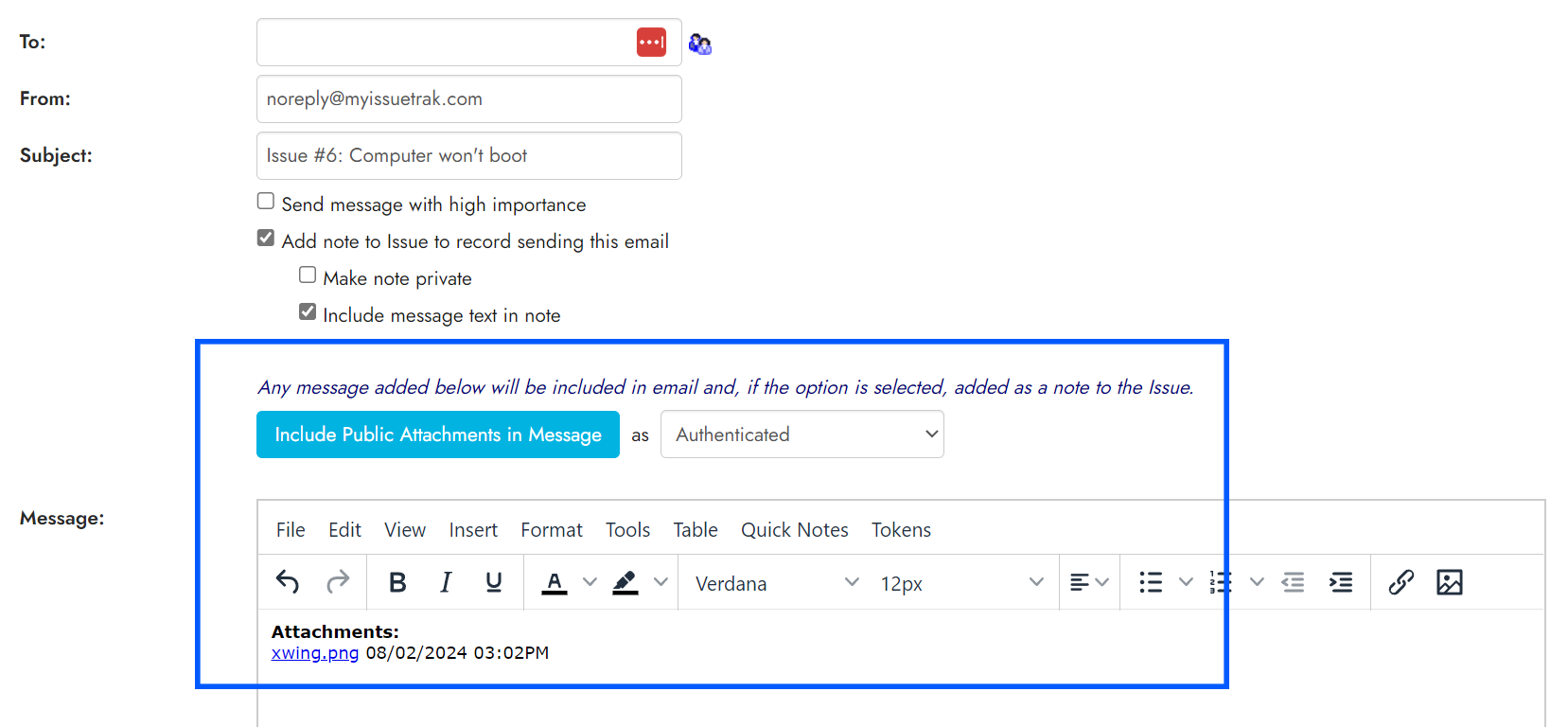
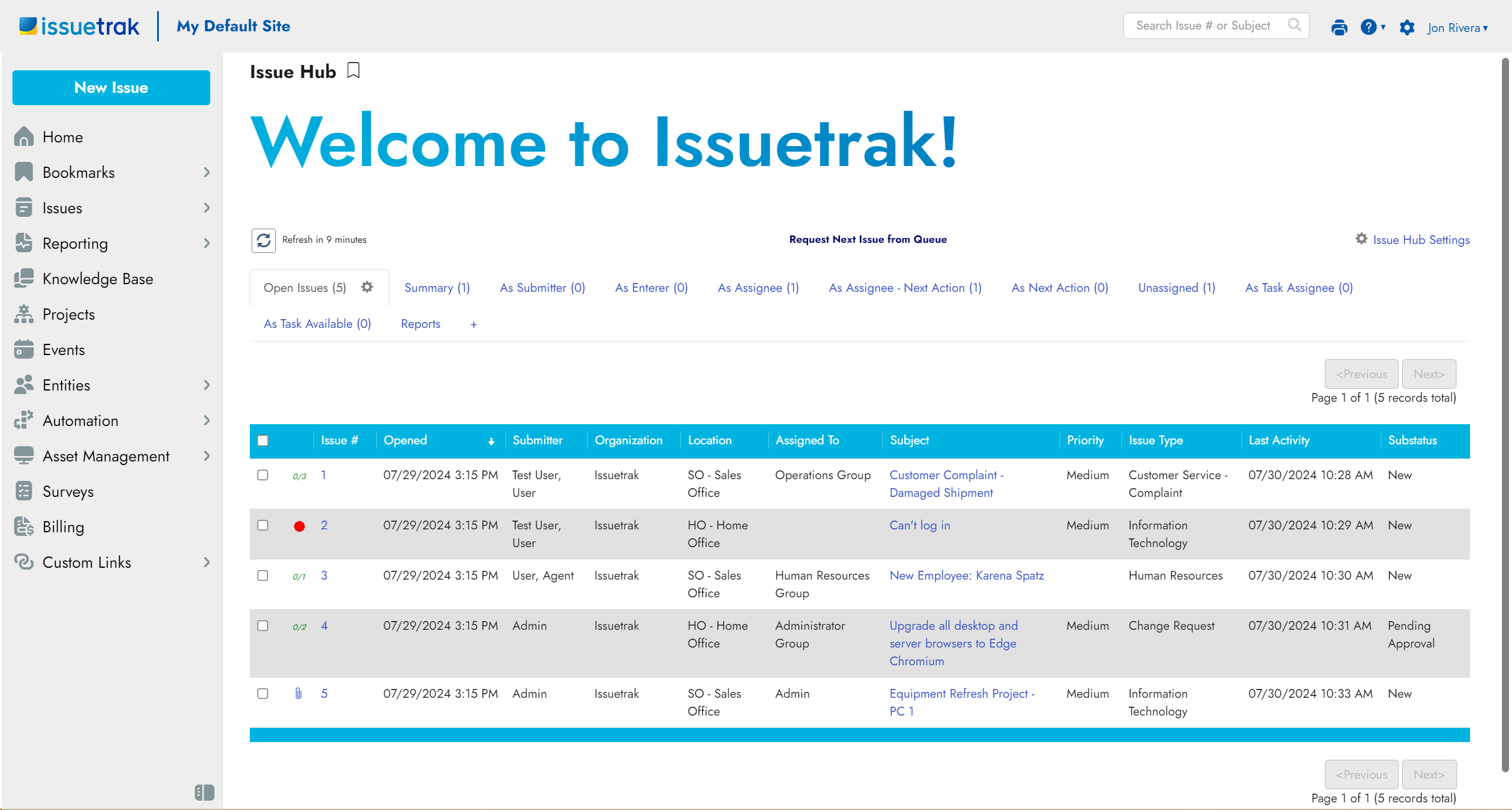
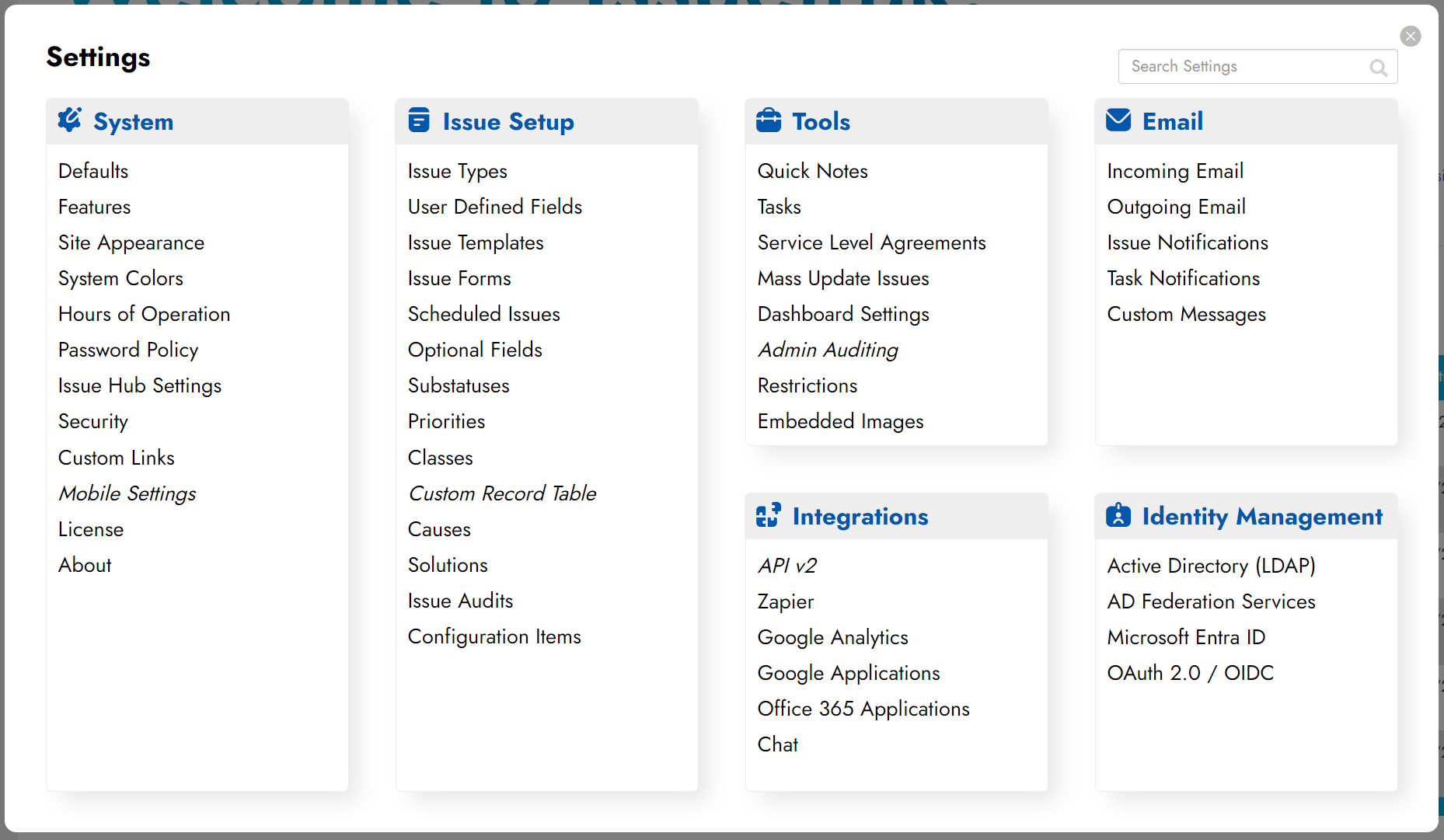
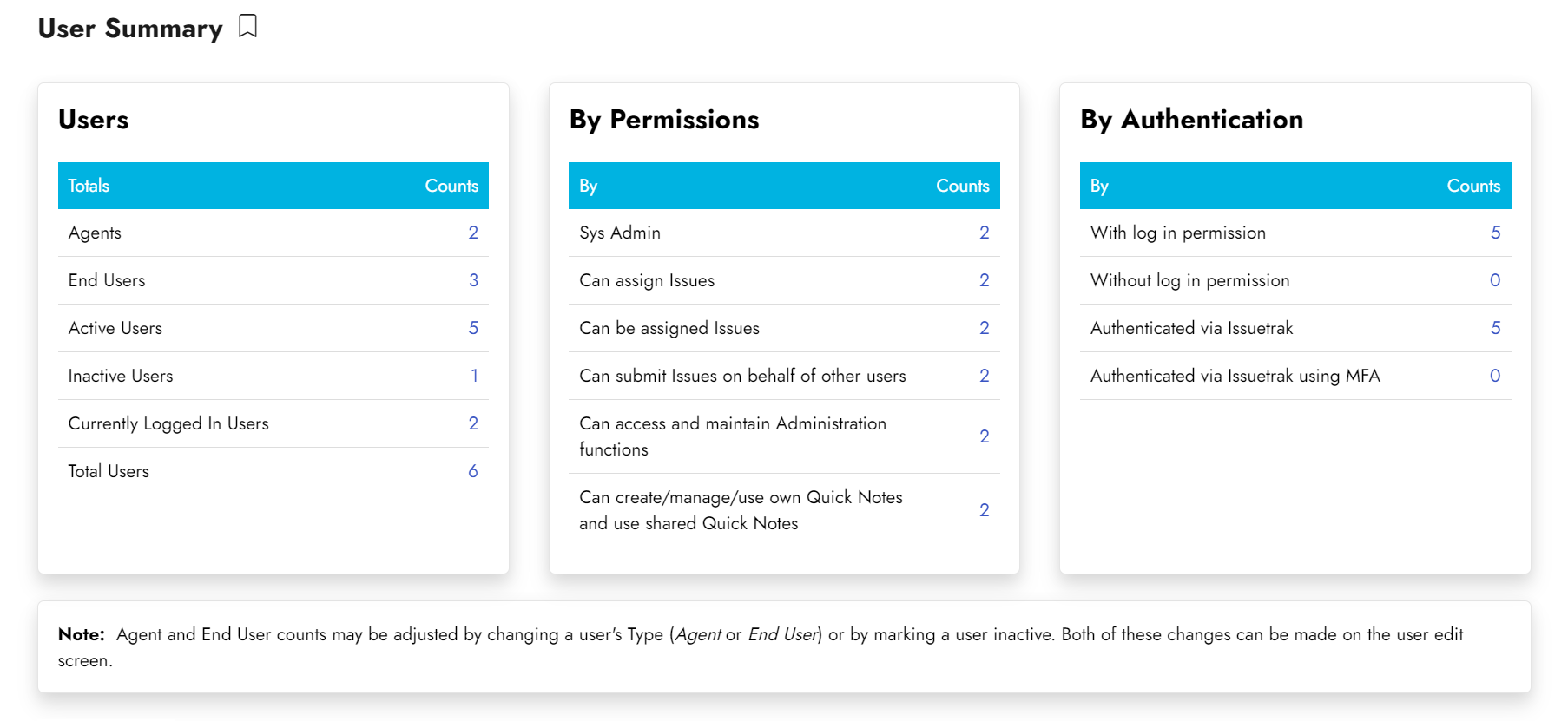
Screenshots
Technical details
Devices Supported
- Windows
- Android
- iPhone/iPad
- Mac
- Web-based
Deployment
- Cloud Hosted
- On Premise
Language Support
- English
Pricing Model
- Monthly payment
Customer Types
- Small Business
- Large Enterprises
- Medium Business
- Freelancers
What Support Does This Vendor Offer?
- phone
- live support
- training
- tickets
What integrations are available for Issuetrak?
No information available.
Issuetrak User Reviews
Issuetrak average rating:

5/5
Overall impression
5/5
Customer Support
5/5
Value for Money
5/5
Ease of Use
Write your own review of this product
ADD A REVIEWThe most favorable review

PROS: Issuetrak is easy to configure and ease. The learning curve is short and we could easily set up the software for our work. Users love the easy and fast input. The system helps them efficiently manage hundreds of tickets every day.
CONS: There are no issues with the software. If anything comes up, the support team fixes it quickly even if the issue is at my end.
The least favorable review
PROS: Issuetrak is easy to set up and use. The upgrades are straightforward. The tech support is excellent and the agents provide prompt and helpful service to resolve issues.
CONS: The tool is concise and clear and meets all my requirements. The GUI could be improved, but apart from this glitch it is a great product.
More reviews from 11 actual users:
Sort by:
Latest
- Latest
- Most useful
- Most positive
- Most negative
The customer support is outstanding
Read full review >
5/5
Overall impression
5/5
Customer Support
5/5
Value for Money
5/5
Ease of Use
Published on: 04.12.2021
Company Size: More than 100 Employees
Industry: Computer Software
PROS: The support team is great and the agents are fast, professional, and courteous. They make me feel at ease and resolve all issues efficiently.
CONS: I have been using Issuetrak for more than three years, but have not found any noticeable drawbacks.
Easy to set up and use
Read full review >
4/5
Overall impression
4/5
Customer Support
4/5
Value for Money
4/5
Ease of Use
Published on: 03.12.2021
Company Size: More than 100 Employees
Industry: Medical Devices
PROS: Issuetrak is easy to set up and use. The upgrades are straightforward. The tech support is excellent and the agents provide prompt and helpful service to resolve issues.
CONS: The tool is concise and clear and meets all my requirements. The GUI could be improved, but apart from this glitch it is a great product.
Simple yet packed with features
Read full review >
5/5
Overall impression
5/5
Customer Support
5/5
Value for Money
5/5
Ease of Use
Published on: 26.11.2021
Company Size: 1-10 Employees
Industry: Information Technology
PROS: Issuetrak’s REST based API helps us to use our own app’s interface to create tickets inside Issuetrak. Users also have the option of emailing their tickets if they are not able to access the software. The user information is linked to the ticket which means we do not have to do extra research on who submitted the request.
CONS: The only grouse I have is that the software opens new windows instead of tabs when I use it in Chrome. Sometimes, the software does not open a new window or tab and simply goes straight to the page.
The app is easy to configure and use
Read full review >
5/5
Overall impression
5/5
Customer Support
5/5
Value for Money
5/5
Ease of Use
Published on: 06.09.2021
Company Size: More than 100 Employees
Industry: Construction
PROS: Issuetrak is easy to configure and ease. The learning curve is short and we could easily set up the software for our work. Users love the easy and fast input. The system helps them efficiently manage hundreds of tickets every day.
CONS: There are no issues with the software. If anything comes up, the support team fixes it quickly even if the issue is at my end.
Robust yet intuitive app
Read full review >
5/5
Overall impression
5/5
Customer Support
5/5
Value for Money
5/5
Ease of Use
Published on: 27.06.2021
Company Size: More than 100 Employees
Industry: Information Technology and Services
PROS: The app is powerful yet intuitive. It offers a comprehensive set of tracking features as well as optional modules that cover ancillary requirements. The customer support is excellent and the agents have sound knowledge about the product.
CONS: Issuetrak can be difficult to set up. You need to learn about certain terms and language of the product to stage it effectively. Plus, different features may be depend on other features which are not obvious when you do the initial configuration.
Flexible application
Read full review >
5/5
Overall impression
5/5
Customer Support
5/5
Value for Money
5/5
Ease of Use
Published on: 25.05.2021
Company Size: More than 100 Employees
Industry: Unavailable
PROS: Issuetrak offers me the flexibility to use the features I need. The pricing is scalable and product is ideal for project management and to track issues. You don’t need to be a paid user to connect to issues.
CONS: It takes some time to set up the system-generated emails for the end users, but this is to be expected given the flexibility of the software.
Highly scalable software
Read full review >
4/5
Overall impression
4/5
Customer Support
4/5
Value for Money
4/5
Ease of Use
Published on: 06.05.2021
Company Size: More than 100 Employees
Industry: Unavailable
PROS: I would like to point out the following as top features and benefits: The app is fit for our purposes. It is simple to use, semi-intuitive, and highly scalable with regards to user volume.
CONS: The following drawbacks could be improved: Issuetrak shows user display IDs and group IDs instead of user names and group names. Both these pose problems when creating reports and performing searches. Messaging is per instance, ideally outbound messaging should be per inbound email address and not per instance. Finally, it is hard to implement SLA functionality.
Easy to upgrade and maintain the software
Read full review >
4/5
Overall impression
4/5
Customer Support
4/5
Value for Money
4/5
Ease of Use
Published on: 22.04.2021
Company Size: More than 100 Employees
Industry: Electrical/Electronics
PROS: Issuetrak is a flexible app that is easy to maintain, use, and upgrade. The software is flexible and the useful training site offers valuable ideas on how to use the site for different systems.
CONS: The mobile version could be improved. Right now the vendor offers a minimalist web version and the iOS/Android interface lacks the ability to take advantage of touch. I would also like to be able to use the software to scan barcodes in Asset Tracking.
Issuetrak is a versatile tool
Read full review >
4/5
Overall impression
4/5
Customer Support
4/5
Value for Money
4/5
Ease of Use
Published on: 14.03.2018
Company Size: More than 100 Employees
Industry: Machinery
PROS: Issuetrak is a versatile app that we have used to adapt to our firm’s paper processes. The vendor heeds customer input and constantly improves the product to make it better. The customer support is top class.
CONS: A few features have limited flexibility, but the vendor is working to improve these areas.
Offers many excellent features
Read full review >
4/5
Overall impression
4/5
Customer Support
4/5
Value for Money
4/5
Ease of Use
Published on: 19.01.2018
Company Size: 1-10 Employees
Industry: Hospital & Health Care
PROS: I like the following features: The ability to store users and search for them and the ability to categorize the various jobs we receive. Plus, Issuetrak helps us to communicate directly with our customers which is an improvement over the previous help desk we used which allowed us to only log our communications through calls and emails.
CONS: There are a few limitations I would like to point out: The messages have limited formatting features. Plus, I am not able to use graphics and tables without attaching files. There is a character limit on emails which prevents us from sending lengthy emails.
Amazing software
Read full review >
5/5
Overall impression
5/5
Customer Support
5/5
Value for Money
5/5
Ease of Use
Published on: 07.01.2018
Company Size: More than 100 Employees
Industry: Financial Services
PROS: The features I like are reporting, next action ticket to individuals, organizing the tickets, and email to ticket. The app is easy to set up and helps me effectively manage my Lock Desk and IT unit.
CONS: There are few drawbacks. First, I need to by a license for each user. Then, I am unable to transfer tickets to others which prevents me from assigning tickets to the right agent in a timely manner. The security level needs to be improved and I should have the ability to give users direct access to the system to submit tickets. The vendor needs to upgrade the software to tier 3 / layer 3 level so that users can access the system through a website as well as for data protection.


Join a community of 7,369 SaaS experts
Thank you for the time you take to leave a quick review of this software. Our community and review base is constantly developing because of experts like you, who are willing to share their experience and knowledge with others to help them make more informed buying decisions.
Sign in with LinkedIn
Why we require LinkedIn?
- Show the community that you're an actual user.
- We will only show your name and profile image in your review.
- You can still post your review anonymously.
OR
Sign in with company emailSign in with company email
Popular Issuetrak Alternatives




Top Competitors To Issuetrak By Price
Product name:
Price:


Trending Help Desk Software Reviews


9.2
98%

7.8
100%
Issuetrak Comparisons
Product name:


Issuetrak user reviews
The customer support is outstanding
Read full review >
5/5
Overall impression
5/5
Customer Support
5/5
Value for Money
5/5
Ease of Use
Published on: 04.12.2021
Company Size: More than 100 Employees
Industry: Computer Software
Easy to set up and use
Read full review >
4/5
Overall impression
4/5
Customer Support
4/5
Value for Money
4/5
Ease of Use
Published on: 03.12.2021
Company Size: More than 100 Employees
Industry: Medical Devices
Simple yet packed with features
Read full review >
5/5
Overall impression
5/5
Customer Support
5/5
Value for Money
5/5
Ease of Use
Published on: 26.11.2021
Company Size: 1-10 Employees
Industry: Information Technology
The app is easy to configure and use
Read full review >
5/5
Overall impression
5/5
Customer Support
5/5
Value for Money
5/5
Ease of Use
Published on: 06.09.2021
Company Size: More than 100 Employees
Industry: Construction
Robust yet intuitive app
Read full review >
5/5
Overall impression
5/5
Customer Support
5/5
Value for Money
5/5
Ease of Use
Published on: 27.06.2021
Company Size: More than 100 Employees
Industry: Information Technology and Services

Page last modified



Did you find this review useful?
Yes
No
Thank you for your feedback
How can we make this page better?
Unsure about this software?
FIND ALTERNATIVES
 Why is FinancesOnline free?